
Head-to-Head
Shotcut vs CapCut for Windows: Which Free Video Editor Should You Use?
By Rehman Ahmad · Updated 2026-09-02 · 3 min read · 715 words
Short answer
Choose Shotcut if you want a GPL-licensed editor that works offline with no account, no telemetry and a 155 MB install. Choose CapCut if you want auto-captions, templates and effects that would take hours to build manually, and you accept a ByteDance account plus a 648 MB download. Shotcut is the safer long-term choice; CapCut is the faster one.
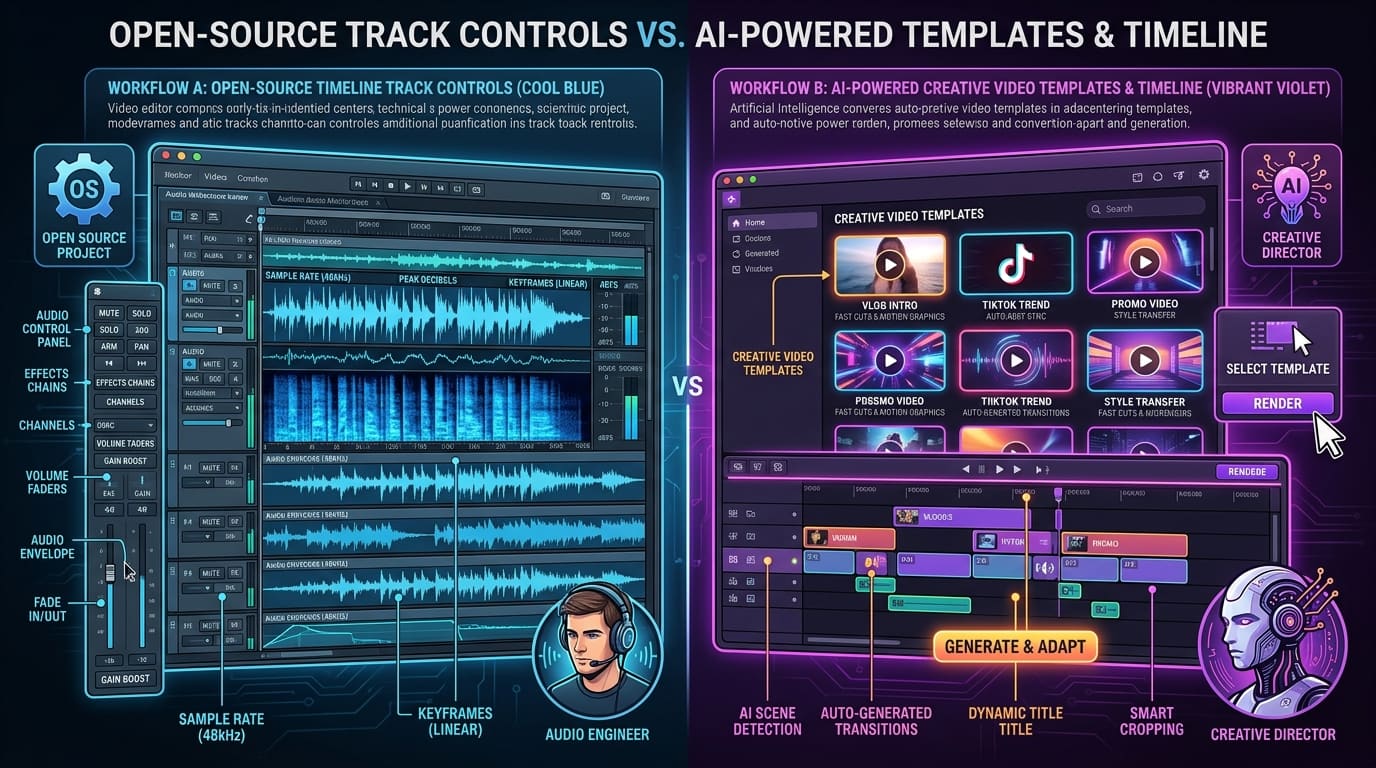
Both of these are free video editors for Windows, both handle 4K, and both are genuinely capable. But they are free in different ways, and that difference — not the feature list — is what should decide it.
Shotcut is GPL open source, maintained by Meltytech. CapCut is freeware from ByteDance, the company behind TikTok.
The specs side by side
| Shotcut | CapCut | |
|---|---|---|
| Version | v26.8.1 | v4.8.0 |
| Licence | GPL, open source | Freeware, proprietary |
| Download size | 155.1 MB | 648 MB |
| Package | EXE Repack | EXE Installer |
| Requires | Windows 10/11 64-bit | Windows 10/11 64-bit |
| Account needed | No | Yes |
| Works offline | Fully | Partly |
The size gap is not bloat. CapCut ships its effect library, fonts, transition presets and on-device AI models inside the installer. You are downloading content, not just a program.
Where CapCut wins outright
Auto-captions. CapCut transcribes speech and generates styled subtitles in one step. Shotcut has no equivalent. If you publish talking-head video, this one feature can save more time than everything else in this comparison combined.
Templates and effects. The built-in library covers the transitions, text animations and trend formats that short-form video expects. Building any of that manually in Shotcut is possible and slow.
Time to first export. CapCut is designed so that someone who has never edited video can finish something in twenty minutes. Shotcut expects you to understand a timeline.
Where Shotcut wins outright
No account, no telemetry. Shotcut opens and works. There is no sign-in, and your project list is not associated with a profile on someone else's server. For anyone editing client material, internal footage, or anything under an NDA, this is not a preference — it is a requirement.
Nothing is gated. Because it is GPL rather than a free tier, there is no Pro upgrade holding back a codec, a resolution or an export length. Every feature is in the build you download.
It will still be here. Open source under GPL means the source is public and the project is forkable. A proprietary free app can change its terms, add a paywall, or leave a market. That has happened to CapCut before in specific regions.
Format range. FFmpeg underneath means ProRes, DNxHD, H.264, HEVC and AV1 are read natively, which matters when the footage came off a camera rather than a phone.
The honest weaknesses
Shotcut's interface is dated and its export panel exposes a lot of options with little explanation. The learning curve is real, and its own release notes acknowledge it. It also wants 16 GB of RAM for comfortable 4K work — it will open on 4 GB and stutter.
CapCut's weakness is structural rather than cosmetic: it is a 648 MB proprietary app from ByteDance that wants an account. If that is acceptable to you, it is an excellent editor. If it is not, no feature list changes the answer.
How to decide
Ask what the footage is.
Short-form social video, captions matter, footage is yours: CapCut. The template library and auto-captioning are worth the install size, and you were going to publish it to a social platform anyway.
Client work, internal footage, anything confidential: Shotcut. The absence of an account requirement is the deciding factor, and it is not something CapCut can offer.
You want to actually learn to edit: Shotcut. The concepts transfer to Resolve or Premiere later. CapCut's workflow is specific to CapCut.
Low-spec PC, limited disk: Shotcut, at less than a quarter of the download.
There is also a reasonable case for installing both — CapCut for quick social cuts, Shotcut for anything that needs to stay offline. They do not conflict, and between them they cost nothing but 800 MB of disk.
Whichever you pick, get the installer from the developer rather than a mirror — both are widely repackaged with bundled adware. Each app's page here prints the SHA-256 of the exact file we serve, so you can confirm your download arrived intact. Comparing against the publisher's own published hash is the stronger check, and worth doing wherever they publish one.
Every app named here resolves to a page in the FileCobra catalogue — the build fails if one does not. Versions, package sizes and system requirements are read from that catalogue rather than written by hand. Where our ingestion worker has fetched a release itself, it records a SHA-256 of the exact file we serve and publishes it on the app’s page. We do not run an antivirus lab: where a VirusTotal report exists we link it, and where none exists we say so rather than imply one.
Rehman Ahmad
VERIFIED AUTHORChief Technology Officer & Lead Systems Auditor at FileCobra
Rehman specializes in Android operating system internals, cryptographic integrity verification, reverse engineering APK packaging architectures, and high-performance audio/video DSP pipelines. He directs the security verification and release ingestion infrastructure across FileCobra.
Apps covered in this guide
Frequently asked questions
Is CapCut actually free, or is it a trial?
CapCut is free to use rather than a time-limited trial, but it is not open source and some effects, fonts and cloud features sit behind CapCut Pro. It also requires an account, so your project metadata is tied to a ByteDance profile. Shotcut has no tiers at all — every feature ships in the GPL build.
Why is CapCut 648 MB when Shotcut is only 155 MB?
CapCut bundles its effect library, fonts, transition presets and AI models into the installer, so most of that size is content rather than program code. Shotcut ships the editor and relies on FFmpeg for format support, which keeps the download at 155.1 MB.
Can Shotcut do auto-captions like CapCut?
No. Automatic speech-to-text captioning is CapCut's clearest advantage and Shotcut has no equivalent built in. If captions are central to your workflow, that single feature may outweigh everything else in this comparison.
Which one handles 4K better on a modest PC?
Shotcut, generally. Both target 4K, but Shotcut's requirements are honest about needing 16 GB of RAM for comfortable 4K work, and its FFmpeg-based pipeline handles ProRes, DNxHD, HEVC and AV1 natively. CapCut leans harder on effect rendering, which is heavier on lower-spec machines.