
Buying Guide
8 Best Free Audio Tools for Windows in 2026 (Editing, Ripping, Converting)
By Rehman Ahmad · Updated 2026-08-31 · 7 min read · 1628 words
Short answer
For Windows, use Audacity to record and edit, foobar2000 for lossless playback and CD ripping, and XRECODE 3 for batch format conversion. All three are free with no export limit or watermark. Add K-Lite for system-wide audio codec support, and CDBurnerXP if you still author audio CDs.
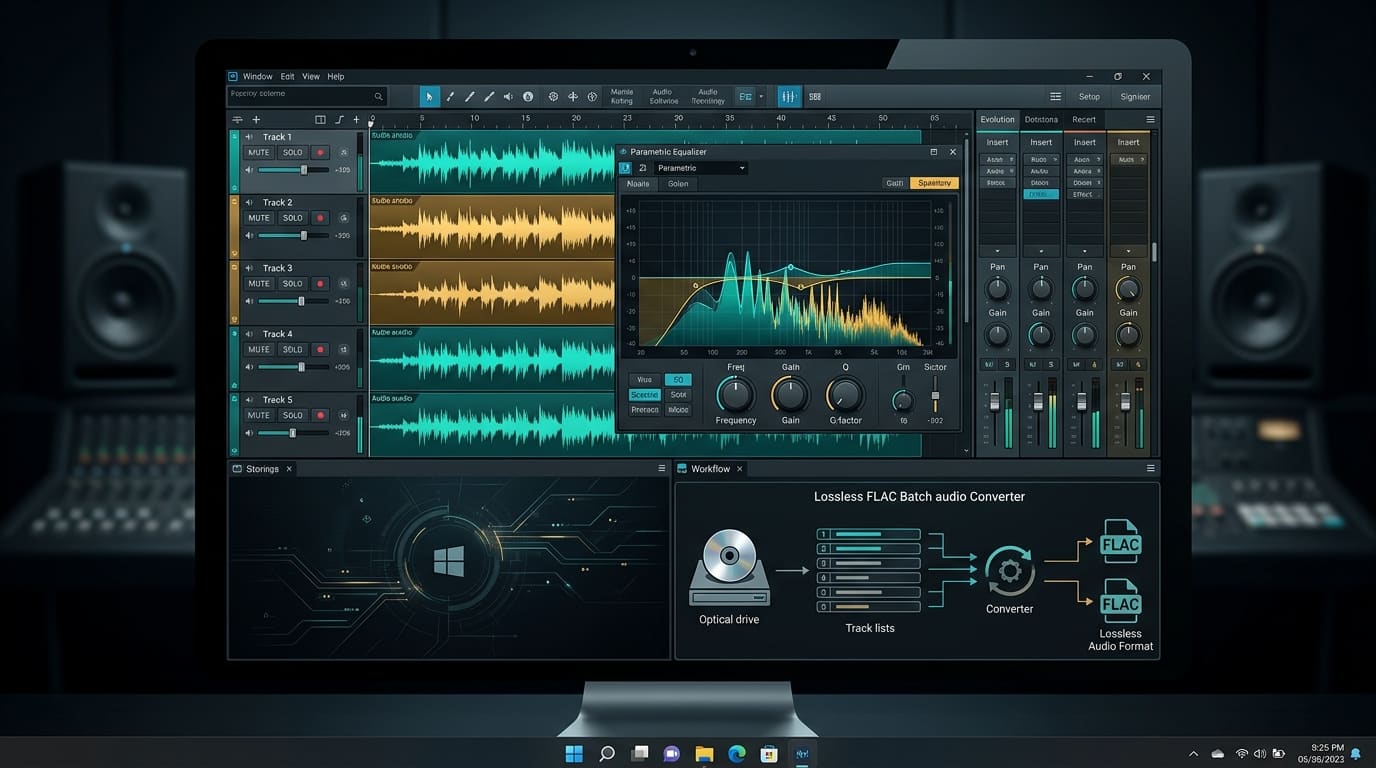
"Free audio software for Windows" usually resolves to one of two disappointments. Either it is the free tier of a paid DAW, where saving a project or exporting above 128 kbps is the thing you are being asked to pay for, or it is a converter whose installer arrives with a browser toolbar attached.
The tools below are neither. They are also, deliberately, not one program. No single free application does recording, batch transcoding, CD ripping, disc authoring and audiophile playback well — the ones that claim to are usually mediocre at all five. What works is a toolchain split by job.
Three of these are audio-first applications. The other five are general-purpose tools that happen to do a specific audio job better than the dedicated alternatives. I have said which is which, because it changes what you should expect from them.
1. Audacity — the editor and recorder
Audacity is the one you reach for when the audio needs to change: trimming a podcast, removing hiss from a lecture recording, mixing a voiceover under music.
- Version: v3.6.1 · Size: 38.4 MB · Licence: GPL, open source
- Needs: Windows 10/11 64-bit, 4 GB RAM, 2 GHz multi-core CPU, 200 MB free
It records multi-track from microphone, line-in or the system stereo mix, hosts VST3 plugins, and has a spectral editing view that lets you select and delete a specific frequency band — which is how you get rid of a single ringing tone without dulling the whole recording.
The honest weakness is the resource floor. Audacity asks for 4 GB of RAM and a multi-core 2 GHz processor, which is eight times the memory foobar2000 wants and more than any other tool here. On an older machine it is noticeably the slowest thing on this list to launch.
Reach for it when: the file needs to be altered, not just moved between formats.
2. foobar2000 — the player, and quietly the best ripper
foobar2000 is a 6.4 MB program that outperforms most 300 MB media suites at the one thing it does.
- Version: v2.1.5 · Size: 6.4 MB · Licence: freeware (not open source)
- Needs: Windows 7 through 11 64-bit, 512 MB RAM, 25 MB free
It does bit-perfect playback through WASAPI and ASIO, meaning the audio goes to your DAC without Windows resampling it first. It reads FLAC, DSD, ALAC, OGG, WavPack and MP3 natively. And its CD ripper does AccurateRip verification, which compares your rip's checksums against a database of the same disc ripped by other people — so you find out whether a scratch corrupted track 7 instead of discovering it two years later.
Two honest caveats. It is freeware, not open source, so you are trusting the developer rather than the source. And the default interface is famously bare — a plain list with no album art until you configure it. That configurability is the point for the people who love it, and the reason everyone else bounces off it in the first ten minutes.
Reach for it when: you care about the bits arriving intact, either from a disc or to a DAC.
3. XRECODE 3 — the batch converter
XRECODE 3 exists for the job foobar2000 and Audacity both do slowly: converting a few hundred files at once.
- Version: 1.187 · Size: 36 MB · Licence: freeware
- Needs: Windows 10/11 64-bit, 1 GB RAM, 1 GHz CPU, 80 MB free
It saturates every core you have rather than encoding one file at a time, handles FLAC, ALAC, MP3, WAV, DSD, DFF and SACD ISO, splits album-length files using their CUE sheets, and has a command-line interface for scripting the whole thing.
Its weakness is the same as its strength: the options panel shows you everything at once. Sample rate, bit depth, dithering, channel mapping and per-format encoder settings are all on screen simultaneously, which is excellent on the tenth use and intimidating on the first.
Reach for it when: the job is a folder, not a file.
4. VLC — the one that plays it regardless
VLC is filed as a video player and used as one, but it is also the most reliable way to open an audio file whose format you do not recognise.
- Version: v3.0.21 · Size: 42.8 MB · Licence: GPL, open source
- Needs: Windows 7 through 11, 1 GB RAM, 100 MB free
Every codec it needs is inside the program, so it never depends on what is installed system-wide. It also converts, streams and captures.
It is not a music library. There is no meaningful tagging, no album view worth using, and no gapless playback tuning. Use it as a universal opener, not as the place your collection lives.
Reach for it when: something will not play and you want an answer in five seconds.
5. XMedia Recode — pulling audio out of video
XMedia Recode is a video transcoder, and it earns a place here for one specific trick.
- Version: 3.6.3.6 · Size: 24 MB · Licence: freeware
- Needs: Windows 10/11 64-bit, 2 GB RAM, dual-core CPU, 100 MB free
Set the audio track to direct stream copy and it lifts the existing audio out of an MKV or MP4 without re-encoding it. That is instant and mathematically lossless — you get the exact stream the video contained, not a generation-two copy of it. It also handles volume normalisation across a batch.
The weakness is that it is video-first throughout. The interface is built around video profiles for iPhones and games consoles, and the audio controls are a tab within that.
Reach for it when: the audio you want is currently inside a video file.
6. K-Lite Mega Codec Pack — codecs for everything else
K-Lite is not an application you open. It is a set of system-wide decoders.
- Version: v18.4.5 · Size: 64.8 MB · Licence: freeware
- Needs: Windows 7 through 11, x64 or x86, 1 GB RAM, 120 MB free
Installing it means FLAC, AC3, DTS-HD and the rest decode in whatever program asks for them — File Explorer previews, older players, editing software that leans on DirectShow. It bundles MPC-HC and LAV Filters.
Say the quiet part: codec packs earned a genuinely bad reputation. Most of them broke playback in ways that were hard to unpick, and some carried worse. K-Lite is the survivor of that era, and you should still install it only when you actually need system-wide decoding rather than as a reflex. If VLC and foobar2000 cover your needs, you do not need this.
Reach for it when: a program other than your media player needs to understand an audio format.
7. CDBurnerXP — gapless audio CDs
CDBurnerXP is 6 MB and does one audio job properly.
- Version: 4.5.8.7128 · Size: 6 MB · Licence: freeware
- Needs: Windows 7 through 11, 512 MB RAM, Pentium III or better, 20 MB free
Gapless audio CD creation means a live album or a continuous DJ mix burns without Windows inserting a two-second silence between every track. It also converts BIN and NRG images to ISO, and verifies the burned disc's checksum against the source files afterwards.
Read its system requirements as a date stamp. A Pentium III floor and a 512 MB RAM figure tell you this is a mature, stable, slow-moving codebase rather than an actively evolving one. For burning a disc, that is fine. Do not expect new features.
Reach for it when: the output is a physical audio CD and the gaps matter.
8. BurnAware Free — the disc generalist
BurnAware Free overlaps heavily with CDBurnerXP, and covers more formats.
- Version: 18.3 · Size: 24 MB · Licence: freeware
- Needs: Windows 7 through 11, 512 MB RAM, 600 MHz CPU, 50 MB free
It authors audio CDs from MP3, WAV, WMA, OGG and FLAC, writes BD-R and multi-layer BDXL, creates bootable discs, and spans a large backup across several discs automatically.
You need one of these two, not both. Take BurnAware if you burn Blu-ray or need disc spanning; take CDBurnerXP if you only ever make audio CDs and want the smaller, gapless-focused tool.
Reach for it when: you are burning something other than a plain audio CD.
Choosing quickly
| Job | Tool | Size |
|---|---|---|
| Record, trim, mix, clean up | Audacity | 38.4 MB |
| Lossless playback and CD ripping | foobar2000 | 6.4 MB |
| Convert a whole folder | XRECODE 3 | 36 MB |
| Open an unknown file | VLC | 42.8 MB |
| Extract audio from video | XMedia Recode | 24 MB |
| System-wide codec support | K-Lite Mega Codec Pack | 64.8 MB |
| Gapless audio CD | CDBurnerXP | 6 MB |
| Blu-ray, bootable or spanned discs | BurnAware Free | 24 MB |
A realistic starting point
If you install one thing, install foobar2000 — it is 6.4 MB, it plays everything, and it rips discs properly. If you install two, add Audacity, because editing is the job nothing else here can do.
Everything else on this list solves a problem you either have or do not. Adding K-Lite when VLC already plays your files, or both disc burners when you own one drive, is how a clean Windows install stops being clean.
Whichever you take, check the download against the publisher's own SHA-256 before you run it. Get-FileHash -Algorithm SHA256 yourfile.exe in PowerShell prints the hash in a few seconds, and a mismatch means the file you have is not the file the developer shipped.
Every app named here resolves to a page in the FileCobra catalogue — the build fails if one does not. Versions, package sizes and system requirements are read from that catalogue rather than written by hand. Where our ingestion worker has fetched a release itself, it records a SHA-256 of the exact file we serve and publishes it on the app’s page. We do not run an antivirus lab: where a VirusTotal report exists we link it, and where none exists we say so rather than imply one.
Rehman Ahmad
VERIFIED AUTHORChief Technology Officer & Lead Systems Auditor at FileCobra
Rehman specializes in Android operating system internals, cryptographic integrity verification, reverse engineering APK packaging architectures, and high-performance audio/video DSP pipelines. He directs the security verification and release ingestion infrastructure across FileCobra.
Apps covered in this guide
-
Audacity
4.0.1.262721353 · 47.49 MB · Open Source
-
Foobar2000
2.1.5 · 6.39 MB · Freeware
-
XRECODE 3
1.187 · 36 MB · Freeware
-
VLC Media Player
3.0.24 · 44.13 MB · Open Source
-
XMedia Recode
3.6.3.6 · 20.12 MB · Freeware
-
K-Lite Mega Codec Pack
18.4.5 · 63.6 MB · Freeware
-
CDBurnerXP
4.5.8.7128 · 6 MB · Freeware
-
BurnAware Free
18.3 · 24 MB · Freeware
Frequently asked questions
What is the best free audio editor for Windows?
Audacity (v3.6.1). It is open source, records multi-track, supports VST3 plugins, and has no export limit or watermark. It is also the heaviest tool on this list — it asks for 4 GB of RAM and a 2 GHz multi-core CPU, where foobar2000 runs comfortably in 512 MB.
Can I rip a CD to FLAC for free on Windows?
Yes, two ways. foobar2000 has a built-in CD ripper with AccurateRip verification, which checks your rip against a database of other people's rips of the same disc. XRECODE 3 also grabs audio CDs and tags them from MusicBrainz or freedb. Both output FLAC with no licence cost.
Do I need a codec pack to play FLAC or DTS on Windows?
Not for a dedicated player — VLC and foobar2000 both decode FLAC, ALAC, DSD and AC3 internally with nothing else installed. You need K-Lite only when you want other programs, including File Explorer previews and older players, to handle those formats system-wide.
Is Audacity still free after the Muse Group acquisition?
Yes. Audacity remains free and open source, and the build here carries no purchase prompt, feature tier or export cap. Everything the program does ships in the one 38.4 MB download.
Which of these tools can strip the audio out of a video file?
XMedia Recode. It can copy an existing audio stream straight out of an MKV or MP4 without re-encoding it, which is both instant and lossless. VLC can also do it through Convert/Save, but XMedia Recode gives you direct control over the stream and container.
Related guides
- Best Free Developer Tools for Windows in 2026: Eight That Do One Job Well
- Best Free Graphics and Design Apps for Windows in 2026: Five, Not Fifty
- 7 Best Free Open-Source Video Tools for Windows in 2026 (No Watermarks, No Licence Keys)
- Best Free Windows 11 Utilities in 2026: Seven That Earn Their Place