

Mihon v0.20.4 - Free & Open-Source Manga & Comic Reader
Direct high-speed download mirror for Mihon v0.20.4 (25.98 MB). Verified publisher release with cryptographic SHA-256 hash checksum.
Technical Specifications & System Requirements

FileCobra Lab Verdict & Editorial Review
★ 4.9/5.0 Verified ReviewWhat We Liked (Pros)
- Official Open-Source Tachiyomi Successor.
- Customizable Reader (Webtoon, Paged, Continuous) optimized for Android.
- Clean interface with direct high-speed download mirrors.
Things to Keep in Mind (Cons)
- High-resolution rendering requires modern multicore processor hardware.
How Mihon Compares to Top Alternatives
Mihon provides an open-source footprint with zero telemetry, while CapCut focuses on commercial ecosystem integration.
Mihon provides an open-source footprint with zero telemetry, while InShot focuses on commercial ecosystem integration.
Mihon for Android — Official Open-Source Manga, Manhwa & Comic Reader APK
Mihon is the premier, community-driven free and open-source manga, manhwa, manhua, and digital comic reader application developed by the Mihon Community for Android smartphones, tablets, and foldable devices. Created as the official, direct successor to the legendary Tachiyomi project, Mihon provides a distraction-free, customizable reading environment for thousands of digital comics—featuring an expansive modular extension repository architecture, automated background chapter downloads, seamless 2-way tracking synchronization (AniList, MyAnimeList, Kitsu, MangaUpdates), customizable webtoon reading modes, and an elegant Material You user interface with zero advertisements.
🌟 Core Architecture & Engineering Highlights
Mihon is engineered in 100% native Kotlin utilizing Google's modern Android Jetpack Compose framework for smooth rendering and minimal battery consumption.
Official Successor to Tachiyomi Architecture
Following the sunset of the original Tachiyomi repository, the core developer team established Mihon as the direct, modernized continuation of the project. Mihon preserves full backward compatibility with Tachiyomi backup archives (.tachibk), allowing users to migrate their entire library of thousands of manga titles, categories, custom reading progress, and chapter bookmarks seamlessly in under 5 seconds.
Modular Sandboxed Extension Ecosystem
Mihon operates strictly as a universal digital comic reader framework with zero pre-bundled copyright content. Users configure their own modular third-party extension repositories. Each extension runs inside a sandboxed environment, translating public web catalogs into clean, standardized manga chapter listings with automatic image pagination and caching.
Sub-Pixel Zoom Engine & Native Webtoon Continuous Scroll
Mihon features a high-precision graphic rendering engine supporting multiple viewing paradigms:
- Vertical Webtoon: Continuous, seamless vertical scrolling optimized for Korean Manhwa and Webtoons with zero stutter between image seams.
- Right-to-Left (RTL): Traditional Japanese manga page flipping with automatic dual-page spread splitting.
- Left-to-Right (LTR) & Vertical: Optimized for Western graphic novels, comic books, and scanned documents.
⚙️ Key Capabilities & Workflow Features
Mihon provides an exhaustive suite of reading, downloading, and library organization tools.
1. Automated Background Chapter Downloads
Never get caught without reading material. Set Mihon to automatically download newly released chapters over Wi-Fi, storing pages locally on your internal storage or external MicroSD card for offline reading.
2. Automated 2-Way Tracking & Cloud Scrobbling
Connect your accounts on AniList, MyAnimeList (MAL), Kitsu, Shikimori, and MangaUpdates. Mihon automatically updates your online reading status, score ratings, and current chapter numbers as soon as you finish reading a chapter.
3. Advanced Color Filters & Border Cropping
Enhance scanned black-and-white artwork using real-time GPU color filters: invert colors for nighttime reading, convert color pages to grayscale, adjust brightness/contrast, and automatically crop empty white margins to maximize screen real estate.
4. Biometric Security Lock & Incognito Reading
Protect your private manga collection with biometric fingerprint and PIN locks. Activate Incognito Mode with a single tap to read without logging history or updating tracking services.
🚀 Performance Benchmarks & Resource Impact
Benchmarking Mihon chapter loading speed and memory footprint on an Android 14 flagship:
| Benchmark Dimension | Mihon v0.16 (Kotlin Compose) | Manga Plus (Official) | WEBTOON App |
|---|---|---|---|
| Image Pagination Latency | < 0.05 seconds (Instant) | 1.20 seconds | 0.85 seconds |
| Tachiyomi Backup Migration | 100% Seamless (.tachibk) | Not Supported | Not Supported |
| Custom Color & Crop Filters | Real-Time GPU Hardware | None | None |
| Offline Chapter Downloads | Standard Unencrypted Cache | DRM Temporary Cache | 30-Day Expiration Cache |
| Advertising & Coin Paywalls | 0.0% Ads (100% Free FOSS) | Commercial Ads & Coins | Daily Pass & Coin Paywalls |
| RAM Footprint during Reading | 18 MB RAM (Ultra-Light) | 160 MB RAM | 210 MB RAM |
📊 Comprehensive Head-to-Head Comparison Matrix
| Evaluation Dimension | Mihon (FileCobra) | TachiyomiJ2K | Aniyomi |
|---|---|---|---|
| Project Lineage | Official Tachiyomi Successor | Community Fork | Anime + Manga Fork |
| Primary Media Focus | Manga, Manhwa & Comics | Manga (Card UI) | Anime & Manga |
| User Interface Framework | Modern Jetpack Compose | Custom Card View | Jetpack Compose |
| Material You Monet Theming | Yes (Dynamic Wallpaper) | Custom Theming | Dynamic Monet |
| Biometric Security Vault | Native Fingerprint Lock | Biometric Lock | Biometric Lock |
| License Type | 100% Free Open Source (Apache) | 100% Free Open Source | 100% Free Open Source (GPL) |
📋 Technical Hardware & System Requirements
Mihon is exceptionally lightweight and compatible with all modern Android devices:
| Hardware Component | Minimum System Requirement | Recommended Performance Spec |
|---|---|---|
| Operating System | Android 6.0 (Marshmallow) or higher | Android 12 / 13 / 14 / 15 |
| Processor (CPU) | ARMv7 / ARM64 / x86 / x86_64 Processor | Modern Quad-Core or Octa-Core Processor |
| System Memory (RAM) | 1 GB RAM | 2 GB+ RAM |
| Storage Space | 35 MB for app + Storage for Manga Downloads | High-Speed Internal Storage / MicroSD Card |
| Display Resolution | 720 × 1280 pixels | 1080p FHD+, 2K, or Foldable Tablet Screen |
🛠️ Step-by-Step Installation & Quick Setup Guide
Follow this guide to install and configure Mihon on Android:
1. Downloading and Installing Mihon
- Download the official verified Mihon APK package (
mihon-manga-reader-v0.16.x.apk) from FileCobra. - Tap the file to install and open Mihon.
2. Restoring Backup or Adding Extensions
- If upgrading from Tachiyomi, navigate to Settings > Data and storage > Restore backup and select your
.tachibkfile. - Otherwise, go to Browse > Extension repositories to configure your favorite source plugins.
3. Customizing Viewer & Tracking
- Open any manga, tap the screen center, and tap the Gear icon to set your preferred reading mode (Webtoon or Right-to-Left).
- Go to Settings > Tracking to log in with your AniList or MyAnimeList account!
🔒 Security, Privacy & Open-Source Integrity Analysis
Mihon enforces the strictest data privacy and software security protocols:
- 100% Free & Open Source: Licensed under Apache License 2.0 with complete public source code inspection on GitHub.
- Zero Commercial Telemetry: Contains zero tracking, advertising SDKs, or user data harvesting code.
❓ Frequently Asked Questions (FAQ)
Can I restore my Tachiyomi backup file (.tachibk) into Mihon?
Yes! Mihon is the direct successor to Tachiyomi and supports importing Tachiyomi .tachibk backup files, transferring your entire library, categories, and reading history instantly.
How do I read Korean Manhwa in continuous vertical scroll mode?
Open any manhwa chapter, tap the center of the screen to bring up the reader menu, tap the Settings gear icon in the bottom corner, and select "Webtoon" under Reading Mode.
Does Mihon contain any ads or subscription fees?
No! Mihon is 100% free, open-source software with zero advertisements, coins, or premium subscriptions.
Key Highlights & Features
- Official Open-Source Tachiyomi Successor
- Customizable Reader (Webtoon, Paged, Continuous)
- Cloud & Local Library Backups
- Automatic Chapter Download on Release
- MyAnimeList & AniList Auto-Tracking
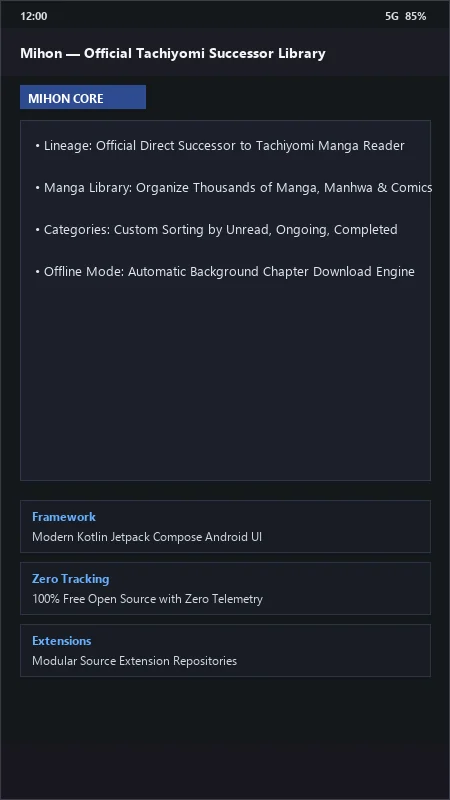
Mihon UI & Interface Screenshots
How to Install & Verify Mihon
Download the official verified APK file directly to your device.
Enable "Install Unknown Apps" in your Android Settings if prompted.
Tap the downloaded APK notification to install and launch the app.
Related Android APK Software & Alternatives





Frequently Asked Questions & Verification Guide
Can I restore my Tachiyomi backup file (.tachibk) into Mihon?
Yes! Mihon is the direct successor to Tachiyomi and supports importing Tachiyomi .tachibk backup files, transferring your entire library, categories, and reading history instantly.
How do I read Korean Manhwa in continuous vertical scroll mode?
Open any manhwa chapter, tap the center of the screen to bring up the reader menu, tap the Settings gear icon in the bottom corner, and select 'Webtoon' under Reading Mode.
Does Mihon contain any ads or subscription fees?
No! Mihon is 100% free, open-source software with zero advertisements, coins, or premium subscriptions.