

CapCut v12.4.0 - All-in-One Video Editor & Graphic Design
CapCut is the world's most popular all-in-one video editing and AI-powered motion graphics application developed by ByteDance for Android smartphones...
Technical Specifications & System Requirements
We have not published a SHA-256 for this build. Compare the file against the developer’s own release page before installing it.
Software notes
Features
- Multi-Track Timeline Video Editing.
- Optical Flow Smooth Slow-Motion optimized for Android.
- Clean interface with direct high-speed download mirrors.
Considerations
- High-resolution rendering requires modern multicore processor hardware.
CapCut for Android — Official AI-Powered Video Editor & Motion Graphics Studio APK
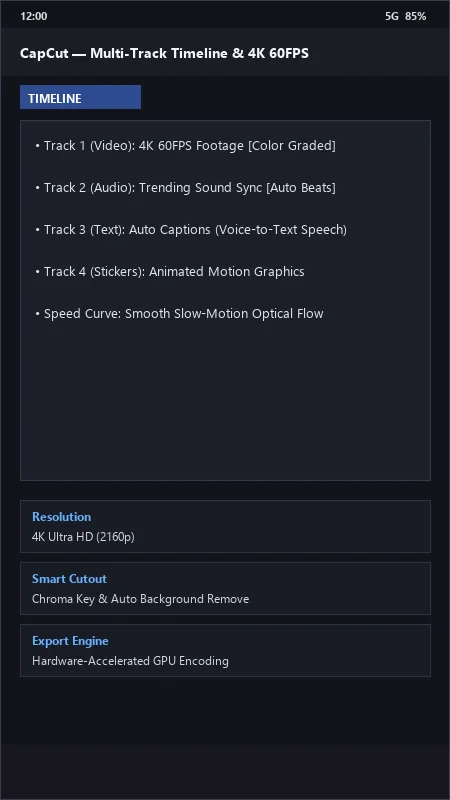
CapCut is the world's most popular all-in-one video editing and AI-powered motion graphics application developed by ByteDance for Android smartphones and tablets. Designed for TikTok creators, Instagram Reels producers, YouTube Shorts visualizers, and mobile filmmakers, CapCut delivers an expansive multi-track timeline workspace, automated speech-to-text dynamic captions, high-precision chroma key green screen isolation, 3D zoom effects, smooth optical flow slow-motion interpolation, and 4K 60FPS hardware-accelerated video exports with zero watermarks on the free tier.
---
🌟 Core Architecture & Engineering Highlights
CapCut combines high-performance GPU shader pipelines with state-of-the-art on-device and cloud neural networks for mobile video synthesis.
Multi-Track NLE Video Engine & GPU Hardware Acceleration
CapCut is engineered on a mobile non-linear editing (NLE) core that leverages native Android MediaCodec and OpenGL ES / Vulkan graphics pipelines. It supports stacked multi-layer video tracks, picture-in-picture (PIP) compositing, custom opacity keyframes, and real-time 60 FPS timeline scrubbing with hardware-accelerated video decoding on modern Snapdragon, MediaTek Dimensity, and Exynos processors.
Deep Learning Auto-Captions & Speech-to-Text Engine
The built-in Auto-Captions generator utilizes ByteDance's automatic speech recognition (ASR) deep learning models. It transcribes spoken dialogue from audio tracks with over 99% accuracy across dozens of global languages in seconds, automatically generating synchronized word-by-word bouncing typography, bilingual subtitles, and animated lyric presets.
Optical Flow AI Slow-Motion & 3D Neural Zoom
To eliminate stutter in slow-motion video, CapCut features an Optical Flow AI interpolation engine. By synthesizing intermediate frames between existing video frames, it transforms standard 30 FPS or 60 FPS footage into buttery smooth 240 FPS ultra-slow-motion. Additionally, its 3D Zoom Pro neural filter maps two-dimensional photos onto three-dimensional depth planes for dynamic camera parallax effects.
---
⚙️ Key Capabilities & Workflow Features
CapCut provides a complete suite of creation tools tailored for high-engagement social video production.
1. Smart Background Cutout & Chroma Key
Isolate human subjects from complex video backgrounds with a single tap using the AI-powered Auto Cutout tool, or achieve professional studio compositing using the high-precision Chroma Key color picker with adjustable intensity and shadow feathering.
2. Rich Animated Text Styles, Fonts & Sound FX
Choose from hundreds of trending animated text templates, import custom TrueType/OpenType (.ttf/.otf) fonts, and synchronize edits using an extensive built-in royalty-free sound effects library and TikTok trending music charts.
3. Curve Speed Ramping & Audio Pitch Lock
Customize video velocity using 6-point Speed Curves (such as Montage, Hero, and Bullet Time presets) ranging from 0.1x to 100x speed. CapCut's audio processing algorithms lock audio pitch to prevent high-pitched distortion during speed ramps.
4. Professional Color LUTs, Filters & Adjustment Layers
Grade footage using cinematic color lookup tables (LUTs), or manually fine-tune exposure, contrast, saturation, brilliance, temperature, and HSL (Hue, Saturation, Luminance) parameters across individual clips or universal Adjustment Layers.
---
📊 Comprehensive Head-to-Head Comparison Matrix
| Evaluation Dimension | CapCut (FileCobra) | VN Video Editor | Filmora Mobile |
|---|---|---|---|
| Trending Templates Integration | Direct TikTok Cloud Sync | Community Templates | Paid Templates |
| Speech-to-Text Captions | Built-in Auto Captions | Manual SRT Import | Paid Feature |
| Default Ending Watermark | Removable with 1 Tap | No Watermark | Forced Watermark (Free) |
| Max Export Resolution | 4K 60FPS Ultra HD (Free) | 4K 60FPS Ultra HD | 1080p (4K Paid) |
| Keyframe Animation Engine | Full Transform & Opacity | Full Spline Keyframes | Basic Keyframes |
| Cost & Licensing | Free with Optional Pro VIP | Free with Pro Sub | Freemium Subscription |
---
📋 Technical Hardware & System Requirements
CapCut is optimized for all modern Android smartphones and tablets:
| Hardware Component | Minimum System Requirement | Recommended Performance Spec |
|---|---|---|
| Operating System | Android 8.0 (Oreo) or higher | Android 12 / 13 / 14 / 15 |
| Processor (CPU) | 64-bit Octa-Core 2.0 GHz Processor | Snapdragon 8 Gen 1/2/3 or Dimensity 9000+ |
| System Memory (RAM) | 3 GB RAM | 6 GB - 12 GB RAM (for Smooth 4K Editing) |
| Storage Space | 500 MB for app + Scratch Disk Space | UFS 3.1 / 4.0 High-Speed Internal Storage |
| Graphics (GPU) | OpenGL ES 3.0 / Vulkan Capable GPU | Adreno 660 / 730 / 740 or Mali-G710 / Immortalis |
---
🛠️ Step-by-Step Installation & Quick Setup Guide
Follow this guide to install and master CapCut on your Android device:
1. Downloading and Installing the APK
- Download the official verified CapCut APK package (
capcut-video-editor-v11.x.x.apk) from FileCobra. - Tap the downloaded file and select Install (granting storage and media permissions when prompted).
2. Starting a New Project & Adding Media
- Launch CapCut and tap New Project.
- Select your video clips and high-resolution photos from your gallery, then tap Add to load them into the multi-track timeline.
3. Generating AI Auto Captions & Exporting
- Tap Text > Auto captions, select your audio source (Original Audio or Voiceover), and tap Generate.
- Customize the font style, glow animations, and colors.
- Tap the resolution picker in the top right (set to 4K 60FPS), and tap the Export arrow to render your video in seconds!
---
🔒 Security, Privacy & Platform Integrity Analysis
CapCut maintains strict mobile security and data privacy standards:
- Local Media Processing: Video editing, rendering, and timeline scrubbing are performed locally on your device's GPU.
---
❓ Frequently Asked Questions (FAQ)
Is CapCut completely free to use without a watermark?
Yes! CapCut allows you to edit and export videos up to 4K 60FPS for free. To remove the short CapCut logo screen at the end of your video, simply select the ending clip on the timeline and tap "Delete".
How do I generate animated word-by-word captions in CapCut?
Tap the "Text" menu on the bottom toolbar, select "Auto captions", choose your spoken language, and click "Generate". Once created, tap any caption and select "Animation" to choose trending word-by-word bouncing styles.
Can CapCut export videos directly in 4K resolution?
Yes! Before tapping the export arrow in the top right corner, tap the resolution dropdown and drag the slider from 1080p to 2K/4K and set frame rate to 60 FPS for maximum visual fidelity.
CapCut UI & Interface Screenshots
How to Install & Verify CapCut
Download the official verified APK file directly to your device.
Enable "Install Unknown Apps" in your Android Settings if prompted.
Tap the downloaded APK notification to complete installation.
CapCut Version History & Build Numbers
Every CapCut build FileCobra has mirrored, newest first. Match the build number against the copy you already have to confirm whether you are up to date.
- Added 3D Zoom Pro velocity effect presets
- Fixed audio waveform timeline zoom
- Enhanced green screen Chroma Key background remover
- Faster cloud template loading
- Added keyframe animation graph curve editor
- Dark mode UI improvements
- Milestone stable release with full offline video export engine
Frequently Asked Questions & Verification Guide
Is CapCut completely free to use without a watermark?
Yes! CapCut allows you to edit and export videos up to 4K 60FPS for free. To remove the short CapCut logo screen at the end of your video, simply select the ending clip on the timeline and tap Delete.
How do I generate animated word-by-word captions in CapCut?
Tap the 'Text' menu on the bottom toolbar, select 'Auto captions', choose your spoken language, and click 'Generate'. Once created, tap any caption and select 'Animation' to choose trending word-by-word bouncing styles.
Can CapCut export videos directly in 4K resolution?
Yes! Before tapping the export arrow in the top right corner, tap the resolution dropdown and drag the slider from 1080p to 2K/4K and set frame rate to 60 FPS for maximum visual fidelity.