

Aniyomi v0.18.1.2 - All-in-One Anime Streaming & Manga Reader
Aniyomi is the premier, free and open-source all-in-one anime streaming and manga reading application developed by the Aniyomi Community for Android...
Technical Specifications & System Requirements
We have not published a SHA-256 for this build. Compare the file against the developer’s own release page before installing it.
Software notes
Features
- Unified Manga Reader & Anime Streamer.
- Over 500+ Community Source Extensions optimized for Android.
- Clean interface with direct high-speed download mirrors.
Considerations
- High-resolution rendering requires modern multicore processor hardware.
Aniyomi for Android — Official Anime Streaming, Manga & Manhwa Reader APK
Aniyomi is the premier, free and open-source all-in-one anime streaming and manga reading application developed by the Aniyomi Community for Android smartphones and tablets. Built as an expansive fork of the legendary Tachiyomi manga reader, Aniyomi unifies anime video streaming with manga, manhwa, and webtoon reading into a single, cohesive dashboard—featuring an integrated hardware-accelerated mpv video player, Anime4K AI line-art upscaling shaders, advanced SSA/ASS subtitle rendering, automatic tracking synchronization (AniList, MyAnimeList), and full offline episode and chapter downloads with zero advertisements.
---
🌟 Core Architecture & Engineering Highlights
Aniyomi combines a modern Kotlin Android frontend with an embedded low-level mpv multimedia rendering engine.
Embedded mpv Video Player with Anime4K GPU Shaders
Aniyomi integrates a custom compilation of the high-performance mpv video player. It provides native hardware decoding via Android MediaCodec while unlocking real-time GPU compute shaders—including Anime4K (high-speed neural line art restoration and upscaling), custom deband filters (eliminating color banding in dark scenes), and authentic film grain shaders that make 1080p and 720p anime look razor-sharp on 2K and 4K mobile displays.
Modular Anime & Manga Extension Ecosystem
Aniyomi operates on a decentralized, modular extension architecture. Users can install source extensions for their favorite anime streaming catalogs and manga repositories. Extensions operate in isolated sandboxes, allowing users to browse, search, stream, and download content from multiple providers simultaneously.
Automated 2-Way Tracking Sync (AniList, MyAnimeList, Kitsu)
Never lose track of your watching or reading progress. Aniyomi features native 2-way tracking synchronization with AniList, MyAnimeList (MAL), Kitsu, and Shikimori. As you watch an anime episode or read a manga chapter, Aniyomi automatically scrobbles your progress to your online profile in real time.
---
⚙️ Key Capabilities & Workflow Features
Aniyomi delivers an exhaustive set of tools for anime and manga enthusiasts.
1. 100% Ad-Free Video Streaming & Manga Reading
Enjoy uninterrupted entertainment with zero video commercials, zero sponsored banner overlays, and zero pop-up ads across all anime streams and manga pages.
2. High-Speed Offline Episode & Chapter Downloader
Download full anime episodes and multi-chapter manga volumes directly to your device's internal storage or external MicroSD card for offline viewing during flights or commutes.
3. 85-Second Intro (OP) & Outro (ED) Auto-Skip
Save time during binge-watching sessions. Aniyomi includes customizable Skip Opening / Skip Ending buttons that automatically jump forward 85 seconds to skip recurring theme songs with a single tap.
4. Advanced Webtoon & Multi-Directional Manga Reader
Customize your reading experience with multiple viewing modes: Vertical Webtoon (continuous infinite scroll), Right-to-Left (traditional Japanese Manga), and Left-to-Right (Western Comics), complete with custom color filters, border cropping, and sub-pixel pinch-to-zoom.
---
📊 Comprehensive Head-to-Head Comparison Matrix
| Evaluation Dimension | Aniyomi (FileCobra) | Mihon | Saikou (Legacy) |
|---|---|---|---|
| Media Scope | Anime Streaming & Manga | Manga Only | Discontinued |
| Video Player Core | Embedded mpv with Shaders | None | ExoPlayer |
| Extension Architecture | Modular Community Plugins | Modular Plugins | Static Scrapers |
| Opening / Ending Skip | Yes (Custom Skip Buttons) | None | Basic Skip |
| Amoled Black Theming | True Black 000000 Canvas | Dynamic Monet & Black | Dark Theme |
| License Type | 100% Free Open Source (GPLv3) | Free Open Source (Apache) | Open Source |
---
📋 Technical Hardware & System Requirements
Aniyomi runs smoothly across all Android smartphones, tablets, and foldable devices:
| Hardware Component | Minimum System Requirement | Recommended Performance Spec |
|---|---|---|
| Operating System | Android 6.0 (Marshmallow) or higher | Android 12 / 13 / 14 / 15 |
| Processor (CPU) | 64-bit Octa-Core Processor | Modern Snapdragon 7/8 Series / MediaTek Dimensity |
| Graphics (GPU) | OpenGL ES 3.0 Capable GPU | Adreno / Mali GPU for Anime4K Shaders |
| System Memory (RAM) | 2 GB RAM | 4 GB - 8 GB+ RAM |
| Storage Space | 60 MB for app + Storage for Downloads | High-Speed UFS Internal Storage / MicroSD Card |
---
🛠️ Step-by-Step Installation & Quick Setup Guide
Follow this guide to install and configure Aniyomi on Android:
1. Downloading and Installing Aniyomi
- Download the verified Aniyomi APK package (
aniyomi-manga-anime-v0.15.x.apk) from FileCobra. - Tap the file to install and open Aniyomi.
2. Installing Anime & Manga Extensions
- Tap the Browse tab at the bottom, select Extensions, and install your preferred source repositories.
- Search for any anime title or manga series to add it to your personal Library.
3. Connecting Tracking & Enabling Anime4K
- Navigate to Settings > Tracking and log in with your AniList or MyAnimeList credentials.
- In Settings > Player > Decoder, enable Anime4K Shaders for crystal-clear anime upscaling!
---
🔒 Security, Privacy & Open-Source Integrity Analysis
Aniyomi is developed with strict open-source privacy standards:
- 100% Free & Open Source: Licensed under GNU GPLv3 with full public code transparency on GitHub.
- Zero Telemetry or Commercial Tracking: Contains zero advertising SDKs, user tracking, or data monetization code.
---
❓ Frequently Asked Questions (FAQ)
What is the difference between Aniyomi and Mihon (Tachiyomi)?
Mihon is dedicated exclusively to reading manga, manhwa, and comics, whereas Aniyomi includes all of Mihon's manga reading capabilities plus a full-featured video player for streaming and downloading anime.
How do I enable Anime4K shaders in Aniyomi?
While watching an anime episode, tap the video settings gear icon, select "Video", and toggle on "Anime4K" to activate real-time line-art sharpening and AI upscaling.
Does Aniyomi sync my watch progress to MyAnimeList and AniList?
Yes! Link your account in Settings > Tracking, and Aniyomi will automatically update your episode and chapter counts as you finish watching or reading.
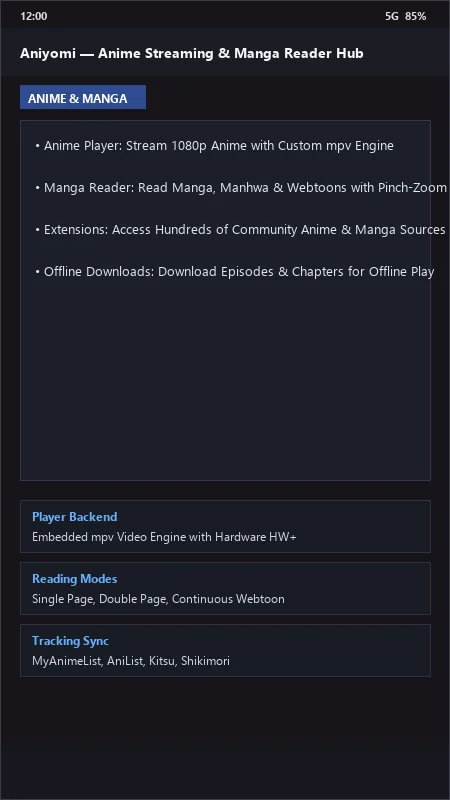
Aniyomi UI & Interface Screenshots
How to Install & Verify Aniyomi
Download the official verified APK file directly to your device.
Enable "Install Unknown Apps" in your Android Settings if prompted.
Tap the downloaded APK notification to install and launch the app.
Aniyomi Version History & Build Numbers
Every Aniyomi build FileCobra has mirrored, newest first. Match the build number against the copy you already have to confirm whether you are up to date.
- Previous stable master release.
- Added MPV player custom anime upscaling shaders (Anime4K)
- Fixed stream audio sync
- Enhanced MyAnimeList and AniList watch progress sync
- Faster chapter download
- Added gesture controls for brightness and volume
- Dark AMOLED theme improvements
- Milestone stable release with full offline anime video and manga caching engine
Frequently Asked Questions & Verification Guide
Is Aniyomi free and open source?
Yes. Aniyomi is completely free and open-source software. You can download and use it at no cost, and its source code is publicly available.
What is the difference between Aniyomi and Mihon (Tachiyomi)?
Mihon is dedicated exclusively to reading manga, manhwa, and comics, whereas Aniyomi includes all of Mihon's manga reading capabilities plus a full-featured video player for streaming and downloading anime.
How do I enable Anime4K shaders in Aniyomi?
While watching an anime episode, tap the video settings gear icon, select 'Video', and toggle on 'Anime4K' to activate real-time line-art sharpening and AI upscaling.
Does Aniyomi sync my watch progress to MyAnimeList and AniList?
Yes! Link your account in Settings > Tracking, and Aniyomi will automatically update your episode and chapter counts as you finish watching or reading.