

Download Nmap for Windows PC v7.992 for Windows PC
Nmap is the free, open-source network scanner from the Nmap Project: discover hosts, map open ports, fingerprint services and operating systems, and automate...
Technical Specifications & System Requirements
Software notes
Features
- It combines host discovery, many port-scan techniques, service and version detection and operating-system fingerprinting in a single free, open-source tool.
- The Nmap Scripting Engine ships 620 scripts in version 7.992, extending the scanner into configuration auditing and vulnerability checks without extra software.
- The Windows package includes genuinely useful companions: the Zenmap graphical interface, the Ncat networking utility, Nping and the Ndiff scan-comparison tool.
- The installer bundles the Npcap 1.89 packet-capture driver that raw-socket scans require on Windows, so SYN scanning and OS detection work immediately after setup.
- Output can be saved in normal, XML and grepable formats at once, which makes results easy to archive, diff with Ndiff and feed into reports or other tools.
Considerations
- Nmap is primarily a command-line tool with a steep option surface, so beginners face a real learning curve before advanced scans and NSE scripts make sense.
- Many scan types need Administrator rights and the bundled Npcap driver, and some antivirus or endpoint tools flag or restrict network scanners like Nmap.
- It is a discovery and auditing scanner, not a complete vulnerability-management platform, so it has no built-in ticketing, asset database or polished compliance reporting.
About & Overview: Nmap for Windows PC
Nmap (Network Mapper) is the long-running free and open-source network discovery and security auditing tool maintained by the Nmap Project at Insecure.org. From a single command it can discover live hosts on a network, scan TCP and UDP ports with dozens of techniques, identify the services and versions listening on those ports, and fingerprint remote operating systems. Its Nmap Scripting Engine (NSE) ships 620 scripts in version 7.992 for everything from service enumeration and configuration checks to vulnerability detection, and the Windows package also includes the Zenmap graphical front-end for building scans visually and comparing results, the Ncat networking utility, Nping for packet generation and response analysis, and Ndiff for comparing scan outputs. The Windows installer bundles the Npcap packet-capture driver, which is a genuine part of the product — Nmap needs it for raw-socket techniques such as SYN scanning and OS detection on Windows — and version 7.992 (October 15, 2026) upgrades that bundled Npcap to 1.89 alongside OpenSSL 3.5.9 and a set of security fixes in NSE libraries. Nmap is powerful and permission-sensitive in equal measure: it is a standard tool for administrators auditing their own networks, and scanning networks you do not own or have written permission to test can be illegal and will often trigger security alerts.
In-Depth: Nmap for Windows PC
One tool, four stages of a scan
Nmap, maintained by the Nmap Project at Insecure.org, works through the stages of a network audit from a single command. It discovers live hosts on a network, then scans TCP and UDP ports with dozens of techniques, identifies the services and versions listening on those ports, and fingerprints remote operating systems. The fundamentals are fast and precise, and output can be saved in normal, XML and grepable formats at once, which makes results easy to file in reports and feed into other tools. No other free tool combines host discovery, port scanning, service and version detection, operating-system fingerprinting and a scriptable auditing engine in one small, dependable package — that completeness is why Nmap remains the reference network scanner.
The scripting engine and the companion tools
The Nmap Scripting Engine (NSE) ships 620 scripts in version 7.992, extending the scanner into service enumeration, configuration checks and vulnerability detection — a lightweight auditing platform that can check configurations and known vulnerabilities without a separate scanner suite. Version 7.992 (15 October 2026) is a maintenance and security release in the best sense: eight new DICOM auditing scripts brought the total to 620, alongside fixes for real vulnerabilities reported in its own scripting libraries. The Windows package also includes genuinely useful companions: Zenmap, the graphical front-end for building scans visually and comparing results, which lowers the entry barrier for occasional users; Ncat, a general networking utility; Nping for packet generation and response analysis; and Ndiff for comparing scan outputs.
Windows realities: Npcap, rights and permission to scan
Windows brings specific realities. The installer bundles the Npcap packet-capture driver — upgraded to 1.89 in this release, alongside OpenSSL 3.5.9 — which is a genuine part of the product: Nmap needs it for raw-socket techniques such as SYN scanning and OS detection, and many scan types need Administrator rights. Some antivirus or endpoint tools flag or restrict network scanners like Nmap, and scanning will often trigger security alerts. The caveats are about skill and permission, not quality: Nmap is primarily a command-line tool with hundreds of options, and a beginner's first scans will barely scratch what it can do — expect a learning curve before scan types, timing templates and NSE categories feel natural. Most importantly, Nmap gives you capability, not authorisation: scanning systems you own, or have explicit written permission to test, is normal administration; scanning other people's networks without authorisation can be illegal in many jurisdictions. Finally, scope: it is a discovery and auditing scanner, not a complete vulnerability-management platform — no built-in ticketing, asset database or polished compliance reporting. It is free and open source under the Nmap Public Source License, needs only 512 MB of RAM and 150 MB of space, and used properly it belongs on every administrator's and security learner's Windows machine.
Nmap for Windows PC UI & Interface Screenshots
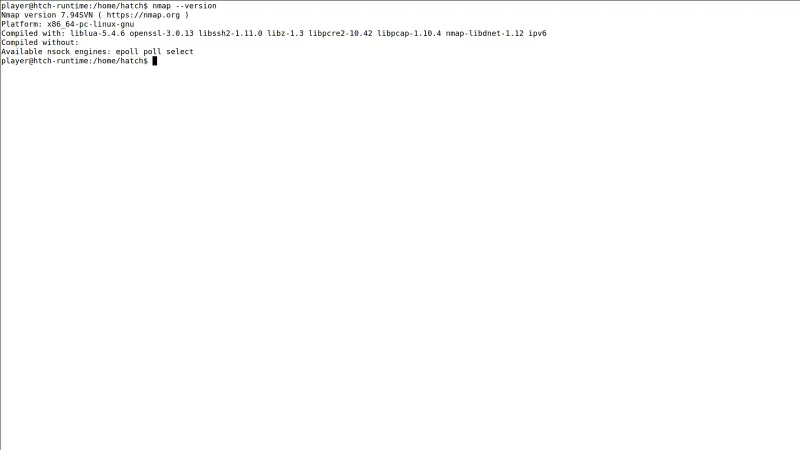
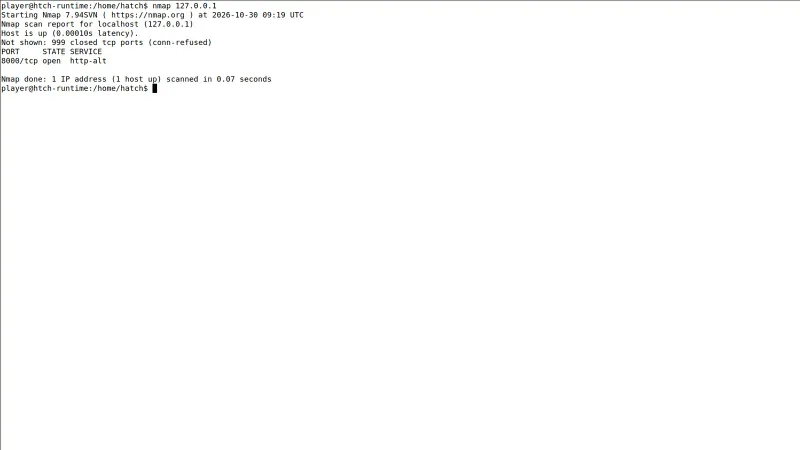
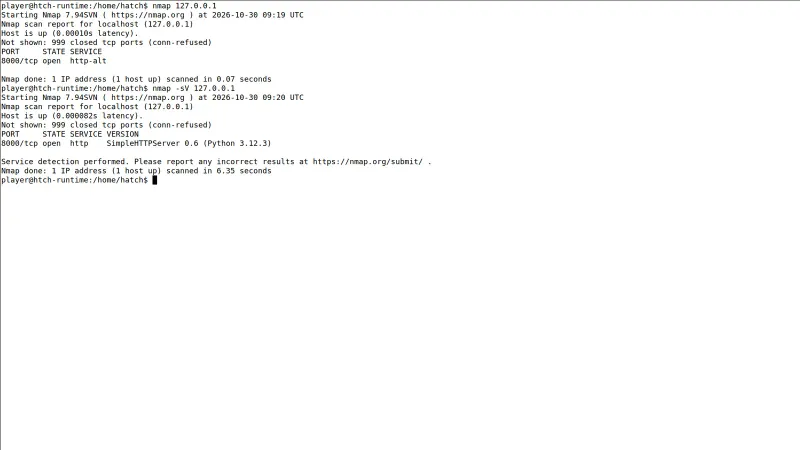
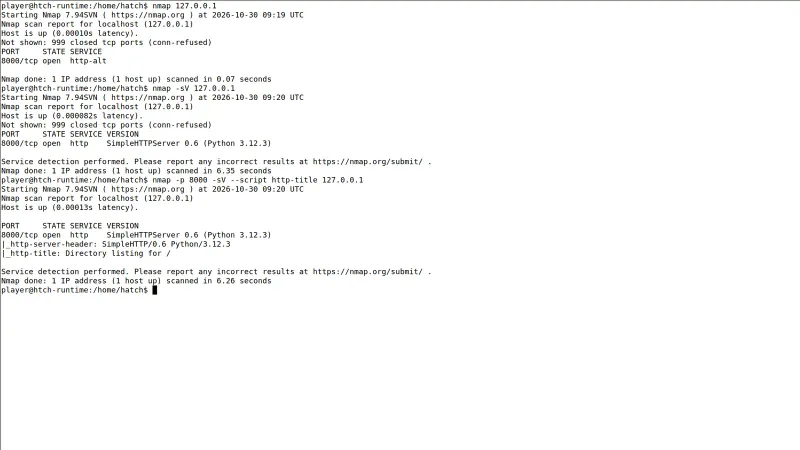
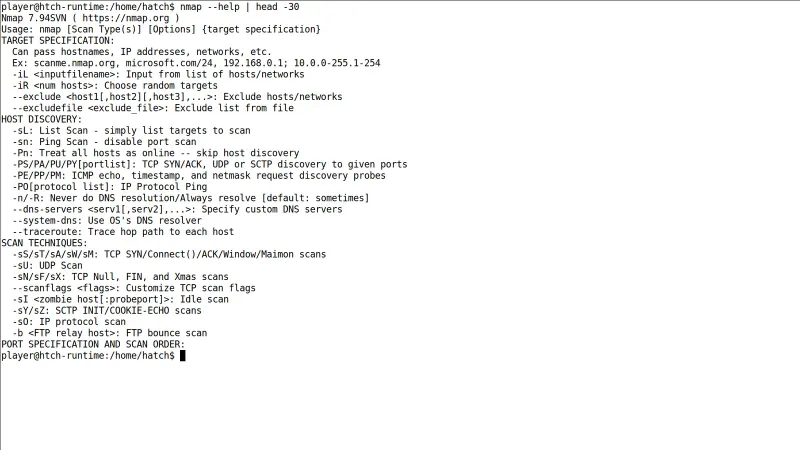
How to Install & Verify Nmap for Windows PC
Download the official Nmap 7.992 Windows self-installer (EXE, about 36 MB) from nmap.org using the download button on this page.
Open the downloaded EXE and follow the wizard, keeping the bundled Npcap driver selected — Nmap needs Npcap on Windows for SYN scans, OS detection and other raw-socket techniques — along with Zenmap if you want the graphical interface.
Open a command prompt and run a scan against a device you own, for example 'nmap -sV 192.168.1.1' for service detection, or launch Zenmap and use a saved profile if you prefer a graphical interface.
Related Windows PC Software & Alternatives






Frequently Asked Questions & Verification Guide
Can I download Nmap in Windows?
Yes. The official Windows self-installer for Nmap 7.992 is available from nmap.org. It includes Nmap, the Zenmap graphical interface, Ncat, Nping and Ndiff, plus the Npcap driver that Windows scans rely on.
How do I install Nmap on Windows?
Run the official Nmap installer as administrator and keep the bundled Npcap driver selected, because Nmap needs it for SYN scanning, OS detection and other raw-socket techniques. Add Zenmap during setup if you prefer profiles and graphical results to the command line.
Is Nmap free to use?
Yes. Nmap is free and open source from the Nmap Project under the Nmap Public Source License, and the official Windows installer costs nothing. It can be used for network discovery and security auditing on systems you own or are authorised to test.
Is it illegal to scan a network with Nmap?
Scanning devices and networks you own, or that you have explicit permission to test, is a normal administration and security-auditing activity. Scanning other people's networks without authorisation can be illegal in many jurisdictions and can trigger intrusion-detection alerts, so get permission first.