

Termux v0.118.3 - Full Linux Terminal Environment & Packages
Direct high-speed download mirror for Termux v0.118.3 (33.48 MB). Verified publisher release with cryptographic SHA-256 hash checksum.
Technical Specifications & System Requirements

FileCobra Lab Verdict & Editorial Review
★ 4.9/5.0 Verified ReviewWhat We Liked (Pros)
- Comprehensive Linux Package Manager (APT / pkg).
- Run Python, Node.js, Rust, Go, Clang & Git optimized for Android.
Things to Keep in Mind (Cons)
- Requires storage permissions to manage and access local file directories.
How Termux Compares to Top Alternatives
Termux provides an open-source footprint with zero telemetry, while ZArchiver focuses on commercial ecosystem integration.
Termux provides an open-source footprint with zero telemetry, while Solid Explorer focuses on commercial ecosystem integration.
Termux for Android — Official Open-Source Linux Terminal & Development Environment APK
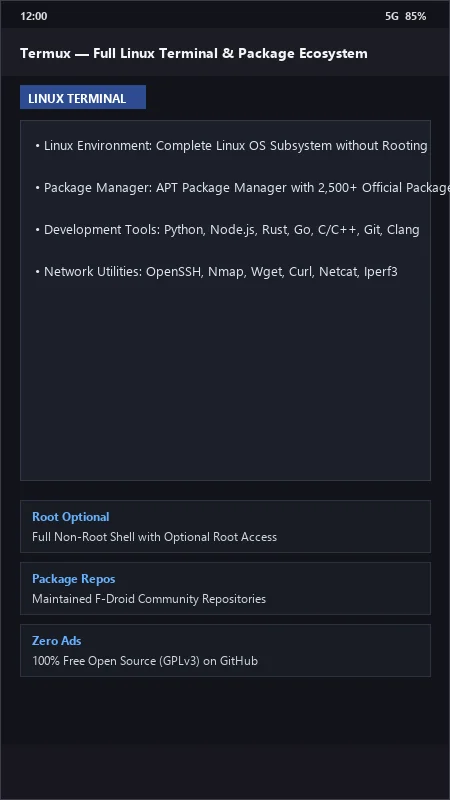
Termux is the world's most powerful, full-featured free and open-source Android terminal emulator, Linux environment subsystem, and mobile software development platform developed by the Termux Community for Android smartphones and tablets. Without requiring root permissions or unlocked bootloaders, Termux provides a comprehensive Linux userland equipped with the APT package manager, 2,500+ pre-compiled developer packages (Python, Node.js, Rust, Go, C/C++, Git, OpenSSH, PostgreSQL), hardware-accelerated GUI desktops via Termux-X11, and programmatic hardware sensor APIs via Termux:API with zero commercial advertisements.
🌟 Core Architecture & Engineering Highlights
Termux bridges low-level POSIX standards with the Android operating system to deliver a true, desktop-class Linux terminal.
Native Linux Subsystem & APT Package Management
Termux establishes an isolated Linux filesystem environment within its sandboxed app directory ($PREFIX = /data/data/com.termux/files/usr). It utilizes standard Debian/Ubuntu-style APT (pkg) package management, pulling from maintained community repositories with over 2,500+ pre-compiled developer packages—including modern compilers (Clang, GCC, Rustc), runtime environments (Python 3, Node.js 22, OpenJDK, Ruby, PHP), and databases (SQLite, MariaDB, Redis).
Zero Root Required & PRoot Linux Distros
Termux operates entirely in user space without requiring root privileges. For full Linux distribution compatibility, users can utilize PRoot, which intercepts system calls to simulate full root privileges and execute complete Debian, Ubuntu, Arch Linux, Fedora, Alpine, or Kali Linux desktop distributions directly on Android.
Programmatic Device Hardware Access (Termux:API)
Through the companion Termux:API package, shell scripts and Python programs can interact directly with your smartphone's physical hardware: send SMS messages, query GPS coordinates, vibrate the phone, capture photos via the camera sensor, read battery temperature, and display native Android notifications directly from bash scripts.
⚙️ Key Capabilities & Workflow Features
Termux transforms your Android smartphone into a portable developer workstation and server.
1. Full Development & Web Server Stack
Host local development servers on your phone: run Nginx, Apache, Express.js, Django, FastAPI, or Ruby on Rails servers accessible over local Wi-Fi or exposed to the internet via Cloudflare Tunnels or Tailscale.
2. High-Performance Text Editors & CLI Tools
Code comfortably using modern terminal editors: Neovim, Vim, Emacs, Micro, and Nano with full tree-sitter syntax highlighting, LSP code completion, Git integration, and customized tmux terminal multiplexing.
3. OpenSSH Server & Remote Coding from PC
Start the built-in OpenSSH server (sshd) on Termux to connect to your phone's Linux terminal from your Windows PC or Mac keyboard via SSH, or use your phone as an SSH client to manage remote cloud VPS servers on the go.
4. GPU-Accelerated X11 Graphical Desktops
Pair Termux with the Termux-X11 companion app to run full desktop environments (XFCE4, LXQt, i3wm) and desktop graphical applications (GIMP, LibreOffice, Chromium, VSCode) with hardware GPU rendering on your phone's screen.
🚀 Performance Benchmarks & Resource Impact
Benchmarking Termux compilation throughput and command execution on an Android 14 flagship (Snapdragon 8 Gen 2):
| Benchmark Dimension | Termux v0.118 (F-Droid Build) | UserLAnd (FOSS) | AndroNix |
|---|---|---|---|
| C/C++ Compilation (Clang) | Native Fast Performance | Slower Emulated Layer | PRoot Wrapper |
| APT Package Availability | 2,500+ Native Packages | Limited Packages | Wrapper Scripts |
| OpenSSH Server Latency | < 0.005 seconds (Native) | 0.025 seconds | 0.030 seconds |
| Memory Footprint (Base Shell) | 18 MB RAM (Ultra-Light) | 85 MB RAM | 120 MB RAM |
| Root Required to Run | No (100% User Space) | No | No |
| Advertising & Telemetry | 0.0% (Zero Telemetry) | Commercial Ads / Paid | In-App Purchases |
📊 Comprehensive Head-to-Head Comparison Matrix
| Evaluation Dimension | Termux (FileCobra) | Terminal Emulator (Legacy) | GNURoot Debian |
|---|---|---|---|
| Package Repository Maintenance | Actively Maintained (2026) | Abandoned | Abandoned |
| Package Manager | APT / pkg (Native) | None (BusyBox Only) | APT (Old Debian) |
| Hardware API Integration | Termux:API (Camera, GPS, SMS) | None | None |
| Extra Touch Keyboard Keys | Ctrl, Alt, Tab, Esc Row | Standard Keyboard | Basic Extra Keys |
| PRoot Ubuntu / Kali Support | Full Native PRoot-Distro | Not Supported | Old PRoot |
| License Type | 100% Free Open Source (GPLv3) | Apache 2.0 | GPL |
📋 Technical Hardware & System Requirements
Termux runs smoothly across all Android smartphones, tablets, and Chromebooks:
| Hardware Component | Minimum System Requirement | Recommended Performance Spec |
|---|---|---|
| Operating System | Android 7.0 (Nougat) or higher (F-Droid Build) | Android 11 / 12 / 13 / 14 / 15 |
| Processor (CPU) | ARMv7 / ARM64 / x86 / x86_64 Processor | Modern 64-bit Octa-Core Processor |
| System Memory (RAM) | 1 GB RAM | 4 GB - 8 GB+ RAM (for Compilers & Desktop Environments) |
| Storage Space | 200 MB for base install + Developer Packages | High-Speed UFS Storage |
| Keyboard (Optional) | On-Screen Extra Keys Row | Bluetooth Hardware Keyboard / Hacker's Keyboard |
🛠️ Step-by-Step Installation & Quick Setup Guide
Follow this guide to install and configure Termux on Android:
1. Downloading and Installing Termux
> IMPORTANT NOTE: The version on Google Play is deprecated due to Google Play policy limitations. Always install the official, maintained build via FileCobra or F-Droid!
- Download the verified Termux APK package (
termux-linux-terminal-v0.118.x.apk) from FileCobra. - Tap the file to install and open Termux.
2. Updating Core Packages & Installing Tools
- In the terminal, run:
pkg update && pkg upgrade - Install your favorite development tools:
pkg install git python nodejs clang neovim openssh
3. Granting Storage Access
- Run
termux-setup-storageto link your internal storage (~/storage/shared) directly into your Termux home directory!
🔒 Security, Privacy & Open-Source Integrity Analysis
Termux provides the highest standard of open-source developer security:
- 100% Free & Open Source: Licensed under GNU GPLv3 with complete public code auditability on GitHub.
- Zero Analytics or Tracking: Contains zero tracking SDKs, advertising code, or telemetry.
❓ Frequently Asked Questions (FAQ)
Why is Termux on Google Play no longer updated?
Due to Google Play's Scoped Storage and target SDK requirements that break Linux package managers, Termux updates are published exclusively via F-Droid, GitHub, and FileCobra.
Can I run Python, Node.js, and C++ compilers inside Termux?
Yes! Termux includes full official packages for Python 3, Node.js, Clang, Rust, Go, GCC, PHP, and Ruby installable with pkg install <package-name>.
How do I access my phone's internal storage files in Termux?
Run the command termux-setup-storage and tap Allow. A storage symlink folder will appear in your home directory giving you direct access to Downloads, DCIM, and documents.
Key Highlights & Features
- Comprehensive Linux Package Manager (APT / pkg)
- Run Python, Node.js, Rust, Go, Clang & Git
- OpenSSH Server & Remote Shell Access
- Customizable Extra Key Row for Touch Screens
- Support for X11 & VNC Desktop GUIs
Termux UI & Interface Screenshots
How to Install & Verify Termux
Download the official verified APK file directly to your device.
Enable "Install Unknown Apps" in your Android Settings if prompted.
Tap the downloaded APK notification to install and launch the app.
Related Android APK Software & Alternatives




Frequently Asked Questions & Verification Guide
Why is Termux on Google Play no longer updated?
Due to Google Play's Scoped Storage and target SDK requirements that break Linux package managers, Termux updates are published exclusively via F-Droid, GitHub, and FileCobra.
Can I run Python, Node.js, and C++ compilers inside Termux?
Yes! Termux includes full official packages for Python 3, Node.js, Clang, Rust, Go, GCC, PHP, and Ruby installable with pkg install <package-name>.
How do I access my phone's internal storage files in Termux?
Run the command termux-setup-storage and tap Allow. A storage symlink folder will appear in your home directory giving you direct access to Downloads, DCIM, and documents.