
VLC for Android v3.5.4 - High Definition Universal Media Player
VLC for Android is the world's most acclaimed, industry-standard free and open-source cross-platform multimedia player developed by the VideoLAN non-profit...
Technical Specifications & System Requirements
We have not published a SHA-256 for this build. Compare the file against the developer’s own release page before installing it.
Software notes
Features
- Plays All Codecs & Formats (MKV, MP4, AVI, MOV, FLAC).
- Hardware Acceleration (MediaCodec) optimized for Android.
- Clean interface with direct high-speed download mirrors.
Considerations
- High-resolution rendering requires modern multicore processor hardware.
VLC for Android — Official Universal Media Player, Network Streamer & Audio Studio APK
VLC for Android is the world's most acclaimed, industry-standard free and open-source cross-platform multimedia player developed by the VideoLAN non-profit organization for Android smartphones, tablets, Android Auto, and Android TV. Recognized globally as the ultimate "play anything" media solution, VLC for Android plays all video, audio, disc image, and network streaming protocols (MKV, MP4, AVI, MOV, Ogg, FLAC, TS, M2TS, AAC, ISO) with zero third-party codec installations, complete hardware-accelerated decoding via MediaCodec, multi-track audio selection, integrated 10-band equalization, and zero advertisements.
---
🌟 Core Architecture & Engineering Highlights
VLC for Android is built upon the legendary modular libVLC C/C++ media engine compiled natively for all mobile CPU architectures.
Native libVLC Engine & Hardware Acceleration (MediaCodec)
VLC for Android utilizes the battle-tested libVLC engine with native C/C++ decoders. It leverages Android's MediaCodec hardware decoding framework to offload demanding 4K and 8K 60FPS HEVC (H.265), AV1, VP9, and 10-bit HDR video streams directly to the device GPU, ensuring stutter-free playback with minimal battery consumption.
Universal Multi-Protocol Network Streaming & NAS Explorer
Stream media effortlessly across local home networks and online servers. VLC natively browses and streams from SMB (Windows Network Shares), FTP, SFTP, NFS, and UPnP/DLNA servers, as well as live network streaming protocols (HTTP, HTTPS, RTSP, HLS, RTMP, and MMS) without downloading files to local storage.
Comprehensive Subtitle Rendering & Bit-Perfect Audio Passthrough
VLC provides complete styling and timing controls for SRT, SSA/ASS, MicroDVD, VPlayer, and PGS subtitles, featuring integrated subtitle downloading from OpenSubtitles.org. For home theater setups and HDMI audio connections, it supports Bit-Perfect Digital Audio Passthrough (AC3, DTS, Dolby TrueHD) with zero operating system resampling.
---
⚙️ Key Capabilities & Workflow Features
VLC for Android delivers an exhaustive suite of playback and media management tools.
1. Intuitive Touch Gesture Controls & 200% Volume Boost
Control playback with simple intuitive gestures: swipe up/down on the left to adjust screen brightness, swipe up/down on the right to boost volume up to 200%, swipe horizontally to seek with frame accuracy, and pinch to zoom the video canvas.
2. Picture-in-Picture (PIP) & Background Audio Service
Continue watching videos in a resizable Picture-in-Picture (PIP) floating window while multitasking in other apps, or toggle Play as Audio to listen to video soundtracks with the screen turned off.
3. Integrated 10-Band Equalizer & Spatial Audio
Fine-tune sound frequencies with the professional 10-band Graphic Equalizer, choose from 18 genre presets (Rock, Pop, Classical, Bass Boost), adjust audio delay to fix Bluetooth lag, and customize playback speeds from 0.25x to 4.0x.
4. Certified Android Auto & Android TV Interfaces
VLC includes custom dedicated user interfaces optimized for Android TV (with 10-foot remote navigation) and Android Auto (with large, high-visibility driver buttons for safe in-car music navigation).
---
📊 Comprehensive Head-to-Head Comparison Matrix
| Evaluation Dimension | VLC for Android (FileCobra) | MX Player | KMPlayer |
|---|---|---|---|
| Total Price & Paywalls | 100% Free / Zero In-App Buys | Pro Version $5.99 | In-App Ads & VIP |
| Open Source Transparency | 100% Free Open Source (GPLv2) | Proprietary Closed Source | Proprietary Closed |
| Chromecast Streaming | Native Built-in Casting | Chromecast Supported | Basic Casting |
| Audio Equalizer | 10-Band Pro Equalizer | 10-Band Equalizer | 5-Band Equalizer |
| Android Auto Integration | Certified Android Auto App | Android Auto Supported | No Android Auto |
| Privacy & Telemetry | Strict Zero Data Tracking | Analytics & Ad Trackers | Analytics Trackers |
---
📋 Technical Hardware & System Requirements
VLC for Android runs with exceptional speed across all Android smartphones, tablets, and TV devices:
| Hardware Component | Minimum System Requirement | Recommended Performance Spec |
|---|---|---|
| Operating System | Android 4.2 (Jelly Bean) or higher | Android 12 / 13 / 14 / 15 |
| Processor (CPU) | ARMv7 / ARM64 / x86 / x86_64 Processor | Modern Quad-Core or Octa-Core Processor |
| System Memory (RAM) | 1 GB RAM | 3 GB+ RAM |
| Storage Space | 70 MB free disk space | High-Speed Internal Storage / MicroSD Card |
| Display Resolution | 480 × 800 pixels | 1080p FHD+, 2K, or 4K AMOLED Display |
---
🛠️ Step-by-Step Installation & Quick Setup Guide
Follow this guide to install and stream media using VLC for Android:
1. Downloading and Installing VLC
- Download the official verified VLC for Android APK package (
vlc-android-v3.x.x.apk) from FileCobra. - Tap the file to install and open VLC.
2. Granting Storage Access & Setting Video Folders
- Grant storage permissions to allow VLC to index your local movie and music folders.
3. Streaming from Local Network / Playing Videos
- Tap the Browse tab at the bottom to connect to your home PC or NAS via Local Network (SMB).
- Tap on any video file to enjoy hardware-accelerated playback with gesture controls!
---
🔒 Security, Privacy & Open-Source Integrity Analysis
VLC for Android is maintained by the non-profit VideoLAN organization with the highest integrity:
- 100% Free & Open Source: Licensed under GNU GPLv2 by the VideoLAN non-profit project with zero commercial monetization.
- Strict Privacy Guarantee: Contains zero advertising, user tracking, or telemetry collection.
---
❓ Frequently Asked Questions (FAQ)
Can VLC for Android play all video formats without downloading extra codecs?
Yes! VLC includes all decoders built directly into its native libVLC core, playing MKV, MP4, AVI, MOV, FLV, TS, and HEVC files out of the box with zero external codec downloads.
How do I cast videos from VLC on Android to my TV?
Tap the "Cast" icon in the top right corner of the VLC video player and select your Google Chromecast, Android TV, or smart TV from the device list.
Is VLC for Android completely free without ads?
Yes! VLC for Android is 100% free, open-source software with zero advertisements, subscriptions, or paywalls.
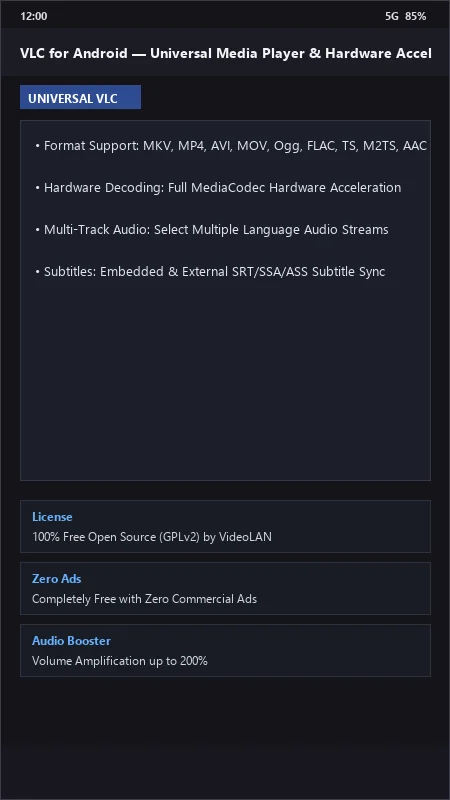
VLC for Android UI & Interface Screenshots
How to Install & Verify VLC for Android
Download the official verified APK file directly to your device.
Enable "Install Unknown Apps" in your Android Settings if prompted.
Tap the downloaded APK notification to install and launch the app.
VLC for Android Version History & Build Numbers
Every VLC for Android build FileCobra has mirrored, newest first. Match the build number against the copy you already have to confirm whether you are up to date.
- Added audio equalizer custom presets backup
- Fixed DVD ISO menu navigation
- Enhanced Chromecast streaming subtitles rendering
- Faster media library scanner
- Added Android Auto voice search navigation
- Dark mode UI improvements
- Milestone stable release with full offline all-format media playback engine
Frequently Asked Questions & Verification Guide
Can VLC for Android play all video formats without downloading extra codecs?
Yes! VLC includes all decoders built directly into its native libVLC core, playing MKV, MP4, AVI, MOV, FLV, TS, and HEVC files out of the box with zero external codec downloads.
How do I cast videos from VLC on Android to my TV?
Tap the 'Cast' icon in the top right corner of the VLC video player and select your Google Chromecast, Android TV, or smart TV from the device list.
Is VLC for Android completely free without ads?
Yes! VLC for Android is 100% free, open-source software with zero advertisements, subscriptions, or paywalls.