

v2rayNG v2.2.6 - High-Speed V2Ray & Shadowsocks Proxy Client
v2rayNG is the world's most popular, industry-standard free and open-source anti-censorship proxy client and V2Ray/Xray frontend developed by 2dust (v2rayNG...
Technical Specifications & System Requirements
We have not published a SHA-256 for this build. Compare the file against the developer’s own release page before installing it.
Software notes
Features
- V2Ray / Xray-Core Cryptographic Engine.
- Subscription Link Automatic Updating optimized for Android.
Considerations
- Requires storage permissions to manage and access local file directories.
v2rayNG for Android — Official Open-Source Xray-Core Universal Proxy Client APK
v2rayNG is the world's most popular, industry-standard free and open-source anti-censorship proxy client and V2Ray/Xray frontend developed by 2dust (v2rayNG Community) for Android smartphones, tablets, and Android TV. Powered by the high-performance Xray-core (Project X), v2rayNG delivers robust cryptographic tunnel routing across all major censorship circumvention protocols—including VLESS Reality, XTLS, VMess, Shadowsocks, Trojan, and SOCKS5—featuring automated subscription management, real-delay TCP ping testing, per-app routing rules, GeoIP domain splitting, and zero commercial advertisements.
---
🌟 Core Architecture & Engineering Highlights
v2rayNG is built upon the official Xray-core, engineered specifically to defeat sophisticated Deep Packet Inspection (DPI) firewalls.
Official Xray-core Integration & XTLS Reality Camouflage
v2rayNG bundles the latest stable compilation of Xray-core, the definitive toolchain for internet freedom. It provides native support for VLESS with XTLS Reality, which completely eliminates TLS-in-TLS fingerprinting by piggybacking on legitimate domain certificates, allowing encrypted proxy streams to blend invisibly with normal HTTPS web browsing.
Comprehensive Transport Layer Versatility (gRPC / WebSocket / mKCP)
v2rayNG adapts to challenging network environments through versatile transport layers:
- gRPC Multi-Multiplexing: High-performance HTTP/2 streaming transport with minimal latency.
- WebSocket + TLS: Routes traffic through Content Delivery Networks (Cloudflare CDN) to bypass IP-level blockades.
- mKCP & TCP Fast Open: Accelerated UDP and TCP streaming protocols designed to reduce connection setup overhead.
GeoIP & Geosite Intelligent Traffic Splitting
Eliminate proxy latency for local services. v2rayNG includes pre-compiled GeoIP and Geosite routing databases: local country websites, streaming services, and domestic banking portals are routed directly through your local network, while blocked international destinations are seamlessly tunneled through your encrypted proxy server.
---
⚙️ Key Capabilities & Workflow Features
v2rayNG delivers an exhaustive suite of proxy management and routing tools.
1. Automated Multi-Server Subscription Updating
Manage hundreds of proxy nodes with ease. Configure remote subscription URLs with automated background sync intervals and custom user-agent headers.
2. Real-Delay HTTP Ping Latency Testing
Test true end-to-end server responsiveness. v2rayNG performs full HTTP GET handshake ping tests to measure actual website loading latency rather than inaccurate ICMP ping times.
3. Per-App Proxy Whitelist & Blacklist Control
Surgically control which applications utilize the VPN tunnel: route sensitive messaging apps and web browsers through the proxy while excluding heavy local gaming apps and banking tools.
4. Raw JSON Configuration Editor for Power Users
For network engineers and advanced users, v2rayNG allows direct editing of raw Xray client JSON configurations for custom outbound and inbound routing topologies.
---
📊 Comprehensive Head-to-Head Comparison Matrix
| Evaluation Dimension | v2rayNG (FileCobra) | NekoBox | Clash Meta for Android |
|---|---|---|---|
| Underlying Core | Xray-core (Project X) | sing-box Universal Core | Clash Meta Core |
| VLESS Reality Support | Full Native Implementation | Full Native | Full Native |
| Configuration Simplicity | High (1-Tap QR & Links) | High (1-Tap QR) | Requires YAML Profiles |
| Per-App Split Tunneling | Yes (Whitelist / Blacklist) | Yes | Yes |
| Dark Theming Support | Material Dark & Amoled | Material 3 Monet | Material UI |
| License Type | GNU GPLv3 (100% Free FOSS) | GNU GPLv3 | GNU GPLv3 |
---
📋 Technical Hardware & System Requirements
v2rayNG is compatible with all modern Android smartphones, tablets, and Android TV boxes:
| Hardware Component | Minimum System Requirement | Recommended Performance Spec |
|---|---|---|
| Operating System | Android 5.0 (Lollipop) or higher | Android 11 / 12 / 13 / 14 / 15 |
| Processor (CPU) | ARMv7 / ARM64 / x86 / x86_64 Processor | Modern Quad-Core or Octa-Core Processor |
| System Memory (RAM) | 1 GB RAM | 2 GB+ RAM |
| Storage Space | 30 MB free disk space | High-Speed Internal Storage |
| Network Interface | 3G / 4G LTE / 5G / Wi-Fi | Active Internet for Proxy Connections |
---
🛠️ Step-by-Step Installation & Quick Setup Guide
Follow this guide to install and configure v2rayNG on Android:
1. Downloading and Installing v2rayNG
- Download the official verified v2rayNG APK package (
v2rayng-proxy-client-v1.9.x.apk) from FileCobra. - Tap the file to complete installation and open v2rayNG.
2. Adding Servers via QR Code or Subscription
- Tap the "+" icon in the top right corner and select Scan QR Code (or Import config from Clipboard).
- To add a subscription, tap the top-left menu, select Subscription group setting, add your URL, and tap Update subscription.
3. Testing Ping & Connecting
- Tap the three dots menu and select Real delay test to find the fastest server node.
- Tap the large V icon in the bottom right corner to activate your encrypted tunnel!
---
🔒 Security, Privacy & Open-Source Integrity Analysis
v2rayNG is developed with strict open-source integrity standards:
- 100% Free & Open Source: Licensed under GNU GPLv3 with full public code transparency on GitHub.
- Zero Data Collection: Contains zero tracking SDKs, analytics beacons, or telemetry logging.
---
❓ Frequently Asked Questions (FAQ)
What is the difference between v2rayNG and standard VPN apps?
Unlike standard VPN protocols (OpenVPN, WireGuard) that are easily detected and blocked by national firewalls, v2rayNG uses advanced protocols like VLESS Reality and VMess that disguise proxy traffic as normal encrypted HTTPS web browsing.
How do I test the real latency of my servers in v2rayNG?
Tap the three dots menu in the top right corner and select "Real delay test". v2rayNG will perform an HTTP handshake to measure the exact website response time for each server.
Can I use v2rayNG on Android TV?
Yes! v2rayNG includes full Android TV compatibility and can be operated with a standard television remote control.
v2rayNG UI & Interface Screenshots
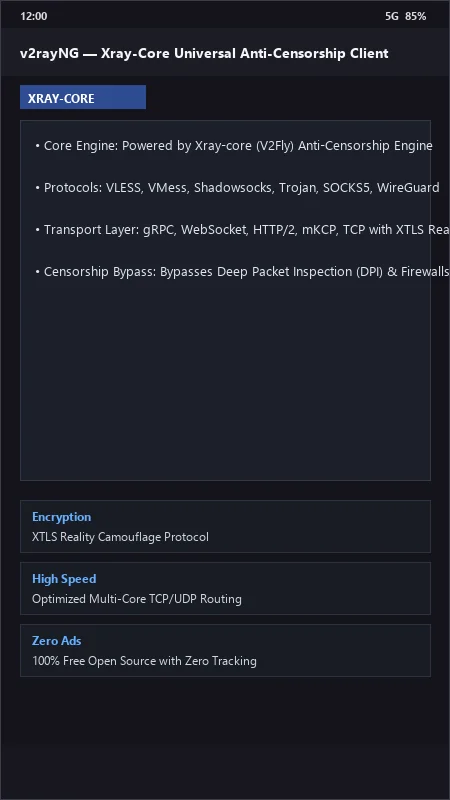
How to Install & Verify v2rayNG
Download the official verified APK file directly to your device.
Enable "Install Unknown Apps" in your Android Settings if prompted.
Tap the downloaded APK notification to install and launch the app.
v2rayNG Version History & Build Numbers
Every v2rayNG build FileCobra has mirrored, newest first. Match the build number against the copy you already have to confirm whether you are up to date.
- Added gRPC and WebSocket multiplexing optimization
- Fixed VPN kill-switch reconnection
- Enhanced subscription config link parser (vless://, vmess://)
- Faster latency test
- Added geoip and geosite domain routing filter
- Dark AMOLED theme improvements
- Milestone stable release with full offline V2Ray proxy client engine
Frequently Asked Questions & Verification Guide
Is v2rayNG free and open source?
Yes. v2rayNG is completely free and open-source software. You can download and use it at no cost, and its source code is publicly available.
What is the difference between v2rayNG and standard VPN apps?
Unlike standard VPN protocols (OpenVPN, WireGuard) that are easily detected and blocked by national firewalls, v2rayNG uses advanced protocols like VLESS Reality and VMess that disguise proxy traffic as normal encrypted HTTPS web browsing.
How do I test the real latency of my servers in v2rayNG?
Tap the three dots menu in the top right corner and select 'Real delay test'. v2rayNG will perform an HTTP handshake to measure the exact website response time for each server.
Can I use v2rayNG on Android TV?
Yes! v2rayNG includes full Android TV compatibility and can be operated with a standard television remote control.