

Download Terraform for Windows PC v1.17.0 for Windows PC
Terraform 1.17.0 is HashiCorp's infrastructure-as-code CLI for Windows: describe servers, networks and cloud resources in declarative files, preview every...
Technical Specifications & System Requirements
Software notes
Features
- The plan workflow previews every create, change and destroy action before anything real is touched, so infrastructure changes can be reviewed and approved like ordinary code changes.
- Providers for AWS, Azure, Google Cloud, Cloudflare, Kubernetes and thousands of other platforms all work through one CLI, one language and one set of commands.
- Reusable modules from the public Terraform Registry package whole architectures — VPCs, clusters, databases — into versioned building blocks teams can share instead of rewriting.
- Remote backends with state locking let a whole team work against one shared, consistent record of the infrastructure, with a full apply history in version control.
- It is a single self-contained Windows binary with no installer, no runtime and no account requirement, so it drops cleanly into PowerShell, CI pipelines and developer laptops.
Considerations
- Terraform state files can contain passwords and keys in plain text, so they must be stored in a secured remote backend and treated as sensitive from the very first project.
- Since version 1.6 the core has been source-available under the BSL 1.1 licence rather than open source, which pushes some organisations towards the OpenTofu fork instead.
- HCL is deliberately limited as a programming language, so highly conditional infrastructure can become hard to read, and a bad provider bug can leave an apply half-finished.
How Terraform for Windows PC Compares to Top Alternatives
Docker Desktop runs containers and a local Kubernetes cluster on your own machine, while Terraform provisions real cloud infrastructure — virtual machines, networks, DNS records and managed clusters — from declarative HCL files with a previewed plan.
k9s is a terminal UI for watching and managing a Kubernetes cluster that already exists, while Terraform creates the cluster and everything around it in the first place, across AWS, Azure, Google Cloud and thousands of other providers.
About & Overview: Terraform for Windows PC
Terraform, from HashiCorp, is the most widely used infrastructure-as-code tool in the world, and version 1.17.0 is the current stable release. Instead of clicking through a cloud console, you describe the infrastructure you want — virtual machines, networks, DNS records, Kubernetes clusters and databases — in declarative configuration files written in HashiCorp Configuration Language (HCL). Terraform compares that description with its recorded state of what already exists, shows you a precise execution plan of what it will create, change or destroy, and then applies exactly that plan. Providers from the public Terraform Registry connect the same workflow to AWS, Microsoft Azure, Google Cloud, Cloudflare and thousands of other platforms and SaaS services, while reusable modules let teams package standard patterns once and share them. State, held locally or in a remote backend with locking, is the tool's memory of real resources, and the init, plan, apply and destroy commands form a workflow that fits naturally into version control and CI pipelines. On Windows it is a single command-line binary distributed as a ZIP, with no installer.
In-Depth: Terraform for Windows PC
Declare it, plan it, apply it
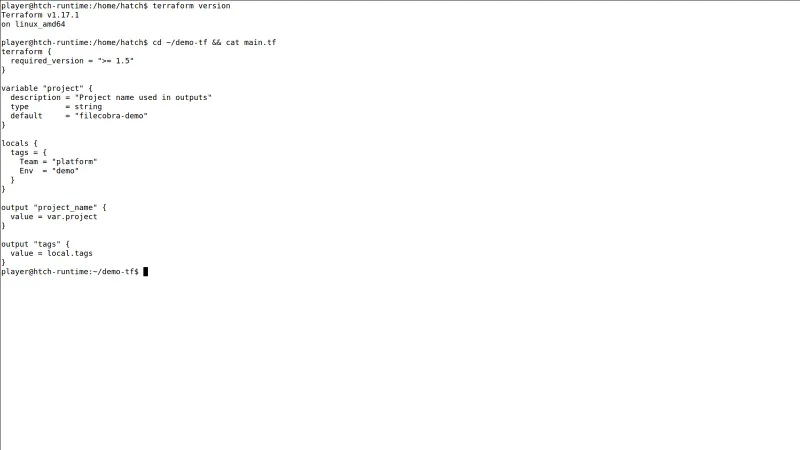
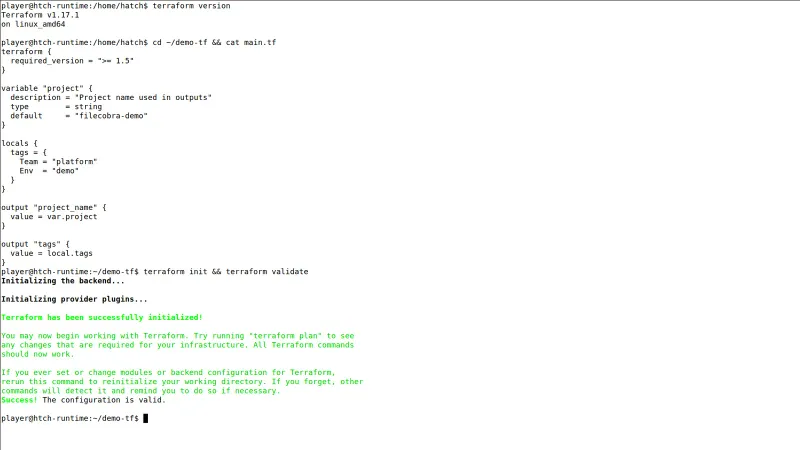
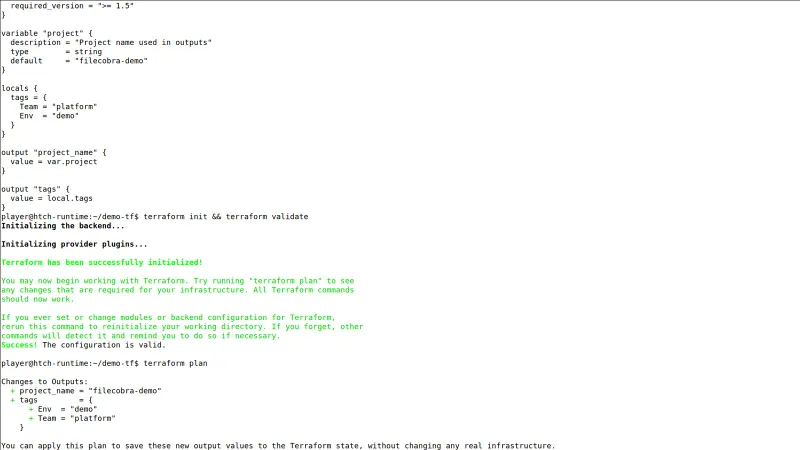
Terraform, from HashiCorp, replaces console-clicking with declaration: you describe the infrastructure you want — virtual machines, networks, DNS records, Kubernetes clusters and databases — in configuration files written in HashiCorp Configuration Language (HCL). Terraform compares that description with its recorded state of what already exists and produces a precise execution plan: this resource will be created, that one modified, that one destroyed, shown before anything real is touched and reviewable in a pull request like any other code. The workflow is four commands that fit naturally into version control and CI pipelines: init prepares a project and its providers, plan shows the dry-run preview, apply performs the plan after confirmation and updates the state, and destroy tears down. Version 1.17.0 is the current stable release.
Providers and modules: one workflow, every platform
The provider ecosystem is the other half of the appeal. Providers from the public Terraform Registry connect the same workflow — one CLI, one language, one set of commands — to AWS, Microsoft Azure, Google Cloud, Cloudflare, Kubernetes and thousands of other platforms and SaaS services. Reusable modules let teams package standard patterns once — VPCs, clusters, databases — and public Registry modules mean most standard architectures do not have to be written from scratch. On Windows, Terraform is a single self-contained command-line binary distributed as a ZIP: there is no installer to run, no runtime and no account requirement — extract the binary and run it from PowerShell or a terminal.
State: power and liability
State is both the tool's memory and its liability. Held locally or in a remote backend with locking, it lets a whole team work against one shared, consistent record of the infrastructure — but state files can contain passwords and keys in plain text, so they must be stored in a secured remote backend and treated as sensitive from the very first project, and losing or corrupting state disconnects Terraform from the infrastructure it manages. Two more honest caveats. Since version 1.6, the core has been source-available under the BSL 1.1 licence rather than open source, which is why the OpenTofu fork exists. And HCL is deliberately limited as a programming language, so highly conditional infrastructure can become hard to read, while a bad provider bug can leave an apply half-finished. For individuals and most companies using it on their own infrastructure, none of that prevents Terraform remaining the default tool for the job. It needs Windows 10 or 11 (64-bit) and 150 MB of space.
Terraform for Windows PC UI & Interface Screenshots
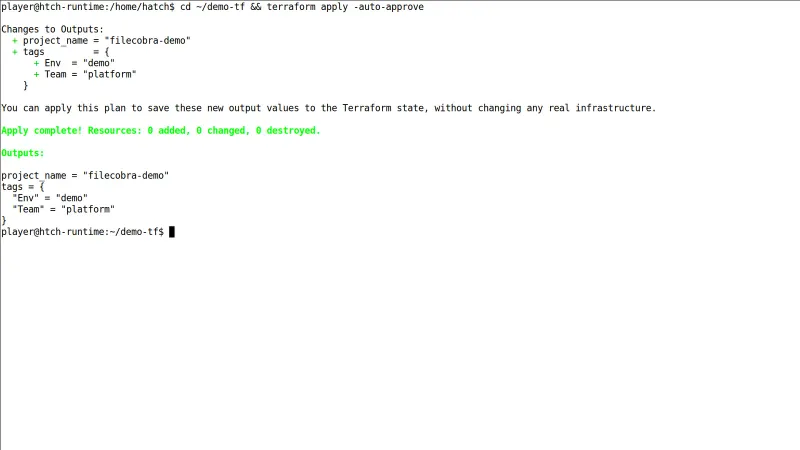
How to Install & Verify Terraform for Windows PC
Download terraform_1.17.0_windows_amd64.zip from releases.hashicorp.com, HashiCorp's official releases site, and extract terraform.exe into a permanent folder such as C:\terraform.
Open Windows Settings, search for environment variables, and add C:\terraform to your user PATH variable so the terraform command works from any terminal window.
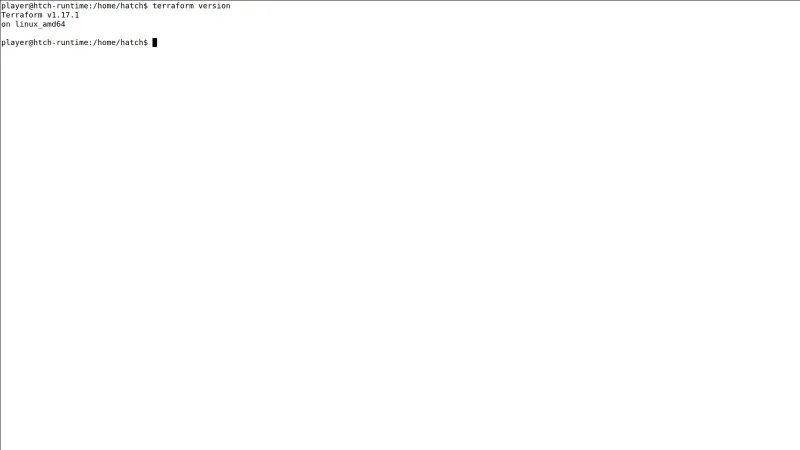
Open a new PowerShell or Command Prompt window and run terraform version — it should print Terraform v1.17.0. Move into a folder with .tf files and run terraform init to download its providers.
Related Windows PC Software & Alternatives






Frequently Asked Questions & Verification Guide
Is Terraform for Windows PC free?
Yes. Terraform for Windows PC is freeware, so it is free to download and use at no cost. It is proprietary software from HashiCorp rather than open source, so its source code is not publicly available.
What exactly is Terraform used for?
Terraform is infrastructure as code: instead of clicking through a cloud console, you describe the infrastructure you want — virtual machines, networks, DNS records, Kubernetes clusters, databases — in declarative files written in HashiCorp Configuration Language (HCL). Terraform compares that description with its recorded state, shows you a precise plan of what it will create, change or destroy, and then applies exactly that plan.
Is Terraform for AWS only?
No. Terraform talks to services through provider plugins from the public Terraform Registry, and there are providers for Microsoft Azure, Google Cloud, Cloudflare, Kubernetes, GitHub, DNS services and thousands of other platforms and SaaS products. The same init, plan and apply workflow is used for all of them.
How do I install Terraform on Windows?
There is no installer to run: on Windows, Terraform 1.17.0 is a single self-contained command-line binary distributed as a ZIP, with no runtime and no account requirement. Extract the binary and run it from PowerShell or a terminal, which is also what makes it drop cleanly into CI pipelines.
How do I run Terraform?
Through its four core commands: terraform init prepares a project and its providers, terraform plan shows a dry-run preview of every create, change and destroy action, terraform apply performs the plan after confirmation and updates the state file, and terraform destroy removes managed resources. State — Terraform's record mapping your configuration to real resources — is held locally or in a remote backend with locking.
Is Terraform still relevant in 2026?
Yes — Terraform, from HashiCorp, remains the most widely used infrastructure-as-code tool, and version 1.17.0 is the current stable release covered here. One licence point to know: since the 1.6 line the core is source-available under the Business Source License 1.1 rather than an open-source licence, which is why the OpenTofu fork exists, though it remains free to use for managing your own infrastructure.