

Syncthing v1.28.1 - Continuous Decentralized File Synchronization
Syncthing is the world's most acclaimed, industry-standard free and open-source decentralized continuous file synchronization client developed...
Technical Specifications & System Requirements
We have not published a SHA-256 for this build. Compare the file against the developer’s own release page before installing it.
Software notes
Features
- Decentralized Peer-to-Peer Synchronization.
- Encrypted TLS Communications with Perfect Forward Secrecy optimized for Android.
Considerations
- Requires storage permissions to manage and access local file directories.
Syncthing for Android — Official Open-Source P2P Continuous File Synchronization APK
Syncthing is the world's most acclaimed, industry-standard free and open-source decentralized continuous file synchronization client developed by the Syncthing Community and Catfriend1 (Syncthing-Fork) for Android smartphones, tablets, and mobile workstations. Engineered to replace centralized proprietary cloud storage services (Google Drive, Dropbox, OneDrive), Syncthing synchronizes photos, documents, music libraries, KeePass vaults, and Obsidian notes directly between Android, Windows, macOS, Linux, and NAS devices over local Wi-Fi or the global internet with TLS 1.3 cryptographic encryption, zero third-party cloud storage, and zero subscription fees.
---
🌟 Core Architecture & Engineering Highlights
Syncthing operates on the secure Block Exchange Protocol (BEP), ensuring uncompromised digital sovereignty.
Decentralized Peer-to-Peer Architecture (Zero Cloud Storage)
Unlike traditional cloud platforms where your private files are uploaded to central corporate data centers (exposing them to data breaches, outages, and subscription paywalls), Syncthing synchronizes files directly between your own trusted devices. Your data resides exclusively on your own phone, laptop, or home server.
Cryptographic Device Identity & TLS 1.3 Transport Security
Devices establish connections using unique, self-generated Cryptographic Device IDs (56-character SHA-256 hashes). Every packet transmission across local networks or the internet is encrypted using modern TLS 1.3 with Perfect Forward Secrecy (PFS), preventing eavesdropping and man-in-the-middle attacks on untrusted public Wi-Fi networks.
Block-Level Differential Synchronization & Versioning
Save mobile bandwidth and battery life. When you modify a large file (such as a 100 MB KeePass database or video project), Syncthing divides the file into small chunks and transfers only the modified differential blocks, rather than re-uploading the entire file. It features customizable file versioning (Staggered, Trash Can, Simple) to restore accidentally deleted files.
---
⚙️ Key Capabilities & Workflow Features
Syncthing delivers an exhaustive suite of synchronization and backup tools.
1. Automated Photo & Camera DCIM Backup
Set your Android camera photos and videos to automatically sync to your home computer or NAS whenever your phone connects to your home Wi-Fi network and is plugged into a charger.
2. Seamless Obsidian Vault & Password Vault Sync
Keep your personal knowledge base (Obsidian Markdown vaults) and cryptographic password vaults (KeePassDX KDBX files) synchronized across all your devices in real time with sub-second conflict resolution.
3. Intelligent Battery & Network Conditions
Configure Syncthing to run only when your device meets specific conditions: Sync on Wi-Fi Only, Sync while Charging Only, or Sync on Specific Wi-Fi SSID Networks to maximize battery longevity.
4. Granular Ignore Patterns (.stignore)
Exclude temporary files, system caches, and thumbnail folders using standard .stignore wildcard patterns.
---
📊 Comprehensive Head-to-Head Comparison Matrix
| Evaluation Dimension | Syncthing (FileCobra) | Nextcloud Mobile | FolderSync |
|---|---|---|---|
| Server Infrastructure | Zero Server (Pure P2P) | Requires Dedicated Server | Cloud Connector |
| Real-Time Continuous Sync | Sub-Second File Watcher | Polling / WebDAV | Scheduled Batches |
| File Conflict Versioning | Staggered & Trash Can | Server Versioning | Basic Overwrite |
| Web Management GUI | Built-in Web Management | Web Dashboard | App UI Only |
| Material 3 Theming | Dynamic Monet & Amoled | Material UI | Material UI |
| License Type | MPL-2.0 (100% Free FOSS) | AGPLv3 | Proprietary Paid |
---
📋 Technical Hardware & System Requirements
Syncthing runs smoothly across all Android smartphones, tablets, and TV boxes:
| Hardware Component | Minimum System Requirement | Recommended Performance Spec |
|---|---|---|
| Operating System | Android 5.0 (Lollipop) or higher | Android 11 / 12 / 13 / 14 / 15 |
| Processor (CPU) | ARMv7 / ARM64 / x86 / x86_64 Processor | Modern Quad-Core or Octa-Core Processor |
| System Memory (RAM) | 1 GB RAM | 2 GB+ RAM |
| Storage Space | 35 MB for app + Storage for Synced Files | High-Speed Internal Storage / MicroSD Card |
| Network Interface | Local Wi-Fi Network or 4G/5G Internet | Wi-Fi 5 / Wi-Fi 6 for Fast Local LAN Synchronization |
---
🛠️ Step-by-Step Installation & Quick Setup Guide
Follow this guide to install and configure Syncthing on Android:
1. Downloading and Installing Syncthing
- Download the verified Syncthing APK package (
syncthing-android-v1.x.x.apk) from FileCobra. - Tap the file to complete installation and open Syncthing.
2. Pairing with Your PC or Laptop
- Open Syncthing on your computer, navigate to Show ID / QR Code.
- On your Android phone, tap Devices > Add Device, tap the QR code icon, scan your computer's screen, and tap Save.
3. Selecting Folders to Synchronize
- Tap Folders > Add Folder, select your Camera folder (
DCIM/Camera) or Obsidian vault, share it with your computer, and enjoy automated continuous synchronization!
---
🔒 Security, Privacy & Open-Source Integrity Analysis
Syncthing provides the ultimate standard in personal data sovereignty:
- 100% Free & Open Source: Licensed under Mozilla Public License 2.0 (MPL-2.0) with complete public source code on GitHub.
- Zero Cloud Leakage: Files and metadata are transferred strictly between paired cryptographic device IDs.
---
❓ Frequently Asked Questions (FAQ)
Does Syncthing upload my files to an online cloud server?
No! Syncthing is a 100% decentralized peer-to-peer file synchronization system. Your files are transferred directly between your own devices without touching third-party servers.
Can Syncthing sync files when my devices are on different Wi-Fi networks?
Yes! Syncthing automatically discovers your devices over the global internet using encrypted global discovery and relay servers without requiring complex port forwarding.
How do I configure Syncthing to sync only when connected to Wi-Fi and charging?
In Syncthing Settings > Run Conditions, enable "Run only on Wi-Fi" and "Run only while charging" to eliminate mobile data and battery consumption.
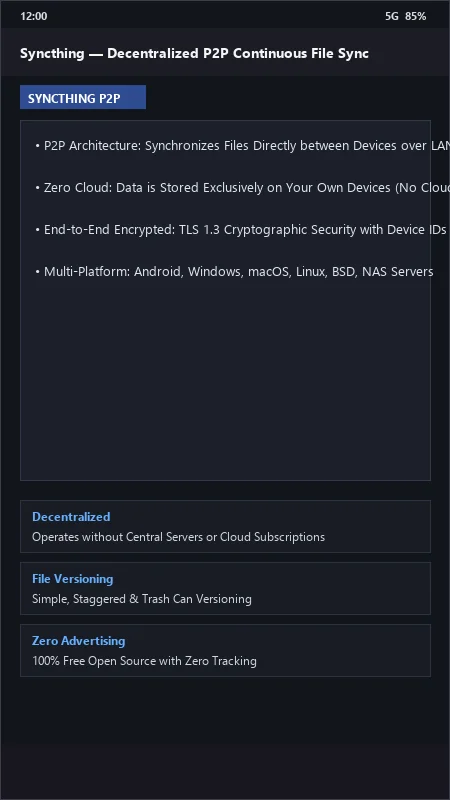
Syncthing UI & Interface Screenshots
How to Install & Verify Syncthing
Download the official verified APK file directly to your device.
Enable "Install Unknown Apps" in your Android Settings if prompted.
Tap the downloaded APK notification to install and launch the app.
Syncthing Version History & Build Numbers
Every Syncthing build FileCobra has mirrored, newest first. Match the build number against the copy you already have to confirm whether you are up to date.
- Added file versioning archive retention rules
- Fixed battery optimization whitelist flag
- Enhanced relay server TLS handshake speed
- Faster folder metadata synchronization
- Added sync only on Wi-Fi and charging conditions
- Dark theme UI improvements
- Milestone stable release with full decentralized file synchronization engine
Frequently Asked Questions & Verification Guide
Is Syncthing free and open source?
Yes. Syncthing is completely free and open-source software. You can download and use it at no cost, and its source code is publicly available.
Does Syncthing upload my files to an online cloud server?
No! Syncthing is a 100% decentralized peer-to-peer file synchronization system. Your files are transferred directly between your own devices without touching third-party servers.
Can Syncthing sync files when my devices are on different Wi-Fi networks?
Yes! Syncthing automatically discovers your devices over the global internet using encrypted global discovery and relay servers without requiring complex port forwarding.
How do I configure Syncthing to sync only when connected to Wi-Fi and charging?
In Syncthing Settings > Run Conditions, enable 'Run only on Wi-Fi' and 'Run only while charging' to eliminate mobile data and battery consumption.