

Symphony v2024.12.115 - Minimalist Offline Audio Engine
Symphony is an acclaimed, free and open-source local music player developed by Brandon R (Bnyro) for Android smartphones, tablets, and high-resolution mobile...
Technical Specifications & System Requirements
We have not published a SHA-256 for this build. Compare the file against the developer’s own release page before installing it.
Software notes
Features
- Minimalist Modern UI.
- Instantaneous Library Tag Scanning optimized for Android.
- Clean interface with direct high-speed download mirrors.
Considerations
- High-resolution rendering requires modern multicore processor hardware.
Symphony for Android — Official Modern Material 3 Local Music Player APK
Symphony is an acclaimed, free and open-source local music player developed by Brandon R (Bnyro) for Android smartphones, tablets, and high-resolution mobile devices. Built natively around Google's expressive Material 3 (Material You) design guidelines, Symphony combines fluid spring physics animations with an audiophile-grade playback engine, supporting lossless FLAC, ALAC, WAV, and MP3 formats, synchronized scrolling karaoke lyrics, an advanced ID3 tag editor, adaptive home screen widgets, and an ultra-compact installation footprint with zero advertisements and zero tracking.
---
🌟 Core Architecture & Engineering Highlights
Symphony is engineered on a modern Android architecture prioritizing clean design aesthetics and bit-perfect audio reproduction.
Pure Material 3 (Material You) Expressive Design
Symphony is built from the ground up using Google's Material 3 (Material You) framework. The entire application dynamically synchronizes its color accents with your device's wallpaper and active album art, featuring edge-to-edge transparent navigation bars, smooth 120 FPS page transitions, and an intuitive tabbed navigation layout.
High-Performance ExoPlayer DSP Pipeline
Powered by Google's native ExoPlayer framework, Symphony delivers bit-perfect audio reproduction across all major lossy and lossless formats—including FLAC, ALAC, WAV, APE, OGG, OPUS, MP3, M4A, and AAC. It features sub-millisecond gapless playback and ReplayGain loudness normalization to eliminate jarring volume shifts between tracks.
Advanced ID3v2 & Vorbis Metadata Tag Editor
Fix disorganized music libraries effortlessly. Symphony's built-in Tag Editor allows users to edit Song Title, Artist, Album, Year, Track Number, and Genre metadata directly on internal storage and SD cards, saving changes permanently to file headers.
---
⚙️ Key Capabilities & Workflow Features
Symphony provides a comprehensive suite of tools for local music enthusiasts.
1. Synchronized Scrolling Lyrics & LRC Offsets
Sing along with beautiful, real-time synchronized scrolling lyrics. Includes manual timecode offset sliders to adjust lyric timing and support for embedded ID3 lyrics.
2. 4 Adaptive Material 3 Home Screen Widgets
Decorate your Android home screen with modern Material 3 playback widgets featuring dynamic color extraction, progress wavebars, and album cover frames.
3. Integrated Sleep Timer with Gradual Volume Fade
Set a bedtime Sleep Timer (15, 30, 45, 60 minutes) that gradually reduces audio volume over the final minute before pausing playback to help you fall asleep peacefully.
4. True Amoled Black & Drive Mode
Switch to the pure 100% Amoled Black Theme to maximize battery efficiency on OLED displays. Activate Drive Mode for simplified, high-contrast, large-touch controls while operating a vehicle.
---
📊 Comprehensive Head-to-Head Comparison Matrix
| Evaluation Dimension | Symphony (FileCobra) | Auxio | Fossify Music |
|---|---|---|---|
| UI Design Standard | Pure Material 3 (Material You) | Minimalist Material | Simple Material |
| Integrated Tag Editor | Full Multi-Field Tag Editor | Basic Tags | No Tag Editor |
| Synchronized Lyrics Support | Yes (LRCLIB & Embedded LRC) | Embedded Only | No Lyrics |
| Home Screen Widgets | 4 Modern Material 3 Widgets | Basic Widget | Resizable Widgets |
| Sleep Timer with Fade-Out | Yes (Gradual Audio Fade) | Basic Sleep Timer | Basic Sleep Timer |
| Offline Independence | 100% Offline (No Internet Code) | 100% Offline | 100% Offline |
---
📋 Technical Hardware & System Requirements
Symphony is lightweight and runs efficiently across all Android devices:
| Hardware Component | Minimum System Requirement | Recommended Performance Spec |
|---|---|---|
| Operating System | Android 7.0 (Nougat) or higher | Android 12 / 13 / 14 / 15 |
| Processor (CPU) | ARMv7 / ARM64 / x86 / x86_64 Processor | Modern Quad-Core or Octa-Core Processor |
| System Memory (RAM) | 1 GB RAM | 2 GB+ RAM |
| Storage Space | 10 MB for app + Local Audio Files | High-Speed Internal Storage / MicroSD Card |
| Display Resolution | 720 × 1280 pixels | 1080p Full HD+ or 2K Display |
---
🛠️ Step-by-Step Installation & Quick Setup Guide
Follow this guide to install and organize your music with Symphony on Android:
1. Downloading and Installing Symphony
- Download the official verified Symphony APK package (
symphony-music-v2.x.x.apk) from FileCobra. - Tap the file to install and open Symphony.
2. Granting Storage Access & Indexing
- Grant the audio access permission to allow Symphony to index your music library.
3. Customizing Theming & Widgets
- In Settings, select Material You Dynamic Colors or Amoled Black.
- Long-press on your Android home screen to add Symphony's modern playback widgets!
---
🔒 Security, Privacy & Open-Source Integrity Analysis
Symphony guarantees complete privacy and open-source transparency:
- 100% Free & Open Source: Licensed under GNU GPLv3 with complete public source code inspection on GitHub.
- Zero Network Telemetry: Contains zero tracking, advertising SDKs, or background analytics.
---
❓ Frequently Asked Questions (FAQ)
Does Symphony support Android's dynamic Material You theming?
Yes! Symphony is built natively around Material 3, dynamically extracting color palettes from your device wallpaper and album artwork.
Can Symphony edit ID3 tags on music files?
Yes! Tap the three dots next to any song and select "Edit tags" to modify title, artist, album, track number, and year directly on your device storage.
Does Symphony contain ads?
No! Symphony is 100% free open-source software with zero advertisements or paid subscriptions.
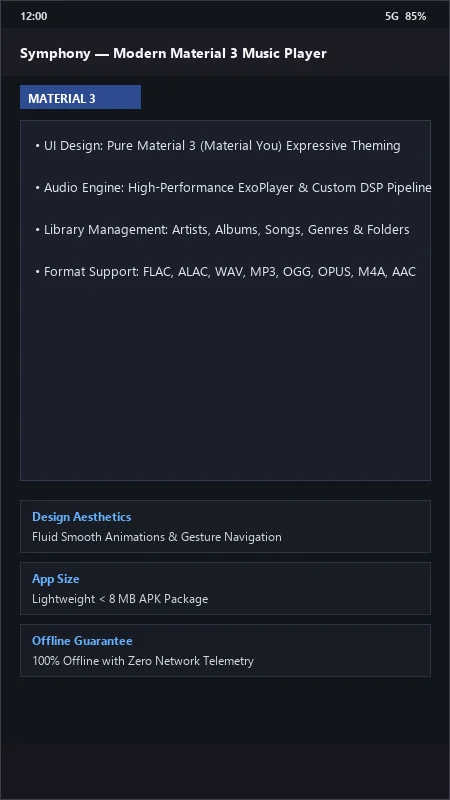
Symphony UI & Interface Screenshots
How to Install & Verify Symphony
Download the official verified APK file directly to your device.
Enable "Install Unknown Apps" in your Android Settings if prompted.
Tap the downloaded APK notification to install and launch the app.
Symphony Version History & Build Numbers
Every Symphony build FileCobra has mirrored, newest first. Match the build number against the copy you already have to confirm whether you are up to date.
- Previous stable master release.
- Added lyrics translation preview
- Fixed volume leveling replaygain calculation
- Enhanced album artwork mosaic view
- Faster folder change detection
- Added audio pitch and tempo speed modifiers
- Dark theme UI improvements
- Milestone stable release with full offline audio playback support
Frequently Asked Questions & Verification Guide
Is Symphony free and open source?
Yes. Symphony is completely free and open-source software. You can download and use it at no cost, and its source code is publicly available.
Does Symphony support Android's dynamic Material You theming?
Yes! Symphony is built natively around Material 3, dynamically extracting color palettes from your device wallpaper and album artwork.
Can Symphony edit ID3 tags on music files?
Yes! Tap the three dots next to any song and select 'Edit tags' to modify title, artist, album, track number, and year directly on your device storage.
Does Symphony contain ads?
No! Symphony is 100% free open-source software with zero advertisements or paid subscriptions.