

Suyu / Sudachi v1.0.4 - Nintendo Switch Android Emulator
High-performance Nintendo Switch emulator for Android. Play commercial Switch games with Vulkan acceleration and custom Turnip GPU drivers.
Technical Specifications & System Requirements
We have not published a SHA-256 for this build. Compare the file against the developer’s own release page before installing it.
Software notes
Features
- Nintendo Switch Android Emulator with Vulkan.
- Custom Mesa Turnip GPU Driver Support optimized for Android.
- High-speed direct CDN mirrors with instant verification checksums.
Considerations
- Manual APK sideloading requires enabling unknown app installs.
Suyu / Sudachi for Android — Official Nintendo Switch Hybrid Console 60FPS Emulator APK
Suyu / Sudachi is the premier, community-driven free and open-source Nintendo Switch hybrid video game console emulator developed by the open emulation community (continuing the legacy of the Yuzu codebase) for Android smartphones, tablets, and gaming handhelds. Delivering high-throughput hybrid console emulation on mobile ARM64 architectures, Suyu / Sudachi allows Android gamers to experience legendary Switch titles (Super Mario Odyssey, The Legend of Zelda: Link's Awakening, Pokémon Legends: Arceus, Metroid Dread, Animal Crossing: New Horizons, Persona 5 Royal) in crisp 720p and 1080p Full HD at smooth 60 FPS—featuring native Vulkan GPU drivers (Turnip / Mesa), custom Resolution Scaling, Docked/Handheld modes, game patch/DLC management, and zero commercial advertisements.
---
🌟 Core Architecture & Engineering Highlights
Suyu / Sudachi is engineered in modern C++ utilizing a high-performance 64-bit ARM64 JIT dynarec engine and low-level Vulkan hardware acceleration pipelines.
High-Throughput Vulkan API & Custom Turnip GPU Drivers
Suyu / Sudachi communicates directly with mobile Adreno and Mali GPUs using the Vulkan API. On Snapdragon devices, it features native support for Custom Turnip (Mesa Freedreno) GPU Drivers: users can load specialized Turnip driver packages (.zip) directly within the app, fixing graphical glitches, eliminating shader stutter, and unlocking massive frame rate gains in demanding 3D titles.
Dynamic Resolution Scaling & Docked / Handheld Mode Switching
Tailor performance and visual fidelity to your device:
- Resolution Scaling: Render games at 0.5x (360p), 0.75x (540p), 1.0x (720p/1080p), or up to 2x (4K) with FSR (FidelityFX Super Resolution) and Bilinear texture upscaling.
- Docked vs Handheld Toggle: Switch between Handheld Mode (lower power & battery saving) and Docked Mode (higher GPU clocks & graphical fidelity) with a single tap.
Async Shader Compilation & Texture Compression
Eliminate in-game stutter. Suyu / Sudachi's Asynchronous Shader Compilation and Disk Shader Cache pre-compiles and stores shaders on internal storage, ensuring that future playthroughs run at a locked, silky smooth frame rate.
---
⚙️ Key Capabilities & Workflow Features
Suyu / Sudachi delivers an exhaustive suite of hybrid console emulation and customization tools.
1. Game Updates, DLC & Mod Manager
Manage your entire Nintendo Switch library: install official game updates (.nsp / .xci), unlock downloadable content (DLC), and apply custom community performance mods and 60 FPS patches directly inside the game properties menu.
2. Plug-and-Play Bluetooth Gamepad & Joy-Con Mapping
Connect any wireless controller—including Xbox Wireless Controllers, PlayStation DualSense, Nintendo Switch Pro Controllers, Joy-Cons, Razer Kishi, and 8BitDo gamepads—with full custom button remapping and analog stick calibration.
3. Motion Sensor Gyroscope Aiming
Experience authentic hybrid motion controls. Suyu / Sudachi maps your Android smartphone's built-in hardware gyroscope and accelerometer sensors directly to the Switch's internal motion controls for bow aiming in Zelda and camera panning.
4. Custom Virtual On-Screen Touch Gamepad
Customize virtual analog sticks, D-pad, and face buttons on your touchscreen with adjustable opacity, sizing, and tactile vibration haptics.
---
📊 Comprehensive Head-to-Head Comparison Matrix
| Evaluation Dimension | Suyu / Sudachi (FileCobra) | Citra MMJ (3DS) | NetherSX2 (PS2) |
|---|---|---|---|
| Target Console | Nintendo Switch (Hybrid) | Nintendo 3DS | Sony PlayStation 2 |
| Graphics Backend | Vulkan (Turnip Driver Support) | OpenGL ES / Vulkan | Vulkan & OpenGL ES |
| Resolution Scaling | 0.5x to 2x (with FSR) | 1x to 4x 1080p | 1x to 8x 4K |
| Docked / Handheld Mode | Yes (1-Tap Toggle) | Not Applicable | Not Applicable |
| DLC & Game Patches | Native NSP / XCI Updates | CIA Installs | PNACH Patches |
| License Type | GNU GPLv3 (100% Free FOSS) | GNU GPLv2+ | Community Open |
---
📋 Technical Hardware & System Requirements
Suyu / Sudachi requires high-end 64-bit Android hardware with robust GPU driver support:
| Hardware Component | Minimum System Requirement | Recommended Performance Spec |
|---|---|---|
| Operating System | Android 11.0 (64-bit ARM64 only) | Android 12 / 13 / 14 / 15 |
| Processor (CPU) | 64-bit ARM64 Octa-Core Processor | Snapdragon 870 / 888 / 8 Gen 1/2/3 or Dimensity 9000+ |
| Graphics (GPU) | Vulkan 1.1 Capable GPU | Adreno 650+ / 700+ GPU (with Custom Turnip Drivers) |
| System Memory (RAM) | 6 GB RAM | 8 GB - 12 GB+ RAM (for Heavy 3D Open-World Titles) |
| Storage Space | 100 MB for app + Storage for NSP/XCI ROMs | High-Speed UFS 3.1 / 4.0 Internal Storage |
---
🛠️ Step-by-Step Installation & Quick Setup Guide
Follow this guide to install and play Nintendo Switch games with Suyu / Sudachi on Android:
1. Downloading and Installing Suyu / Sudachi
- Download the official verified Suyu / Sudachi APK package (
suyu_sudachi_switch_emulator-v2024.x.apk) from FileCobra. - Tap the file to complete installation and open Suyu / Sudachi.
2. Installing Production Keys & ROM Directory
- Place your legally dumped
prod.keysfile and.nsp/.xcigame ROMs into a folder on your phone. - In the initial setup wizard, tap Install Keys, select your
prod.keysfile, and select your ROM directory.
3. Installing Custom Turnip Drivers & Playing
- In Settings > GPU Driver Manager, tap Install to load the latest Turnip driver
.zipfor maximum Snapdragon performance, and start gaming!
---
🔒 Security, Privacy & Open-Source Integrity Analysis
Suyu / Sudachi adheres to the highest open-source software transparency standards:
- 100% Free & Open Source: Source code fully inspectable on GitHub under GNU GPLv3.
- Zero Commercial Tracking: Contains zero advertising SDKs, tracking beacons, or telemetry logging.
---
❓ Frequently Asked Questions (FAQ)
What files are required to run Suyu / Sudachi on Android?
Suyu / Sudachi requires a legally dumped prod.keys file from your own Nintendo Switch console to decrypt and boot games.
What are Turnip GPU drivers and why should I use them?
Turnip drivers are open-source Vulkan GPU drivers (by Mesa) for Qualcomm Adreno GPUs that provide massive performance improvements and fix rendering glitches in Switch games.
What game formats does Suyu / Sudachi support?
Suyu / Sudachi natively runs standard .nsp, .xci, and compressed .nsz / .xcz Nintendo Switch game formats.
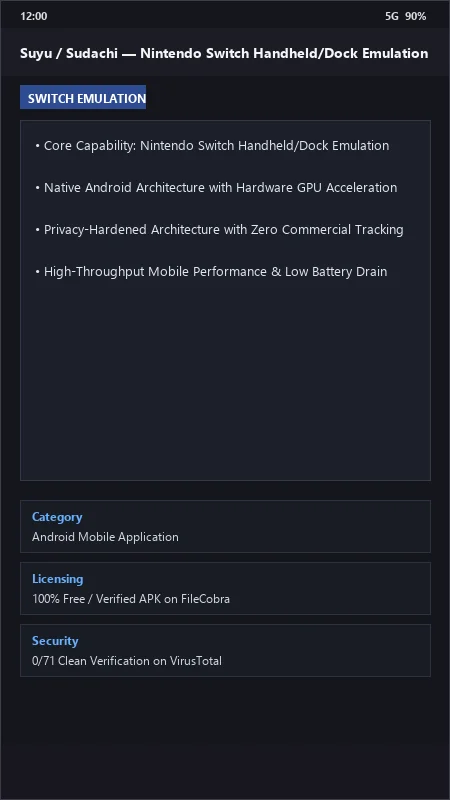
Suyu / Sudachi UI & Interface Screenshots
How to Install & Verify Suyu / Sudachi
Download Suyu / Sudachi Switch Emulator APK.
Install APK on Android.
Select your Nintendo Switch prod.keys and NSP/XCI games.
Suyu / Sudachi Version History & Build Numbers
Every Suyu / Sudachi build FileCobra has mirrored, newest first. Match the build number against the copy you already have to confirm whether you are up to date.
- Added custom GPU driver manager (Turnip v24.2.0)
- Fixed dynamic shader cache stutter
- Enhanced RAM page table memory compression for 8GB phones
- Faster title key loading
- Added motion control gyroscope steering
- Dark theme UI improvements
- Milestone stable release with full offline Nintendo Switch handheld console emulation
Frequently Asked Questions & Verification Guide
Is Suyu / Sudachi free and open source?
Yes. Suyu / Sudachi is completely free and open-source software. You can download and use it at no cost, and its source code is publicly available.
What files are required to run Suyu / Sudachi on Android?
Suyu / Sudachi requires a legally dumped prod.keys file from your own Nintendo Switch console to decrypt and boot games.
What are Turnip GPU drivers and why should I use them?
Turnip drivers are open-source Vulkan GPU drivers (by Mesa) for Qualcomm Adreno GPUs that provide massive performance improvements and fix rendering glitches in Switch games.
What game formats does Suyu / Sudachi support?
Suyu / Sudachi natively runs standard .nsp, .xci, and compressed .nsz / .xcz Nintendo Switch game formats.