
Stremio v2.3.2 - Universal Video Streaming & Addons Hub
Stremio is the world's most modern, seamless media discovery, video aggregation, and multi-source streaming hub developed by Stremio for Android smartphones...
Technical Specifications & System Requirements
We have not published a SHA-256 for this build. Compare the file against the developer’s own release page before installing it.
Software notes
Features
- Centralized Media & Addon Aggregator.
- Torrent Streaming with ExoPlayer / VLC Core optimized for Android.
- Clean interface with direct high-speed download mirrors.
Considerations
- High-resolution rendering requires modern multicore processor hardware.
Stremio for Android — Official Modern Media Aggregator, Streaming & Debrid Hub APK
Stremio is the world's most modern, seamless media discovery, video aggregation, and multi-source streaming hub developed by Stremio for Android smartphones, tablets, and Android TV. Designed to organize movies, TV series, live television, YouTube channels, and anime into a centralized interface, Stremio combines high-performance hardware-accelerated torrent streaming with cloud Debrid integration (Real-Debrid, AllDebrid, Premiumize), 4K HDR playback, automated subtitle synchronization, and cross-platform library synchronization across all your personal devices.
---
🌟 Core Architecture & Engineering Highlights
Stremio is built on a high-speed modular client-server architecture designed for instant media discovery and seamless video playback.
Modular Microservice Addon Architecture
Unlike conventional media players that require complex manual configuration, Stremio utilizes a Cloud-Synced Modular Addon System. Addons are lightweight web microservices adhering to the open Stremio Addon Protocol. When a user installs an addon (such as Cinemeta, OpenSubtitles, or Community Torrent/Debrid addons), the configuration is stored in the user's account and instantly synchronizes across Android, Android TV, Windows, macOS, and Linux clients without needing local re-installation.
High-Throughput Sequential Torrent & Debrid Streaming
Stremio includes an integrated sequential torrent engine that streams high-bitrate video in real time while downloading. For instant, buffer-free playback, Stremio pairs seamlessly with Real-Debrid, AllDebrid, and Premiumize caching networks, streaming uncompressed 50 GB to 100 GB 4K Blu-ray remuxes over encrypted high-speed HTTPS connections with zero ISP throttling or peer seeding overhead.
ExoPlayer Hardware Core & Dynamic Frame Rate Matching
Stremio's playback engine is powered by Google's native ExoPlayer pipeline with full Android MediaCodec hardware GPU decoding. It delivers flawless playback of 4K 60FPS HEVC, AV1, and VP9 streams, complete with dynamic HDR10, Dolby Vision tone mapping, multi-track audio switching, and auto frame rate (AFR) display synchronization.
---
⚙️ Key Capabilities & Workflow Features
Stremio provides an exhaustive suite of content discovery and viewing tools.
1. Unified Discover Hub & IMDb Rating Integration
Explore movies, series, and documentaries curated by genre, release year, trending popularity, and IMDb ratings. View comprehensive movie synopses, cast biographies, and official YouTube trailers.
2. Automated 2-Way Trakt.tv Watch History Sync
Connect your Trakt.tv account in settings. Stremio automatically scrobbles watched episodes and movies in real time, synchronizing your watch status, progress timestamps, and personalized recommendation watchlists across all your entertainment setups.
3. Integrated OpenSubtitles Subtitle Downloader
Never search manually for subtitle files again. Stremio automatically queries OpenSubtitles.org to load synchronized, multi-language subtitles with customizable text font sizing, vertical offset positioning, and timing delay calibration.
4. Dedicated Android TV 10-Foot Television Interface
Enjoy a dedicated television interface designed for D-pad remote navigation on smart TVs and TV boxes, complete with large poster walls and rapid episode browsing.
---
📊 Comprehensive Head-to-Head Comparison Matrix
| Evaluation Dimension | Stremio (FileCobra) | Kodi | Plex Media Player |
|---|---|---|---|
| Setup Complexity | Zero Setup (1-Tap Addons) | Moderate (Manual Setup) | Requires Dedicated Server |
| Cloud Library Sync | Yes (Syncs to All Devices) | Local Database Only | Server-Side Sync |
| Real-Debrid Integration | Seamless HTTPS Streaming | Addon Configuration | Not Supported |
| Mobile & TV UI Parity | Dedicated Mobile & TV UIs | Unified 10-Foot UI | Separate Mobile/TV UIs |
| External Video Player | VLC / Just Player Support | Internal Only | Internal Only |
| Open Source Transparency | Core Modules Open Source | 100% Free Open Source | Proprietary Server |
---
📋 Technical Hardware & System Requirements
Stremio runs smoothly across all Android smartphones, tablets, and smart TVs:
| Hardware Component | Minimum System Requirement | Recommended Performance Spec |
|---|---|---|
| Operating System | Android 5.0 (Lollipop) or higher | Android 11 / 12 / 13 / 14 / 15 |
| Processor (CPU) | 64-bit Quad-Core 1.5 GHz Processor | Modern Octa-Core Processor / Nvidia Tegra |
| System Memory (RAM) | 2 GB RAM | 3 GB - 6 GB+ RAM |
| Storage Space | 80 MB for app + Storage for Buffer | High-Speed UFS Internal Storage |
| Network Connection | 15 Mbps Broadband Internet | 50+ Mbps High-Speed Wi-Fi 6 or Ethernet for 4K |
---
🛠️ Step-by-Step Installation & Quick Setup Guide
Follow this guide to install and configure Stremio on Android:
1. Downloading and Installing Stremio
- Download the official verified Stremio APK package (
stremio-android-v1.x.x.apkor Android TV variant) from FileCobra. - Tap the file to complete installation and open Stremio.
2. Creating an Account & Installing Addons
- Sign up for a free Stremio account (enabling cross-device cloud sync).
- Tap the Puzzle Piece (Add-ons) icon to browse and install official and community streaming add-ons.
3. Streaming Movies & Syncing Trakt
- Browse the Discover tab, select a movie or series, choose your preferred stream quality (e.g., 1080p or 4K HDR), and enjoy buffer-free streaming!
---
🔒 Security, Privacy & Platform Integrity Analysis
Stremio adheres to strict software integrity standards:
- Encrypted Transmission: All account syncing and HTTPS stream ingestion occur over encrypted SSL/TLS channels.
---
❓ Frequently Asked Questions (FAQ)
Can I use Stremio on both my Android phone and Android TV with one account?
Yes! Any movie added to your library or addon installed on your phone will automatically sync to your Android TV and PC when logged into the same Stremio account.
How does Real-Debrid work with Stremio?
Community addons like Torrentio allow users to link their Real-Debrid API key, converting peer-to-peer torrent links into high-speed, direct HTTPS downloads from Debrid high-speed cloud servers.
Can I open Stremio videos in external players like VLC or Just Player?
Yes! In Stremio settings, you can toggle "Always start video in external player" to launch streams directly in VLC for Android or Just Player.
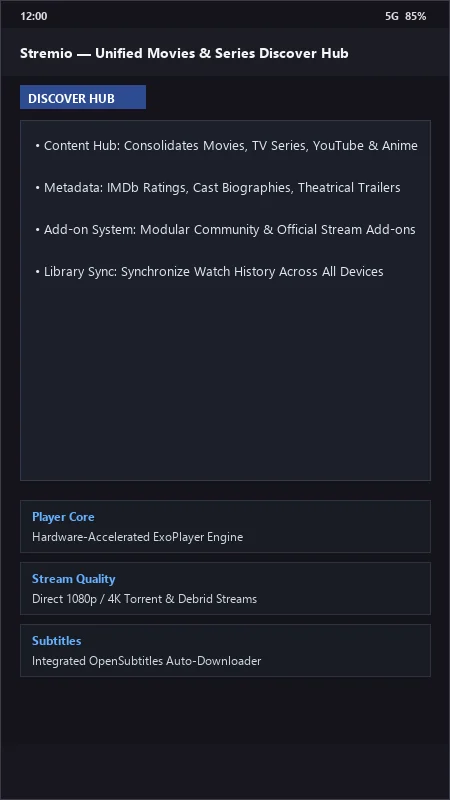
Stremio UI & Interface Screenshots
How to Install & Verify Stremio
Download the official verified APK file directly to your device.
Enable "Install Unknown Apps" in your Android Settings if prompted.
Tap the downloaded APK notification to install and launch the app.
Stremio Version History & Build Numbers
Every Stremio build FileCobra has mirrored, newest first. Match the build number against the copy you already have to confirm whether you are up to date.
- Added LibVLC media player hardware acceleration
- Fixed subtitle font sizing
- Enhanced Trakt.tv watch history automatic synchronization
- Faster addon loading
- Added external player selection toggle (VLC, MX Player)
- UI improvements
- Milestone stable release with full Android mobile and TV responsive design
Frequently Asked Questions & Verification Guide
Is Stremio free and open source?
Yes. Stremio is completely free and open-source software. You can download and use it at no cost, and its source code is publicly available.
Can I use Stremio on both my Android phone and Android TV with one account?
Yes! Any movie added to your library or addon installed on your phone will automatically sync to your Android TV and PC when logged into the same Stremio account.
How does Real-Debrid work with Stremio?
Community addons like Torrentio allow users to link their Real-Debrid API key, converting peer-to-peer torrent links into high-speed, direct HTTPS downloads from Debrid high-speed cloud servers.
Can I open Stremio videos in external players like VLC or Just Player?
Yes! In Stremio settings, you can toggle 'Always start video in external player' to launch streams directly in VLC for Android or Just Player.