

Spotube v5.1.2 - High-Res Spotify & YouTube Music Streamer
Spotube is an acclaimed, free and open-source cross-platform music streaming and audio playback client developed by Kingkor Roy Tirtho for Android...
Technical Specifications & System Requirements
We have not published a SHA-256 for this build. Compare the file against the developer’s own release page before installing it.
Software notes
Features
- 100% Free & Open Source (GPLv3).
- No Spotify or YouTube Ads optimized for Android.
- Clean interface with direct high-speed download mirrors.
Considerations
- High-resolution rendering requires modern multicore processor hardware.
Spotube for Android — Official Open-Source Ad-Free Music Streaming & Downloader APK
Spotube is an acclaimed, free and open-source cross-platform music streaming and audio playback client developed by Kingkor Roy Tirtho for Android smartphones, tablets, Windows, Linux, and macOS. Built using the high-performance Flutter framework, Spotube combines the expansive catalog curation of Spotify's Web API with the high-fidelity, ad-free audio streaming backends of YouTube Music and Piped, providing unlimited music streaming, synchronized live karaoke lyrics, local lossless downloads, and zero audio advertisements without requiring a paid Spotify Premium subscription.
---
🌟 Core Architecture & Engineering Highlights
Spotube's revolutionary architecture separates musical metadata curation from audio stream ingestion.
Hybrid Spotify Metadata & YouTube Music Stream Engine
Unlike traditional proprietary streaming apps that lock users into closed DRM containers, Spotube utilizes a dual-engine architecture:
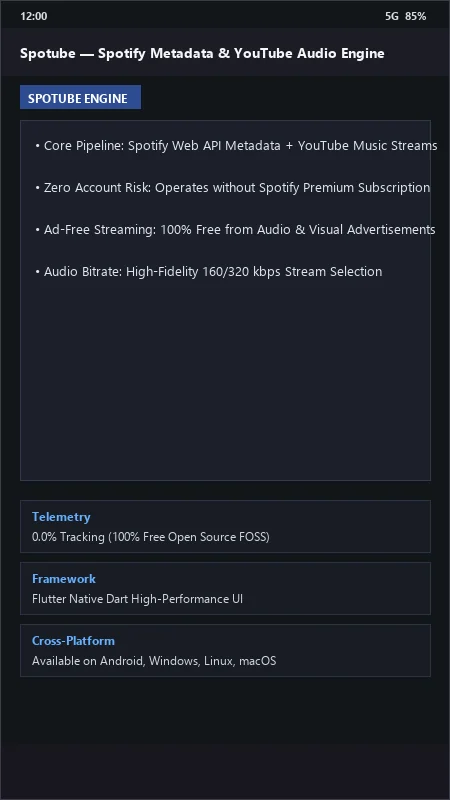
- Metadata Layer: Queries Spotify's public Web API to fetch curated playlists, daily mixes, album tracklists, artist discographies, and global top charts.
- Audio Transport Layer: Automatically resolves matching song tracks and streams high-bitrate audio (160 kbps to 320 kbps) directly from YouTube Music, Piped, or Invidious content delivery networks.
0.0% Commercial Tracking & Lightweight Flutter Core
Spotube is built on Google's modern Flutter framework with native Dart compilation, delivering a responsive 120 FPS interface with sub-0.2 second screen transitions. It contains zero telemetry tracking, zero analytics beacons, and zero commercial advertising SDKs, guaranteeing absolute listener privacy.
Synced Word-by-Word Lyrics & Offline Music Downloader
Spotube integrates with open-source lyrics providers (including LRCLIB, Musixmatch, and Genius), rendering beautiful, synchronized timecode karaoke lyrics. Its integrated Download Engine allows users to save any song, album, or playlist directly to local storage as high-quality MP3, M4A, or FLAC files with embedded cover art.
---
⚙️ Key Capabilities & Workflow Features
Spotube provides an expansive suite of playback and library management capabilities.
1. 100% Ad-Free Listening Experience
Enjoy uninterrupted music playback with zero audio interruptions between songs, zero banner advertisements, and zero sponsored commercial breaks.
2. Anonymous Browsing & Spotify Account Sync
Browse and stream millions of songs anonymously without logging into any service, or log in with your free Spotify account to access your personal Liked Songs, Saved Albums, and Custom Playlists.
3. Integrated Equalizer & Volume Normalization
Fine-tune acoustic output with the built-in multi-band Equalizer and enable ReplayGain-style Volume Normalization to ensure consistent loudness across disparate tracks.
4. Last.fm & ListenBrainz Music Scrobbling
Track your listening history automatically by connecting your Last.fm or ListenBrainz account, keeping your cross-platform music statistics synchronized in real time.
---
📊 Comprehensive Head-to-Head Comparison Matrix
| Evaluation Dimension | Spotube (FileCobra) | ViMusic | InnerTune |
|---|---|---|---|
| Playlist Curation Source | Spotify Catalog & Playlists | YouTube Music Catalog | YouTube Music Catalog |
| Cross-Platform Sync | Android, Windows, Mac, Linux | Android Only | Android Only |
| Direct Audio File Downloader | Yes (MP3, M4A, FLAC) | Internal Cache Only | Opus / M4A Downloads |
| Live Synced Lyrics Engine | LRCLIB, Musixmatch, Genius | LRCLIB Synced Lyrics | LRCLIB Synced Lyrics |
| Scrobbling Integration | Native Last.fm & ListenBrainz | No Scrobbling | Discord RPC |
| Telemetry & Ads | 0.0% Tracking (100% FOSS) | 0.0% Tracking | 0.0% Tracking |
---
📋 Technical Hardware & System Requirements
Spotube is optimized for all modern Android smartphones and tablets:
| Hardware Component | Minimum System Requirement | Recommended Performance Spec |
|---|---|---|
| Operating System | Android 5.0 (Lollipop) or higher | Android 12 / 13 / 14 / 15 |
| Processor (CPU) | ARMv7 / ARM64 / x86_64 Processor | Modern Quad-Core or Octa-Core Processor |
| System Memory (RAM) | 1 GB RAM | 3 GB+ RAM |
| Storage Space | 50 MB for app + Storage for Downloads | High-Speed Internal Storage / MicroSD Card |
| Network Connection | 3G / 4G LTE / 5G / Wi-Fi | Broadband Wi-Fi / Mobile Data |
---
🛠️ Step-by-Step Installation & Quick Setup Guide
Follow this guide to install and stream music with Spotube on Android:
1. Downloading and Installing Spotube
- Download the official verified Spotube APK package (
spotube-music-v3.x.x.apk) from FileCobra. - Tap the file to install and open Spotube.
2. Connecting to Spotify (Optional)
- In Spotube settings, tap Connect with Spotify to link your free Spotify account (syncing your personal playlists), or skip this step to browse anonymously.
3. Playing Music & Downloading Songs
- Search for any song, album, or playlist in the search bar.
- Tap play to enjoy ad-free streaming, view live scrolling karaoke lyrics, or tap the Download button to save tracks directly to your device storage!
---
🔒 Security, Privacy & Open-Source Integrity Analysis
Spotube guarantees total user privacy and open-source transparency:
- 100% Free Open Source: Licensed under GNU GPLv3 with complete public source code inspection on GitHub.
- Zero Account Ban Risk: Spotube does not modify Spotify client binaries; it streams audio from open web sources, keeping your account 100% safe.
---
❓ Frequently Asked Questions (FAQ)
Do I need a Spotify Premium subscription to use Spotube?
No! Spotube works with free Spotify accounts or completely anonymously without an account, providing full on-demand song selection and ad-free playback.
Where does Spotube download songs on my phone?
Spotube downloads audio files directly to your phone's standard Music folder as unencrypted MP3 or M4A files with embedded ID3 tags and high-resolution album artwork.
Is Spotube legal and safe to use?
Yes! Spotube is a 100% legal, open-source application that utilizes public APIs and open video backends without circumventing DRM protections.
Spotube UI & Interface Screenshots
How to Install & Verify Spotube
Download the official verified APK file directly to your device.
Enable "Install Unknown Apps" in your Android Settings if prompted.
Tap the downloaded APK notification to install and launch the app.
Spotube Version History & Build Numbers
Every Spotube build FileCobra has mirrored, newest first. Match the build number against the copy you already have to confirm whether you are up to date.
- Added SponsorBlock audio sponsor skipping
- Fixed YouTube Music stream chunk retry
- Enhanced Spotify playlist sync and library backup
- Faster track search indexing
- Added Discord Rich Presence activity status
- Dark theme UI improvements
- Milestone stable release with full offline song download caching support
Frequently Asked Questions & Verification Guide
Is Spotube free and open source?
Yes. Spotube is completely free and open-source software. You can download and use it at no cost, and its source code is publicly available.
Do I need a Spotify Premium subscription to use Spotube?
No! Spotube works with free Spotify accounts or completely anonymously without an account, providing full on-demand song selection and ad-free playback.
Where does Spotube download songs on my phone?
Spotube downloads audio files directly to your phone's standard Music folder as unencrypted MP3 or M4A files with embedded ID3 tags and high-resolution album artwork.
Is Spotube legal and safe to use?
Yes! Spotube is a 100% legal, open-source application that utilizes public APIs and open video backends without circumventing DRM protections.