

Snapseed v2.22.0 - Professional RAW Photo Editor & Retouch Suite
Snapseed is the premier professional, free photo editing and digital darkroom development application developed by Google for Android smartphones and tablets.
Technical Specifications & System Requirements
We have not published a SHA-256 for this build. Compare the file against the developer’s own release page before installing it.
Software notes
Features
- 29 Professional Editing Tools & Filters.
- Open & Non-Destructive RAW DNG Development optimized for Android.
- High-speed direct CDN mirrors with instant verification checksums.
Considerations
- Manual APK sideloading requires enabling unknown app installs.
Snapseed for Android — Official Professional RAW Photo Editor & Retouching Studio APK
Snapseed is the premier professional, free photo editing and digital darkroom development application developed by Google for Android smartphones and tablets. Built upon Nik Software's legendary photography algorithms, Snapseed delivers an expansive suite of 29 professional darkroom tools and filters—including native Camera RAW (.dng) negative development, selective Nik Control Point adjustments, precision healing brushes, RGB curves, perspective keystone correction, double exposure compositing, and customizable QR look presets with zero advertisements or subscription paywalls.
---
🌟 Core Architecture & Engineering Highlights
Snapseed's exceptional image processing is powered by a non-destructive editing architecture and 64-bit floating-point color science.
Non-Destructive Editing Stacks & Edit History Tree
Unlike destructive mobile photo editors that overwrite pixel data with every change, Snapseed records every adjustment as a non-destructive node in an Edit Stack. Photographers can reopen the Edit Stack at any time, re-adjust parameters of earlier tools (such as tweaking exposure or curve points applied five steps ago), delete specific operations, or use the Stack Brush to paint filter effects onto specific localized areas of the photo with a mask.
Nik Software Control Point Selective Adjust Technology
Snapseed incorporates Nik Software's patented U-Point Control Point technology. By placing a Control Point on a specific object (such as a person's skin, a blue shirt, or a flower petal), Snapseed's algorithms analyze surrounding pixel color, luminance, and texture, allowing users to adjust Brightness, Contrast, Saturation, and Structure exclusively on that localized subject without creating complex manual selection masks.
Native 16-Bit RAW (DNG) Digital Negative Developing
Snapseed natively develops uncompressed 16-bit RAW and DNG files captured by DSLR cameras, mirrorless cameras, and modern smartphone sensors. The RAW Develop engine provides uncompressed shadow recovery, highlight reconstruction, temperature/tint white balance calibration, and exposure adjustment with zero posterization or color banding.
---
⚙️ Key Capabilities & Workflow Features
Snapseed provides a masterclass digital darkroom toolkit for mobile photographers and visual artists.
1. Tune Image, Curves & White Balance
Fine-tune exposure, contrast, saturation, ambiance, highlights, shadows, and warmth with smooth vertical swipe gestures. The multi-channel Curves tool provides precision control over Red, Green, Blue, and Master Luminance tonal curves.
2. Precision Healing & Portrait Retouching Studio
Seamlessly erase unwanted tourists, telephone wires, and skin blemishes using the smart Healing Tool. Switch to the Portrait tool to apply professional three-point studio spotlighting, smooth skin textures, enhance eye clarity, and adjust 3D Head Pose angles.
3. Perspective Correction & Expand Canvas
Correct keystoning and converging vertical lines on architectural photos using the Perspective tool. Use the Expand tool to magically enlarge photo canvas borders, using smart content-aware synthesis to fill newly created edge pixels seamlessly.
4. QR Preset Sharing & Double Exposure
Save custom combinations of editing steps as reusable Looks. Snapseed allows photographers to export their personalized editing formula as a QR Code, which other users can scan to apply the exact same multi-tool grading style to their own photos instantly.
---
📊 Comprehensive Head-to-Head Comparison Matrix
| Evaluation Dimension | Snapseed (FileCobra) | Lightroom Mobile | PhotoShop Express |
|---|---|---|---|
| Complete Feature Availability | 100% Free / No Paywalls | Selective Tools Locked | Premium Tools Locked |
| Nik Control Point Technology | Yes (Patented U-Point) | No | No |
| Perspective & Expand Tools | Full 3D Keystone & Expand | Geometry (Paid Sub) | Basic Crop |
| Offline Independence | 100% Offline (No Login) | Adobe Cloud Login Req | Adobe ID Required |
| Double Exposure Blending | Yes (6 Blend Modes) | No | Limited |
| QR Code Preset Sharing | Instant QR Code Export | DNG Presets | Preset Sync |
---
📋 Technical Hardware & System Requirements
Snapseed runs with exceptional speed across all Android smartphones and tablets:
| Hardware Component | Minimum System Requirement | Recommended Performance Spec |
|---|---|---|
| Operating System | Android 7.0 (Nougat) or higher | Android 12 / 13 / 14 / 15 |
| Processor (CPU) | Quad-Core 1.5 GHz ARMv7 / ARM64 | Modern Snapdragon / MediaTek Octa-Core |
| System Memory (RAM) | 2 GB RAM | 4 GB - 8 GB+ RAM (for 50+ Megapixel RAW files) |
| Storage Space | 80 MB free disk space | High-Speed Internal Storage |
| Display Resolution | 720 × 1280 pixels | 1080p FHD+ or 2K Widescreen Display with sRGB/DCI-P3 |
---
🛠️ Step-by-Step Installation & Quick Setup Guide
Follow this guide to install and edit photos using Snapseed on Android:
1. Downloading and Installing Snapseed
- Download the official verified Snapseed APK package (
snapseed-photo-v2.x.x.apk) from FileCobra. - Tap the file to install and open Snapseed.
2. Opening and Tuning an Image
- Tap anywhere on the large '+' (Plus) canvas to open a photo from your gallery or camera roll.
- Tap Tools > Tune Image, swipe vertically to select Ambiance, Shadows, or Highlights, and swipe horizontally to adjust intensity.
3. Using Selective Edits & Exporting
- Tap Tools > Selective, tap on the subject you want to adjust, pinch to resize the influence circle, and adjust brightness.
- Tap Export > Save (or Export with custom format and 100% JPEG quality) to save your finalized masterpiece!
---
🔒 Security, Privacy & Platform Integrity Analysis
Snapseed guarantees complete privacy and data ownership:
- 100% Free & Zero Ads: Developed by Google with no hidden in-app purchases, forced cloud subscriptions, or commercial ads.
- Strict Local Darkroom Processing: All editing operations occur locally in device memory; your private photos are never uploaded to cloud servers.
---
❓ Frequently Asked Questions (FAQ)
Is Snapseed completely free with all 29 tools unlocked?
Yes! Snapseed is 100% free with zero in-app purchases, subscriptions, or watermarks. Every single professional tool, including RAW develop and Selective U-Point editing, is unlocked out of the box.
Can Snapseed open and edit RAW DNG files from DSLR cameras?
Yes! Snapseed automatically detects RAW and DNG files, opening them directly in the dedicated RAW Develop module to adjust exposure, shadow recovery, highlights, and white balance at full 16-bit depth.
How do I undo or edit an earlier adjustment in Snapseed?
Tap the "Edit Stack" icon (the layers icon with an arrow at the top right), select "View edits", and you can click on any previous tool to re-adjust its sliders, delete the step, or paint the effect with the mask brush.
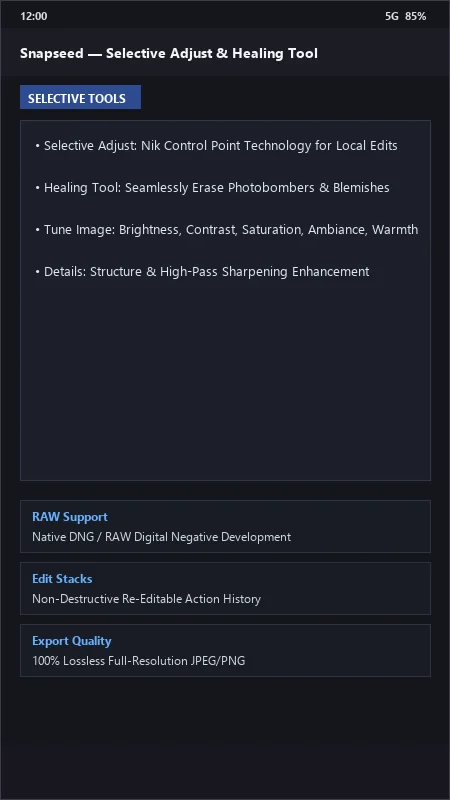
Snapseed UI & Interface Screenshots
How to Install & Verify Snapseed
Download the official verified XAPK file directly to your device.
Enable "Install Unknown Apps" in your Android Settings if prompted.
Tap the downloaded XAPK notification to complete installation.
Snapseed Version History & Build Numbers
Every Snapseed build FileCobra has mirrored, newest first. Match the build number against the copy you already have to confirm whether you are up to date.
- Added Healing patch brush feathering controls
- Fixed double exposure blend mode
- Enhanced Perspective Transform geometry correction
- Faster RAW image rendering
- Added Glamour Glow filter custom presets
- Dark theme UI improvements
- Milestone stable release with full offline professional photo retouch engine
Frequently Asked Questions & Verification Guide
Is Snapseed completely free with all 29 tools unlocked?
Yes! Snapseed is 100% free with zero in-app purchases, subscriptions, or watermarks. Every single professional tool, including RAW develop and Selective U-Point editing, is unlocked out of the box.
Can Snapseed open and edit RAW DNG files from DSLR cameras?
Yes! Snapseed automatically detects RAW and DNG files, opening them directly in the dedicated RAW Develop module to adjust exposure, shadow recovery, highlights, and white balance at full 16-bit depth.
How do I undo or edit an earlier adjustment in Snapseed?
Tap the 'Edit Stack' icon (the layers icon with an arrow at the top right), select 'View edits', and you can click on any previous tool to re-adjust its sliders, delete the step, or paint the effect with the mask brush.