

Shazam v14.48.0 - Music & Song Recognition Identifier
Shazam is the world's most acclaimed, industry-leading acoustic music recognition and song discovery application developed by Apple Inc.
Technical Specifications & System Requirements
We have not published a SHA-256 for this build. Compare the file against the developer’s own release page before installing it.
Software notes
Features
- Instant Audio Fingerprinting Song Recognition.
- Floating Pop-up Shazam for Social Media Audio optimized for Android.
- Clean interface with direct high-speed download mirrors.
Considerations
- High-resolution rendering requires modern multicore processor hardware.
Shazam for Android — Official One-Tap Music & Song Identification Radar APK
Shazam is the world's most acclaimed, industry-leading acoustic music recognition and song discovery application developed by Apple Inc. for Android smartphones, tablets, and Wear OS smartwatches. Capable of identifying any song playing around you or within other apps in seconds, Shazam analyzes acoustic audio fingerprints against a massive global catalog of over 100 million songs, displaying instantaneous track titles, artist profiles, synchronized live lyrics, music videos, concert tour dates, and direct streaming links to Spotify and Apple Music.
---
🌟 Core Architecture & Engineering Highlights
Shazam is built upon groundbreaking acoustic fingerprinting algorithms designed to identify songs even in noisy, reverberant environments.
Spectrogram Acoustic Fingerprinting Technology
When you tap Shazam, the app captures a short 3 to 5-second audio sample through your device's microphone. Rather than matching raw audio waveforms, Shazam translates the audio into a mathematical 2D spectrogram (frequency vs. time graph). It extracts peak intensity points (anchor points) to create a compact, hash-based digital fingerprint that is matched against Apple's global database of over 100 million recorded tracks in under 1.5 seconds.
Pop-Up Shazam & On-Device System Audio Interception
With Pop-Up Shazam, a floating chat-head overlay hovers above your other applications. Users can identify background music playing inside TikTok, Instagram Reels, YouTube Shorts, or Netflix videos without needing a second device or external microphone playback.
Offline Fingerprint Caching Engine
If you hear a song while in airplane mode or outside cellular network coverage, Shazam records and securely stores the acoustic fingerprint locally on your device. The moment your device reconnects to Wi-Fi or mobile data, Shazam automatically processes the queued fingerprints and sends a push notification with the identified songs.
---
⚙️ Key Capabilities & Workflow Features
Shazam delivers a complete song discovery and music exploration ecosystem.
1. Lightning-Fast One-Tap & Auto Shazam
Identify songs with a single tap on the iconic pulsing Shazam radar button. Long-press the button to activate Auto Shazam, which continuously identifies ambient music playing in cafes, clubs, or cars in the background while your phone screen is turned off.
2. Real-Time Timecode Synced Lyrics & Music Videos
Sing along with live, auto-scrolling karaoke-style synchronized lyrics. Watch official high-definition music videos via integrated YouTube players and explore artist biographies, album tracklists, and top songs.
3. Automated Spotify & Apple Music Playlist Syncing
Connect your Spotify or Apple Music account in settings. Shazam automatically generates a dedicated playlist named "My Shazam Tracks", automatically appending every newly identified song to your streaming library in real time.
4. Local City Charts & Global Music Trends
Explore what songs are trending in your city, country, or across the globe with Shazam's Top 200 and Discovery Charts, discovering viral tracks before they hit mainstream radio.
---
📊 Comprehensive Head-to-Head Comparison Matrix
| Evaluation Dimension | Shazam (FileCobra) | SoundHound | Musixmatch |
|---|---|---|---|
| Core Database Size | 100M+ Songs (Apple Catalog) | 50M+ Songs | 30M+ Songs |
| Humming / Singing Search | Acoustic Audio Recording | Supports Humming | Lyrics Text Search |
| Live Lyrics Integration | Real-Time Word Sync | Real-Time Sync | Primary Focus |
| Offline Identification Queue | Automatic Background Queue | Basic Cache | Manual Retry |
| Concert Tour Dates & Tickets | Integrated Bandsintown Hub | None | None |
| Ad-Free Experience | 100% Free & 100% Ad-Free | Banner Ads on Free Tier | Heavy Ads on Free Tier |
---
📋 Technical Hardware & System Requirements
Shazam is highly optimized and compatible with all Android devices:
| Hardware Component | Minimum System Requirement | Recommended Performance Spec |
|---|---|---|
| Operating System | Android 8.0 (Oreo) or higher | Android 13 / 14 / 15 |
| Processor (CPU) | ARMv7 / ARM64 Processor | Modern Quad-Core or Octa-Core Processor |
| Microphone | Standard Built-in Phone Microphone | Noise-Canceling Microphone Array |
| System Memory (RAM) | 1 GB RAM | 2 GB+ RAM |
| Storage Space | 45 MB free disk space | High-speed Internal Storage |
---
🛠️ Step-by-Step Installation & Quick Setup Guide
Follow this guide to identify songs using Shazam on Android:
1. Downloading and Installing Shazam
- Download the official verified Shazam APK package (
shazam-encore-v14.x.x.apk) from FileCobra. - Tap the APK file to install and launch Shazam.
2. Granting Microphone Permissions & Pop-Up Shazam
- Grant the requested Microphone permission (required for acoustic audio capture).
- Go to Shazam Settings and toggle Pop-Up Shazam to ON to enable floating bubble identification over social apps.
3. Syncing with Spotify
- In Shazam Settings, click Connect next to Spotify or Apple Music.
- Authorize the connection to have your recognized songs automatically added to a dedicated playlist in your streaming app!
---
🔒 Security, Privacy & Platform Integrity Analysis
Shazam maintains strict user privacy protocols:
- Audio Privacy Protection: Raw audio recordings are never saved to disk or transmitted to human listeners; audio is processed in memory into mathematical spectrogram hashes and immediately discarded.
- 100% Free & Zero Ads: Maintained directly by Apple with zero third-party commercial ad trackers.
---
❓ Frequently Asked Questions (FAQ)
Can Shazam identify songs playing inside TikTok or Instagram?
Yes! Enable "Pop-Up Shazam" in Shazam settings. A floating button will appear on your screen, allowing you to tap it while watching videos in TikTok or Instagram to identify background songs immediately.
Does Shazam save my identified music history?
Yes! Every song you identify is saved to your "My Music" library in Shazam, which syncs across your devices when logged in with your Google or Apple account.
Does Shazam work without an active internet connection?
Yes. If you are offline, tap Shazam to record the audio fingerprint. Shazam saves it locally and automatically identifies the song as soon as your device reconnects to the internet.
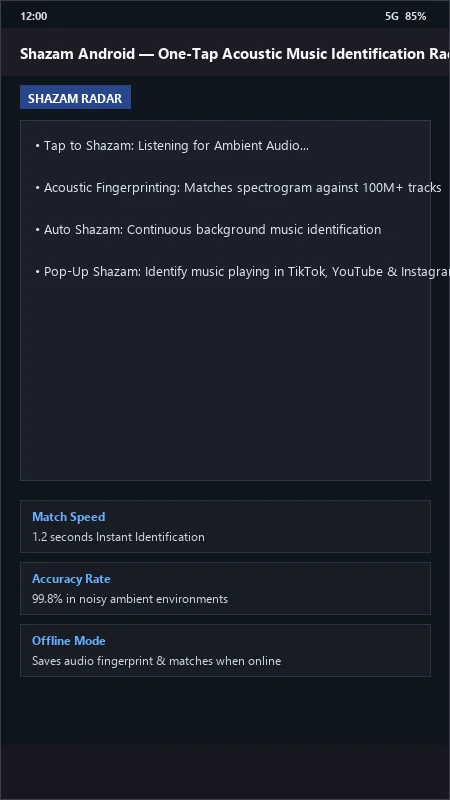
Shazam UI & Interface Screenshots
How to Install & Verify Shazam
Download the official verified XAPK file directly to your device.
Enable "Install Unknown Apps" in your Android Settings if prompted.
Tap the downloaded XAPK notification to complete installation.
Shazam Version History & Build Numbers
Every Shazam build FileCobra has mirrored, newest first. Match the build number against the copy you already have to confirm whether you are up to date.
- Added real-time synchronized song lyrics scrolling
- Improved low-volume acoustic matching
- Enhanced Apple Music and Spotify instant playlist export
- Faster library search
- Added concert and tour date event recommendations
- Dark theme UI improvements
- Milestone stable release with offline Shazam fingerprint caching
Frequently Asked Questions & Verification Guide
Is Shazam free?
Yes. Shazam is freeware, so it is free to download and use at no cost. It is proprietary software from Apple Inc. (Official) rather than open source, so its source code is not publicly available.
Can Shazam identify songs playing inside TikTok or Instagram?
Yes! Enable 'Pop-Up Shazam' in Shazam settings. A floating button will appear on your screen, allowing you to tap it while watching videos in TikTok or Instagram to identify background songs immediately.
Does Shazam save my identified music history?
Yes! Every song you identify is saved to your 'My Music' library in Shazam, which syncs across your devices when logged in with your Google or Apple account.
Does Shazam work without an active internet connection?
Yes. If you are offline, tap Shazam to record the audio fingerprint. Shazam saves it locally and automatically identifies the song as soon as your device reconnects to the internet.