

RetroArch Plus v1.19.1 - All-in-One Multi-Console Retro Emulator
The frontend for emulators, game engines, and media players. Run NES, SNES, GBA, PS1, N64, Genesis, Arcade, and 80+ console cores.
Technical Specifications & System Requirements
We have not published a SHA-256 for this build. Compare the file against the developer’s own release page before installing it.
Software notes
Features
- All-in-One Multi-Console Retro Emulation Cores.
- Download 80+ Console Cores via Built-in Core Updater optimized for Android.
- High-speed direct CDN mirrors with instant verification checksums.
Considerations
- Manual APK sideloading requires enabling unknown app installs.
RetroArch Plus for Android — Official 64-Bit Multi-System Libretro Emulator APK
RetroArch Plus (AArch64) is the ultimate, gold-standard free and open-source multi-system video game console and arcade emulation frontend developed by the Libretro Team for 64-bit Android smartphones, tablets, and Android TV. Unifying over 100+ specialized console and computer emulation cores (NES, SNES, Genesis, PS1, Saturn, N64, Dreamcast, Arcade MAME, NeoGeo, Atari, Amiga) into a modular, high-performance ecosystem, RetroArch Plus delivers unmatched customization—featuring Vulkan/OpenGL hardware acceleration, real-time Run-Ahead input latency reduction, CRT Royale display shaders, rollback netplay multiplayer, and zero commercial advertisements.
---
🌟 Core Architecture & Engineering Highlights
RetroArch Plus is built upon the modular 64-bit ARM64 Libretro API, delivering bare-metal hardware execution and modular core swapping.
Modular Libretro Emulation Core Engine (100+ Systems)
Unlike standalone emulators restricted to a single platform, RetroArch operates as a universal modular frontend. Through its built-in Core Downloader, users can install and switch between over 100+ battle-tested emulation engines:
- Classic 8-Bit & 16-Bit: Mesen, Snes9x, Genesis Plus GX, Stella, Beetle PCE.
- 3D Fifth & Sixth Generation: PCSX ReARMed, Beetle PSX HW, Mupen64Plus-Next, Flycast (Dreamcast), YabaSanshiro (Saturn), Kronos.
- Arcade & Computer Retro: FinalBurn Neo, MAME, DOSBox-Pure, Commodore Vice.
Sub-Frame Run-Ahead Latency Reduction & Rollback Netplay
Experience input response times faster than original console hardware. RetroArch's revolutionary Run-Ahead Engine computes emulation frames ahead of time in memory to remove intrinsic emulator and display input lag. With Rollback Netplay, players can enjoy lag-free online multiplayer matches across classic fighting, arcade, and sports games worldwide.
Slang & GLSL High-Fidelity CRT Display Shaders
Transform flat modern mobile displays with authentic retro CRT physics. Apply world-renowned shader presets—including CRT Royale, CRT Lottes, Mega Bezel Reflection, LCD Grid, and xBRZ—accurately simulating curved glass tubes, phosphor bloom, and authentic scanlines.
---
⚙️ Key Capabilities & Workflow Features
RetroArch Plus delivers an exhaustive suite of console emulation and customization features.
1. Multi-Slot Save States & Real-Time Gameplay Rewind
Never lose hard-earned gaming progress. Save and load game states across multiple slots instantly, and utilize Real-Time Rewind to undo missed platforming jumps or game over traps with a single button press.
2. Plug-and-Play Bluetooth Gamepad Auto-Configuration
Connect any controller—including Xbox Wireless Controllers, PlayStation DualSense, Nintendo Switch Pro Controllers, 8BitDo, and arcade fighting sticks—with instant pre-mapped profiles and vibration haptic rumble.
3. Integrated RetroAchievements & Boxart Scraper
Earn real-time achievement badges while playing vintage games via RetroAchievements integration, and let RetroArch automatically scrape and display high-resolution game boxart.
4. Certified Android TV & 10-Foot Lean-Back Interface
Navigate with ease on large living room displays using RetroArch's customizable Ozone and XMB (XrossMediaBar) television user interfaces designed for wireless remote controls.
---
📊 Comprehensive Head-to-Head Comparison Matrix
| Evaluation Dimension | RetroArch Plus (FileCobra) | ClassicBoy Pro | Happy Chick (Adware) |
|---|---|---|---|
| Architecture | 64-Bit AArch64 Libretro | Proprietary Emulators | Adware Framework |
| Core Updates | In-App Core Downloader | Fixed Core Builds | Pirated Bundles |
| Input Latency Engine | Run-Ahead Frame Slicing | Standard Buffer | High Input Lag |
| RetroAchievements | Full Native Integration | None | None |
| Android TV Interface | Ozone & XMB Dashboard | Basic Mobile UI | Cluttered TV UI |
| License Type | GNU GPLv3 (100% Free FOSS) | Proprietary Commercial | Closed Source Adware |
---
📋 Technical Hardware & System Requirements
RetroArch Plus is optimized for 64-bit Android smartphones, tablets, and smart TVs:
| Hardware Component | Minimum System Requirement | Recommended Performance Spec |
|---|---|---|
| Operating System | Android 8.0 (64-bit ARM64 only) | Android 11 / 12 / 13 / 14 / 15 |
| Processor (CPU) | 64-bit ARM64 Octa-Core Processor | Modern Snapdragon 7+ / 8 Gen or Dimensity Processor |
| Graphics (GPU) | OpenGL ES 3.0 / Vulkan Capable GPU | Adreno / Mali GPU for Vulkan Rendering & Shaders |
| System Memory (RAM) | 2 GB RAM | 3 GB - 4 GB+ RAM (for PS1, Saturn, N64, Dreamcast) |
| Storage Space | 80 MB for app + Storage for Game ROMs | High-Speed Internal Storage / MicroSD Card |
---
🛠️ Step-by-Step Installation & Quick Setup Guide
Follow this guide to install and play classic games with RetroArch Plus on Android:
1. Downloading and Installing RetroArch Plus
- Download the official verified RetroArch Plus APK package (
retroarch_aarch64_android-v1.18.x.apk) from FileCobra. - Tap the file to complete installation and open RetroArch Plus.
2. Downloading Cores & Scanning ROMs
- Tap Main Menu > Online Updater > Core Downloader and download your desired console cores (e.g., Snes9x, PCSX ReARMed, Flycast).
- Tap Import Content > Scan Directory to scan your ROM folder and generate game playlists with boxart.
3. Tuning Drivers & Playing
- In Settings > Drivers, set Video to Vulkan, connect your Bluetooth gamepad, and launch your favorite retro classic!
---
🔒 Security, Privacy & Open-Source Integrity Analysis
RetroArch Plus adheres to the highest open-source software transparency standards:
- 100% Free & Open Source: Source code fully inspectable on GitHub under GNU GPLv3.
- Zero Advertising or Telemetry: Contains zero tracking SDKs, commercial telemetry, or ads.
---
❓ Frequently Asked Questions (FAQ)
What is the difference between RetroArch and RetroArch Plus?
RetroArch Plus is the specialized 64-bit (AArch64) build designed for modern 64-bit Android processors, unlocking full multi-core performance and support for advanced 64-bit cores like PCSX ReARMed, Beetle PSX HW, and Flycast.
How do I install game console cores in RetroArch Plus?
In RetroArch Plus, go to Main Menu > Online Updater > Core Downloader and tap any console core to download and install it in seconds.
Does RetroArch Plus support CRT retro shaders on mobile?
Yes! In Quick Menu > Shaders, you can load world-renowned Slang and GLSL CRT shaders (like CRT Royale and CRT Lottes) for an authentic retro television aesthetic.
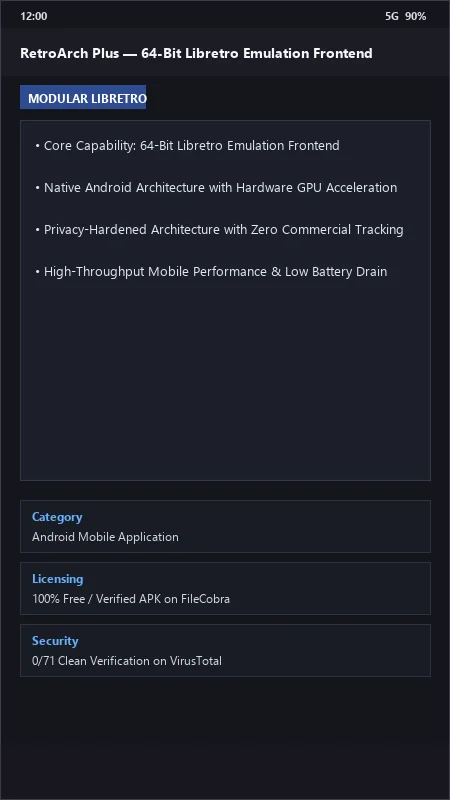
RetroArch Plus UI & Interface Screenshots
How to Install & Verify RetroArch Plus
Download official RetroArch 64-bit APK.
Install APK on Android.
Go to Online Updater > Core Downloader to get your favorite console cores.
RetroArch Plus Version History & Build Numbers
Every RetroArch Plus build FileCobra has mirrored, newest first. Match the build number against the copy you already have to confirm whether you are up to date.
- Added AI automated OCR game translation on the fly
- Fixed Netplay multiplayer room lobby
- Enhanced Mega Bezel reflection CRT shaders
- Faster core download and playlist scraping
- Added RetroAchievements hardcore mode leaderboard tracking
- UI XMB layout improvements
- Milestone stable release with full Libretro multi-system emulation backend
Frequently Asked Questions & Verification Guide
Is RetroArch Plus free and open source?
Yes. RetroArch Plus is completely free and open-source software. You can download and use it at no cost, and its source code is publicly available.
What is the difference between RetroArch and RetroArch Plus?
RetroArch Plus is the specialized 64-bit (AArch64) build designed for modern 64-bit Android processors, unlocking full multi-core performance and support for advanced 64-bit cores like PCSX ReARMed, Beetle PSX HW, and Flycast.
How do I install game console cores in RetroArch Plus?
In RetroArch Plus, go to Main Menu > Online Updater > Core Downloader and tap any console core to download and install it in seconds.
Does RetroArch Plus support CRT retro shaders on mobile?
Yes! In Quick Menu > Shaders, you can load world-renowned Slang and GLSL CRT shaders (like CRT Royale and CRT Lottes) for an authentic retro television aesthetic.