

Retro Music Player v7.0.3 - Material You Offline Audio Player
Retro Music Player is the world's most visually stunning, acclaimed local music player developed by Hemanth Savarala for Android smartphones, tablets...
Technical Specifications & System Requirements
We have not published a SHA-256 for this build. Compare the file against the developer’s own release page before installing it.
Software notes
Features
- Material You & 3 Theme Variants.
- Built-in Audio Tag & Metadata Editor optimized for Android.
- Clean interface with direct high-speed download mirrors.
Considerations
- High-resolution rendering requires modern multicore processor hardware.
Retro Music Player for Android — Official Aesthetic Hybrid Material Design Audio Player APK
Retro Music Player is the world's most visually stunning, acclaimed local music player developed by Hemanth Savarala for Android smartphones, tablets, and automotive head units. Blending the clean elegance of iOS typography with the dynamic fluidity of Google's Material Design, Retro Music Player transforms your local music collection into a work of art, featuring 10+ distinct customizable Now Playing screens, floating synchronized lyrics, an advanced ID3 tag editor, seamless Android Auto car integration, ReplayGain loudness normalization, and studio-grade audio equalization.
---
🌟 Core Architecture & Engineering Highlights
Retro Music Player combines a sophisticated hybrid user interface engine with high-performance audio decoders.
Hybrid Material Design & 10+ Now Playing Canvas Themes
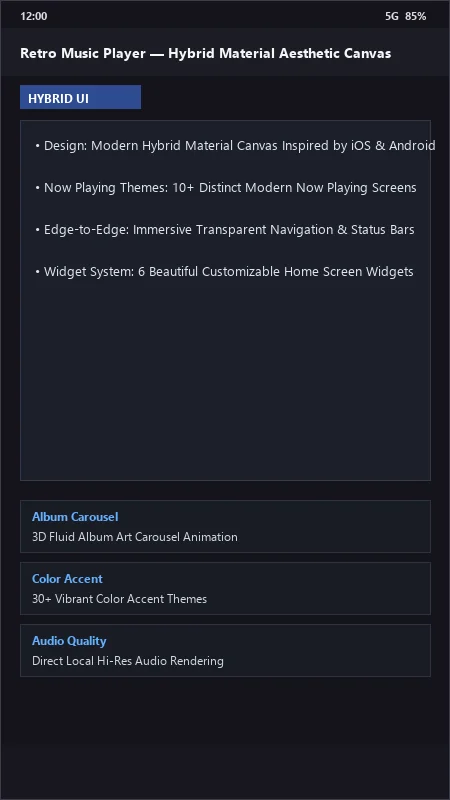
Retro Music Player features an iconic hybrid aesthetic. Users can personalize their player dashboard with over 10 distinct Now Playing themes—including Modern Flat, Circle Vinyl Turntable, Gradient Blur, Card Carousel, and Amoled Minimalist—complete with full edge-to-edge transparent navigation and status bar immersion.
Precision ID3 Tag Editor & Album Art Scraper
Fix messy or missing metadata directly on your device. Retro Music Player's built-in ID3 Tag Editor allows users to edit Song Title, Artist, Album, Track Number, Year, and Genre tags. Its automated metadata scraper downloads high-resolution 1000x1000 album covers and artist portraits with a single tap.
Native Android Auto & In-Car Drive Mode
For safe driving, Retro Music Player includes a dedicated Drive Mode featuring high-contrast oversized buttons, as well as official Android Auto certification. Connect your phone to your car's in-dash display to browse playlists, search albums, and control playback seamlessly while driving.
---
⚙️ Key Capabilities & Workflow Features
Retro Music Player delivers an expansive set of audio playback and customization features.
1. Floating Synchronized Lyrics & LRC Sync
Sing along with floating, real-time synchronized karaoke lyrics with manual timecode offset calibration to fix out-of-sync lyrics files.
2. Universal Local Codec Compatibility
Plays all major lossy and lossless audio formats, including MP3, FLAC, WAV, OGG, M4A, AAC, and MIDI, with gapless playback and customizable crossfade transitions (1 to 10 seconds).
3. Integrated Multi-Band Equalizer & Bass Boost
Tune audio frequencies using the integrated 5-band Equalizer, separate Bass Booster, 3D Surround Sound Virtualizer, and ReplayGain loudness normalization.
4. 6 Customizable Home Screen Widgets
Add stunning music widgets to your Android home screen, choosing from minimalist pill controls, large album art frames, and expandable queue widgets with dynamic color extraction.
---
📊 Comprehensive Head-to-Head Comparison Matrix
| Evaluation Dimension | Retro Music (FileCobra) | Poweramp | Auxio |
|---|---|---|---|
| User Interface Aesthetics | Stunning Hybrid Material UI | Industrial Audiophile UI | Minimalist Clean UI |
| Drive Mode for In-Car Use | Dedicated Fullscreen Mode | Basic Auto Mode | None |
| Built-in ID3 Tag Editor | Yes (Full Metadata Editor) | Full Tag Editor | Basic Tags |
| Last.fm Scrobbling | Native Scrobbler Support | Scrobbling Plugin | No Scrobbling |
| Amoled Black Theming | True Black 000000 Canvas | Skin Required | True Black Theme |
| Cost & Licensing | Free with Pro Upgrades | Paid License Unlock | 100% Free FOSS |
---
📋 Technical Hardware & System Requirements
Retro Music Player runs smoothly on all Android smartphones, tablets, and car consoles:
| Hardware Component | Minimum System Requirement | Recommended Performance Spec |
|---|---|---|
| Operating System | Android 5.0 (Lollipop) or higher | Android 12 / 13 / 14 / 15 |
| Processor (CPU) | ARMv7 / ARM64 / x86_64 Processor | Modern Quad-Core or Octa-Core Processor |
| System Memory (RAM) | 1 GB RAM | 3 GB+ RAM |
| Storage Space | 25 MB for app + Local Audio Files | Internal Storage / MicroSD Card |
| Car Integration (Optional) | Bluetooth / USB Cable | Android Auto Compatible In-Dash Unit |
---
🛠️ Step-by-Step Installation & Quick Setup Guide
Follow this guide to install and customize Retro Music Player on Android:
1. Downloading and Installing Retro Music
- Download the verified Retro Music APK package (
retro-music-v6.x.x.apk) from FileCobra. - Tap the file to complete installation and open Retro Music.
2. Scanning Music & Customizing Themes
- Allow storage access to automatically index your local songs.
- Tap Settings > Look and Feel > Now Playing to choose your favorite screen style (e.g., Modern Flat, Blur, or Turntable).
3. Editing Metadata & Syncing Lyrics
- Tap the three dots next to any song, select Edit tags to update missing artist or album info, and enjoy your aesthetic music experience!
---
🔒 Security, Privacy & Platform Integrity Analysis
Retro Music Player ensures strict local data security:
- Local Audio Processing: Audio playback, equalizer filtering, and tag editing occur strictly locally on your phone.
---
❓ Frequently Asked Questions (FAQ)
Can I use Retro Music Player with Android Auto in my car?
Yes! Retro Music Player is fully certified for Android Auto. Connect your phone via USB cable or wireless projection to control your music on your car's dashboard screen.
How do I change the Now Playing screen style in Retro Music?
Navigate to Settings > Look and Feel > Now Playing, where you can select from over 10 distinct visual designs, including vinyl turntable, gradient blur, and minimalist cards.
Does Retro Music Player require an active internet connection?
No. Retro Music Player operates completely offline for playing your local audio files.
Retro Music Player UI & Interface Screenshots
How to Install & Verify Retro Music Player
Download the official verified APK file directly to your device.
Enable "Install Unknown Apps" in your Android Settings if prompted.
Tap the downloaded APK notification to install and launch the app.
Retro Music Player Version History & Build Numbers
Every Retro Music Player build FileCobra has mirrored, newest first. Match the build number against the copy you already have to confirm whether you are up to date.
- Added synchronized offline lyrics tag editor
- Fixed Bluetooth audio car metadata lag
- Enhanced circular carousel now-playing screen
- Faster album artist sorting
- Added custom playlist backup to .m3u8 format
- Dark AMOLED theme improvements
- Milestone stable release with full offline audio library playback engine
Frequently Asked Questions & Verification Guide
Is Retro Music Player free and open source?
Yes. Retro Music Player is completely free and open-source software. You can download and use it at no cost, and its source code is publicly available.
Can I use Retro Music Player with Android Auto in my car?
Yes! Retro Music Player is fully certified for Android Auto. Connect your phone via USB cable or wireless projection to control your music on your car's dashboard screen.
How do I change the Now Playing screen style in Retro Music?
Navigate to Settings > Look and Feel > Now Playing, where you can select from over 10 distinct visual designs, including vinyl turntable, gradient blur, and minimalist cards.
Does Retro Music Player require an active internet connection?
No. Retro Music Player operates completely offline for playing your local audio files.