

Download PyCharm Community for Windows PC v2026.2.3 for Windows PC
PyCharm 2026.2.3 is JetBrains' unified Python IDE: free core features forever - now including Jupyter - with one month of Pro included in one installer.
Technical Specifications & System Requirements
Software notes
Features
- PyCharm understands Python project-wide, so completion, navigation, and safe rename refactorings work across files and virtual environments instead of guessing from the text of the current file alone.
- The visual debugger with conditional breakpoints, inline variable values, and an interactive console turns bug hunting into stepping through code and watching state change, which is dramatically faster than scattering print statements.
- The unified 2026.2.3 installer gives the core IDE free forever - now including Jupyter notebook support that previously required paying - plus a full month of Pro features to evaluate before deciding on a subscription.
- Interpreter and package management are built in: PyCharm creates virtualenv or uv environments per project, warns about missing packages, and installs them from a graphical interface, removing a whole class of beginner setup errors.
- Integrated Git support, a pytest and unittest test runner with visual results, a built-in terminal, and code inspections that flag style and likely bugs make PyCharm a complete workshop rather than just an editor.
Considerations
- PyCharm is a large, resource-hungry application that downloads at roughly 1 GB, recommends at least 8 GB of system RAM, and can feel slow to start or index on older or low-memory Windows laptops.
- Advanced capabilities such as deep Django and web-framework support, database tools, and remote interpreters move behind the paid Pro subscription once the included one-month trial expires.
- Python itself is not bundled, so first-time users must still install a Python interpreter separately or let PyCharm set one up, which adds a step that surprises people expecting an all-in-one package.
About & Overview: PyCharm Community for Windows PC
PyCharm is JetBrains' integrated development environment designed specifically for Python, and everything in it understands Python rather than treating it as plain text. It resolves imports across your project and virtual environments, offers completion that knows the methods of the actual object in scope, renames variables and functions safely across files, and ships a visual debugger with breakpoints, watches, and inline values that makes stepping through real code far easier than print statements or pdb. Version 2026.2.3 follows JetBrains' unified distribution: the separate Community and Professional downloads were merged, so this single installer gives every user the core IDE free forever - now including Jupyter notebook support that used to be paid - plus one month of Pro features such as Django, Flask and FastAPI framework support, database tools, remote development, and scientific tooling, after which you can subscribe or simply continue on the free core. PyCharm manages interpreters for you, creating virtualenv or uv environments per project and installing packages from its built-in package UI, and it integrates Git, a terminal, a test runner for pytest and unittest, and a profiler. It is best for Python learners who want an IDE that explains their errors, data-science users working in notebooks, and professional developers maintaining larger Python codebases. A real scenario: a student moves from running scripts in a plain editor to PyCharm, points it at their course project, sets a breakpoint in a sorting function, and watches the list change step by step in the debugger - understanding in ten minutes what an hour of print debugging had not shown them.
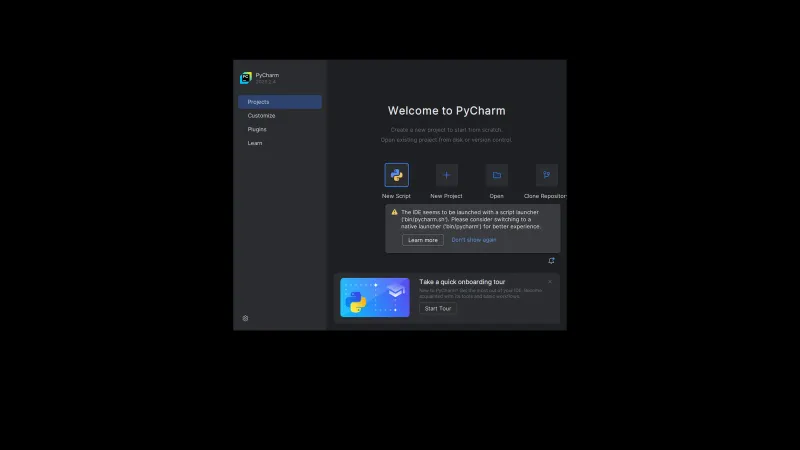
PyCharm Community for Windows PC UI & Interface Screenshots
How to Install & Verify PyCharm Community for Windows PC
Get pycharm-2026.2.3.exe from JetBrains. There is no separate Community installer any more - this one file contains the free core plus the included one-month Pro trial.
Launch the EXE, keep the default install folder, and optionally add the desktop shortcut, PATH entry, and .py file association when the options screen appears.
Pick a UI theme, then either start the included Pro trial or continue with the free core - no licence key or account is required to keep using the core features.
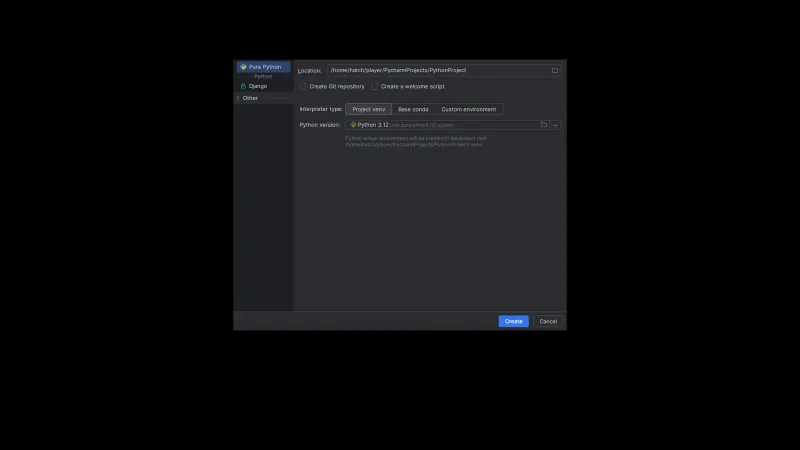
Choose New Project, pick a location, and let PyCharm create a fresh virtual environment (or select your existing Python interpreter) so packages stay isolated per project.
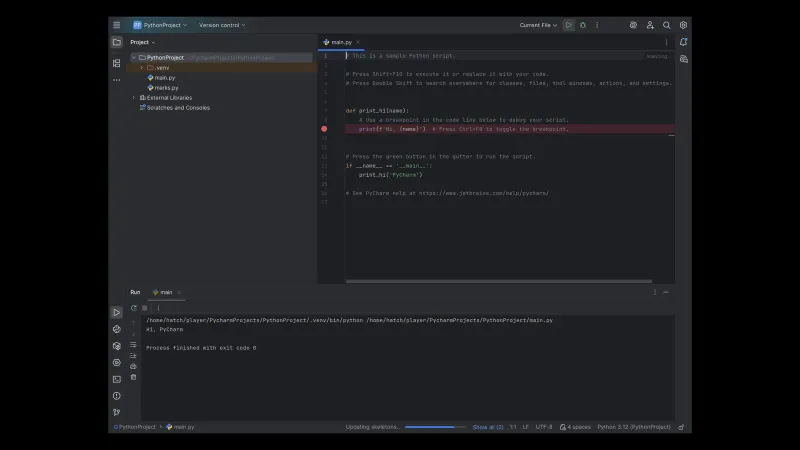
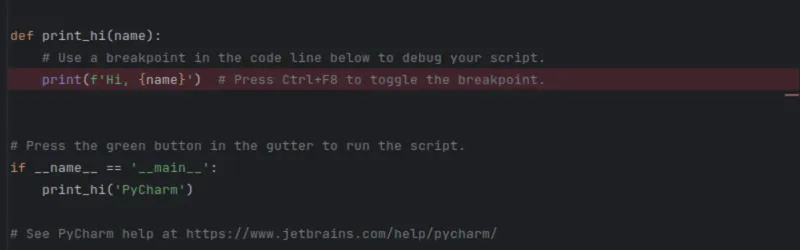
Open a .py file, click the green Run arrow to execute it, then set a breakpoint and use Debug to step through the code and inspect variables live.
Related Windows PC Software & Alternatives






Frequently Asked Questions & Verification Guide
Is PyCharm Community for Windows PC free?
No. PyCharm Community for Windows PC is shareware from JetBrains: you can try it free for a limited trial period, but continued use requires buying a licence from the developer.
Why is PyCharm debugger much slower than normal run?
The debugger instruments your code to stop at breakpoints and collect variable values, which commonly makes execution two to ten times slower than a plain run. You can narrow the gap by disabling 'collect run-time types' in Settings under Build, Execution, Deployment - Debugger - Python Debugger, removing stale breakpoints on deleted files, and avoiding method breakpoints on hot functions.
Is there still a separate PyCharm Community Edition download?
No. JetBrains merged Community and Professional into one unified PyCharm starting with the 2025.3 generation, and 2026.2.3 is that unified product. The free core features are yours forever in this installer - now with Jupyter support included - and you also get one month of Pro features; a site offering a separate 'Community' EXE is serving an old, pre-unification build.
Which Python IDE is superior, VS Code or PyCharm?
For Python-only work, PyCharm usually wins because its debugger, inspections, refactoring, and environment management work out of the box with no extension assembly. VS Code is lighter, starts faster, and suits developers who switch between many languages daily. A practical test is to open the same project in both for a week - both cores are free.
Why is my Python script running slow in PyCharm?
First check whether you are running under the debugger, which is inherently slower than a normal run. Otherwise the cause is usually the code itself - inefficient loops, loading whole datasets into memory, or blocking I/O. Use PyCharm's built-in profiler to find the hot function instead of guessing, and exclude generated folders from indexing if the IDE itself feels sluggish.
Do I really need all of VSCode to get the python interpreter installed
No - that message does not come from PyCharm itself. PyCharm never requires Visual Studio Code; on Windows some native Python packages ask for the Microsoft C++ Build Tools, which is a small standalone installer, not the full Visual Studio or VS Code. Install Python from python.org or let PyCharm create an environment with its bundled tooling, and ignore any full-IDE install prompt.