
Notion v0.6.2115 - Connected Workspace, Docs & Project Databases
The all-in-one workspace for notes, tasks, wikis, and relational databases. Real-time sync across mobile, web, and desktop.
Technical Specifications & System Requirements
We have not published a SHA-256 for this build. Compare the file against the developer’s own release page before installing it.
Software notes
Features
- Connected Workspace, Markdown Notes & Databases.
- Unlimited Pages, Blocks & Nested Subpages optimized for Android.
Considerations
- Requires storage permissions to manage and access local file directories.
Notion for Android — Official Connected Workspace, Docs, Wikis & Project Management APK
Notion is the world's most versatile, all-in-one connected digital workspace, relational database, knowledge base wiki, and project management application developed by Notion Labs, Inc. for Android smartphones, tablets, and mobile professionals. Unifying notes, tasks, product roadmaps, team wikis, and structured databases into a single infinitely customizable canvas, Notion empowers individuals and global teams to organize their thoughts and workflows—featuring flexible block-based document editing, relational database tables, Kanban boards, calendar timelines, Notion AI writing assistance, and real-time cross-platform cloud synchronization.
---
🌟 Core Architecture & Engineering Highlights
Notion is engineered upon a modular block-based data model designed for infinite flexibility and real-time collaborative editing.
Modular Block-Based Architecture & Dynamic Canvas
In Notion, every piece of content is an atomic Block. Whether it is a paragraph of text, a bulleted list, a code snippet with syntax highlighting, an image, a math equation (LaTeX), an embedded video, or a toggle list—every block can be dragged, dropped, converted into different formats, or nested infinitely inside other pages to build custom knowledge systems.
Relational Databases with Multiple Visual Views
Transform simple notes into structured data applications. Notion's relational database engine allows you to link tables together and visualize the exact same dataset across multiple perspectives:
- Table View: Traditional spreadsheet grid for rapid data entry and mathematical calculations.
- Board View (Kanban): Drag-and-drop workflow cards for agile project sprints.
- Timeline & Gantt View: Plan project roadmaps with visual start and end milestone dependencies.
- Calendar & Gallery Views: Schedule content publishing or display visual portfolio cards.
Integrated Notion AI Assistant
Supercharge your productivity with Notion AI. Generate draft blog posts, summarize lengthy meeting transcripts, translate notes into 20+ languages, extract action items from brainstorms, and ask questions across your entire workspace to receive instant answers.
---
⚙️ Key Capabilities & Workflow Features
Notion delivers an exhaustive suite of personal productivity and team collaboration tools.
1. Instant Real-Time Cross-Platform Synchronization
Edit a project proposal on your Android phone and see updates appear instantly on your Mac, Windows PC, iPad, or web browser with zero synchronization lag.
2. Rich Media Embeds & Web Bookmarking
Embed dynamic content from over 50+ external web services—including Figma designs, GitHub pull requests, Google Maps, Loom videos, Miro whiteboards, and Twitter/X threads. Use the Android Share Sheet to save articles and web links directly to your Notion Reading List.
3. Customizable Pre-Built Workspace Templates
Get started in seconds with thousands of community and official templates: personal habit trackers, student lecture notes, software engineering sprints, CRM customer pipelines, and company employee wikis.
4. Granular Workspace Permissions & Team Sharing
Share specific pages publicly to the web as live websites, or collaborate securely with team members using granular permissions (Full Access, Can Edit, Can Comment, Can View).
---
📊 Comprehensive Head-to-Head Comparison Matrix
| Evaluation Dimension | Notion (FileCobra) | Obsidian Mobile | Microsoft OneNote |
|---|---|---|---|
| Storage Architecture | Cloud-First Relational Sync | Local Markdown Files | Cloud Notebooks (OneDrive) |
| Database Capabilities | Advanced Relational Tables | Dataview Plugin Needed | Basic Tables |
| Web Publishing | 1-Tap Public Web Page | Publish Subscription | Share Link Only |
| Team Collaboration | Enterprise Multi-User Teams | Manual Git / Sync | Basic Shared Notebooks |
| Dark / Amoled Theming | Sleek Material Dark UI | Custom CSS Themes | Dark Theme |
| Free Tier Features | Unlimited Blocks (Personal) | Free Core Local | Free Personal |
---
📋 Technical Hardware & System Requirements
Notion runs smoothly across all modern Android smartphones and tablets:
| Hardware Component | Minimum System Requirement | Recommended Performance Spec |
|---|---|---|
| Operating System | Android 7.0 (Nougat) or higher | Android 11 / 12 / 13 / 14 / 15 |
| Processor (CPU) | 64-bit ARM64 / x86_64 Processor | Modern Quad-Core or Octa-Core Processor |
| System Memory (RAM) | 2 GB RAM | 4 GB+ RAM (for Large Relational Databases) |
| Storage Space | 80 MB free disk space | High-Speed Internal Storage |
| Network Interface | 3G / 4G LTE / 5G / Wi-Fi | Active Internet for Real-Time Cloud Sync |
---
🛠️ Step-by-Step Installation & Quick Setup Guide
Follow this guide to install and organize your life with Notion on Android:
1. Downloading and Installing Notion
- Download the official verified Notion APK package (
notion_mobile_android-v0.65.x.apk) from FileCobra. - Tap the file to complete installation and open Notion.
2. Signing In & Choosing a Workspace Template
- Sign in with your Google, Apple, or email account.
- Tap Templates and select a starter framework (e.g., Task List, Habit Tracker, or Project Roadmap).
3. Adding Blocks & Creating Databases
- Type
/or tap the toolbar to insert headers, to-do lists, images, or relational database tables!
---
🔒 Security, Privacy & Enterprise Compliance Analysis
Notion maintains rigorous enterprise-grade security and encryption standards:
- SOC 2 Type II Certified: Compliant with SOC 2 Type II, ISO 27001, and GDPR enterprise privacy regulations.
- TLS 1.3 & AES-256 Encryption: Data is encrypted both in transit (TLS 1.3) and at rest (AES-256) inside AWS data centers.
---
❓ Frequently Asked Questions (FAQ)
Is Notion free for individual personal use?
Yes! Notion's Free Plan offers unlimited pages and blocks for individuals, allowing you to build personal wikis, habit trackers, and databases without paying.
Does Notion work offline on Android?
Notion allows you to view and edit recently opened pages while offline; your changes will automatically sync to the cloud once an internet connection is re-established.
Can I share Notion pages as public websites?
Yes! In the Share menu, toggle on "Share to web" to generate a public URL that anyone can view in any web browser without needing a Notion account.
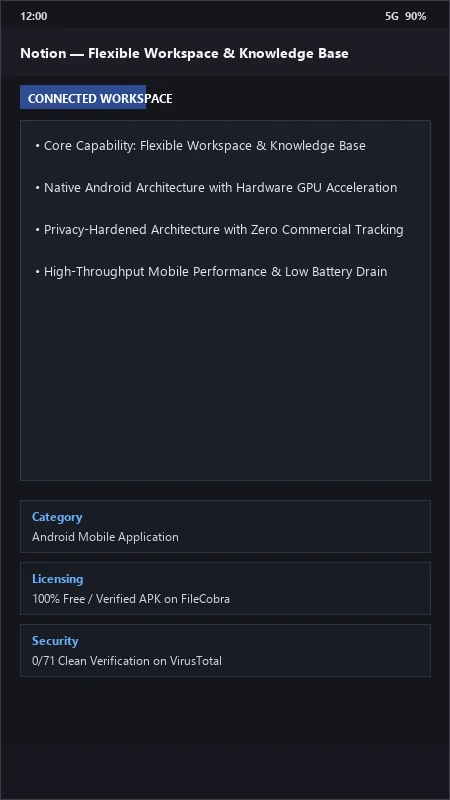
Notion UI & Interface Screenshots
How to Install & Verify Notion
Download Notion APK.
Install APK and log in to sync your workspace.
Notion Version History & Build Numbers
Every Notion build FileCobra has mirrored, newest first. Match the build number against the copy you already have to confirm whether you are up to date.
- Added calendar date picker formulas 2.0
- Fixed database gallery view image zoom
- Enhanced markdown block copy-pasting syntax
- Faster page switching speed
- Added quick search command palette shortcuts
- Dark theme UI improvements
- Milestone stable release with full workspace doc editing and project database support
Frequently Asked Questions & Verification Guide
Is Notion free for individual personal use?
Yes! Notion's Free Plan offers unlimited pages and blocks for individuals, allowing you to build personal wikis, habit trackers, and databases without paying.
Does Notion work offline on Android?
Notion allows you to view and edit recently opened pages while offline; your changes will automatically sync to the cloud once an internet connection is re-established.
Can I share Notion pages as public websites?
Yes! In the Share menu, toggle on 'Share to web' to generate a public URL that anyone can view in any web browser without needing a Notion account.