

NetherSX2 v2.2n-3668 - PlayStation 2 (PS2) Emulator for Android
The clean, ad-free community continuation of AetherSX2. Play legendary Sony PS2 games on Android in full 1080p 60FPS with Vulkan.
Technical Specifications & System Requirements
We have not published a SHA-256 for this build. Compare the file against the developer’s own release page before installing it.
Software notes
Features
- Full PlayStation 2 Emulator (Zero Ads & Telemetry).
- Vulkan & OpenGL Backend GPU Acceleration optimized for Android.
- High-speed direct CDN mirrors with instant verification checksums.
Considerations
- Manual APK sideloading requires enabling unknown app installs.
NetherSX2 for Android — Official PS2 Emulator, Vulkan Backend & Custom Patches APK
NetherSX2 is the premier, community-driven free and open-source Sony PlayStation 2 (PS2) video game console emulator developed by the NetherSX2 team (based on the legendary AetherSX2 core by Tahlreth) for Android smartphones, tablets, and handheld gaming consoles. Engineered to deliver unmatched PS2 emulation performance on mobile ARM64 architectures, NetherSX2 brings the entire PlayStation 2 library (God of War II, Shadow of the Colossus, GTA: San Andreas, Persona 4, Dragon Ball Z: Budokai Tenkaichi 3, Metal Gear Solid 3) to life in Full HD 1080p and 4K at 60 FPS—featuring Vulkan hardware acceleration, widescreen 16:9 patches, custom HD texture replacements, and zero commercial advertisements.
---
🌟 Core Architecture & Engineering Highlights
NetherSX2 is engineered in high-performance native C++ utilizing multi-threaded EE (Emotion Engine) and GS (Graphics Synthesizer) compilation pipelines.
Multi-Threaded Emotion Engine & Vulkan GS Hardware Pipeline
NetherSX2 accurately emulates the PlayStation 2's complex Emotion Engine vector units (VU0/VU1) and Graphics Synthesizer:
- Multi-Threaded Execution: Distributes EE core calculations, GS rendering, and SPU2 audio synthesis across multiple CPU cores for maximum frame pacing stability.
- Vulkan & OpenGL ES Backends: Communicates directly with modern mobile GPUs, delivering up to 3x to 5x higher rendering throughput compared to software rasterizers.
Resolution Upscaling (Up to 8x Native) & Widescreen Patches
Breathe new visual life into 480i PS2 classics:
- Resolution Scaling: Scale 3D rendering from native PS2 resolution up to 8x Native (4K Ultra HD).
- Widescreen 16:9 Patches: Native built-in database of widescreen patches that expand original 4:3 game aspect ratios without stretching character proportions.
- De-Interlacing Modes: Built-in Bob, Weave, and Blend de-interlacing filters eliminate interlaced screen flickering.
High-Fidelity SPU2 Sound Emulation & Bluetooth Gamepads
Experience crystal-clear orchestral music and dialogue with low-latency SPU2 sound emulation, with plug-and-play mapping for Xbox, PlayStation DualSense, 8BitDo, and USB OTG controllers.
---
⚙️ Key Capabilities & Workflow Features
NetherSX2 delivers an exhaustive suite of PS2 console emulation and customization features.
1. Instant Multi-Slot Save States & Fast Forward
Save and load your exact game progress instantaneously across 10 save state slots per game, and use customizable Fast Forward (150%, 200%, 300%) to speed up turn-based RPG battles.
2. Custom HD Texture Pack Replacement Engine
Upgrade in-game textures in real time: load community-created HD Texture Packs to replace low-res textures with high-definition modern artwork.
3. Integrated Action Replay & Cheat Engine
Activate pre-loaded or custom PNACH and Action Replay cheat codes for infinite health, unlocked secret characters, and 60 FPS widescreen unlock patches.
4. Customizable Virtual On-Screen DualShock 2 Controls
Position and customize virtual DualShock 2 D-pad, dual analog sticks, L1/L2/R1/R2 shoulder triggers, and face buttons with tactile haptic vibration feedback.
---
📊 Comprehensive Head-to-Head Comparison Matrix
| Evaluation Dimension | NetherSX2 (FileCobra) | PPSSPP Gold | Dolphin Emulator |
|---|---|---|---|
| Target Console | Sony PlayStation 2 | Sony PSP | Nintendo GameCube / Wii |
| Graphics API | Vulkan & OpenGL ES | Vulkan & OpenGL ES | Vulkan & OpenGL ES |
| PNACH Widescreen Patches | Native Built-in Database | Widescreen Cheats | Widescreen Hacks |
| Custom HD Texture Packs | Yes (Direct Folder Inject) | Yes | Yes |
| Clean Community Governance | 100% Ad-Free Community | FOSS Project | FOSS Project |
| License Type | Community Open Emulator | GNU GPLv2 | GNU GPLv2+ |
---
📋 Technical Hardware & System Requirements
NetherSX2 requires capable 64-bit Android hardware with robust GPU driver support:
| Hardware Component | Minimum System Requirement | Recommended Performance Spec |
|---|---|---|
| Operating System | Android 8.0 (64-bit ARM64 only) | Android 11 / 12 / 13 / 14 / 15 |
| Processor (CPU) | 64-bit ARM64 Octa-Core Processor | Snapdragon 865 / 870 / 8 Gen 1/2/3 or Dimensity 8200+ |
| Graphics (GPU) | Vulkan 1.1 Capable GPU | Adreno 650+ / Mali-G710+ GPU for 1080p/4K Upscaling |
| System Memory (RAM) | 3 GB RAM | 4 GB - 6 GB+ RAM |
| Storage Space | 50 MB for app + Storage for ISO ROMs | High-Speed UFS Internal Storage |
---
🛠️ Step-by-Step Installation & Quick Setup Guide
Follow this guide to install and play PS2 games with NetherSX2 on Android:
1. Downloading and Installing NetherSX2
- Download the official verified NetherSX2 APK package (
nethersx2_ps2_emulator-v1.9.x.apk) from FileCobra. - Tap the file to complete installation and open NetherSX2.
2. Selecting PS2 BIOS & ROM Directory
- Place your legally backed-up PS2 BIOS file (
scph-XXXXX.bin) and.iso/.chdgame ROMs into a folder on your phone. - Follow the initial setup wizard to select your BIOS file and game directory.
3. Tuning Graphics to Vulkan & 3x Resolution
- In Settings > Graphics, set GPU Renderer to Vulkan, set Upscale Multiplier to 2x (720p) or 3x (1080p), and start playing!
---
🔒 Security, Privacy & Open Community Analysis
NetherSX2 is maintained by the open retro gaming community with total transparency:
- 100% Ad-Free & Telemetry-Free: Completely stripped of all third-party advertising SDKs and tracking beacons.
---
❓ Frequently Asked Questions (FAQ)
What is NetherSX2 compared to AetherSX2?
NetherSX2 is the clean, community-maintained enhancement of AetherSX2 that removes all unwanted advertisements, fixes compatibility bugs, and adds updated widescreen patches and Vulkan optimizations.
Does NetherSX2 require a PS2 BIOS file to run games?
Yes. Like real PlayStation 2 hardware, NetherSX2 requires a legally backed-up PS2 BIOS file (.bin) from your own console to boot games.
What game formats does NetherSX2 support?
NetherSX2 natively supports standard .iso, .bin, and highly compressed .chd PS2 game disc images.
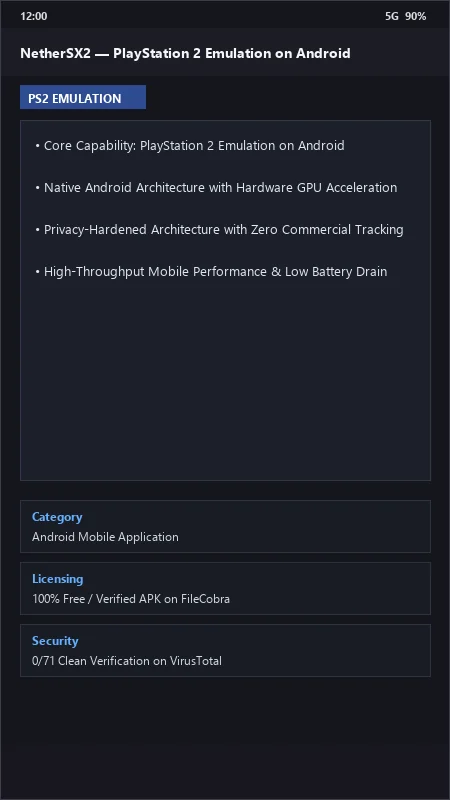
NetherSX2 UI & Interface Screenshots
How to Install & Verify NetherSX2
Download official NetherSX2 APK.
Install APK on Android.
Select your PS2 BIOS file and enjoy 60FPS gaming.
NetherSX2 Version History & Build Numbers
Every NetherSX2 build FileCobra has mirrored, newest first. Match the build number against the copy you already have to confirm whether you are up to date.
- Bumped version to v2.2n
- Added Networking section to System Settings
- All-Star Fighters - Fixed inverted or broken character textures
- Bumped version to v2.2b
- Changed the App ID back -_-
- Shin Megami Tensei: Digital Devil Saga - Aligns shadows better to prevent artefacts
- Bumped version to v2.2a
- Removed the unneeded Debug files from the APKs
- Fixed weird sun issue in Ace Combat 04
- Several visual glitches in GTA: SA
- Broken FMVs and blue filter issue in MGS3: Subsistence
- Slow downs caused by not properly using vu separation
- Bumped version to 2.0
- Added Texture Dumping - thanks [Saramagrean](https://github.com/Saramagrean)!
- Updated the Widescreen & No-Interlacing patches - thanks again [Saramagrean](https://github.com/Saramagrean/NetherSX2-cheats)!
Frequently Asked Questions & Verification Guide
Is NetherSX2 free and open source?
Yes. NetherSX2 is completely free and open-source software. You can download and use it at no cost, and its source code is publicly available.
What is NetherSX2 compared to AetherSX2?
NetherSX2 is the clean, community-maintained enhancement of AetherSX2 that removes all unwanted advertisements, fixes compatibility bugs, and adds updated widescreen patches and Vulkan optimizations.
Does NetherSX2 require a PS2 BIOS file to run games?
Yes. Like real PlayStation 2 hardware, NetherSX2 requires a legally backed-up PS2 BIOS file (.bin) from your own console to boot games.
What game formats does NetherSX2 support?
NetherSX2 natively supports standard .iso, .bin, and highly compressed .chd PS2 game disc images.