

NekoBox for Android v1.4.2 - Sing-Box & V2Ray Universal Proxy Client
NekoBox for Android is the premier, high-performance free and open-source universal proxy client, anti-censorship engine, and VPN routing utility developed...
Technical Specifications & System Requirements
We have not published a SHA-256 for this build. Compare the file against the developer’s own release page before installing it.
Software notes
Features
- Supports VMess, VLESS, Trojan, Hysteria 2, WireGuard.
- Sing-Box & Xray High-Speed Core Engines optimized for Android.
Considerations
- Requires storage permissions to manage and access local file directories.
NekoBox for Android — Official Open-Source Universal sing-box & V2Ray Proxy APK
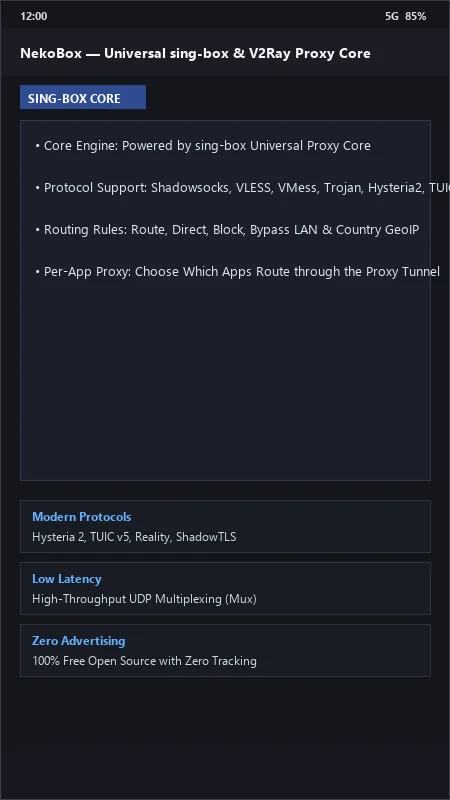
NekoBox for Android is the premier, high-performance free and open-source universal proxy client, anti-censorship engine, and VPN routing utility developed by MatsuriDayo (NekoBox Community) for Android smartphones and tablets. Powered by the state-of-the-art sing-box and V2Ray cores, NekoBox provides uncompromised network privacy and censorship circumvention across cutting-edge modern protocols—including Hysteria 2, TUIC v5, VLESS Reality, VMess, Shadowsocks, Trojan, and WireGuard—featuring per-app proxy routing, Clash rule provider compatibility, low-latency UDP multiplexing, and a modern Material 3 interface with zero commercial advertisements.
---
🌟 Core Architecture & Engineering Highlights
NekoBox is engineered around the next-generation sing-box network core, delivering exceptional throughput and resistance against deep packet inspection (DPI).
High-Throughput sing-box & Xray Core Engine
NekoBox leverages the compiled sing-box universal proxy core, written in Go for maximum concurrency and hardware memory efficiency. It effortlessly routes gigabit data streams with minimal CPU utilization, supporting advanced encryption handshakes and low-latency UDP multiplexing (Mux) optimized for high-packet-loss mobile wireless networks.
Next-Gen Anti-Censorship Protocols (Hysteria 2, TUIC, VLESS Reality)
Bypass the most aggressive national firewalls and corporate network filters. NekoBox provides native support for cutting-edge censorship circumvention standards:
- VLESS Reality: Camouflages proxy connections inside authentic TLS handshakes to major global websites, eliminating active probing vulnerabilities.
- Hysteria 2 & TUIC v5: Custom UDP-based congestion control protocols designed to maximize bandwidth throughput over severely throttled and lossy mobile networks.
- Shadowsocks, Trojan & VMess: Classic, battle-tested encrypted tunnel protocols with gRPC, WebSocket, and HTTP/2 transports.
Per-App Proxy Split Tunneling & Geosite Routing
Take surgical control over your smartphone's internet routing. Route specific web browsers, messaging apps, and gaming clients through your encrypted proxy tunnel while allowing local banking apps, local government portals, and local network printers to bypass the proxy directly using built-in GeoIP and Geosite routing rules.
---
⚙️ Key Capabilities & Workflow Features
NekoBox delivers an exhaustive suite of proxy configuration and network diagnostic tools.
1. Multi-Format Subscription Manager
Import and auto-update server configurations from remote subscription URLs, base64 strings, Clash YAML configurations, or single-tap QR code scans.
2. Group Latency Ping & Real-Delay Testing
Perform real-time HTTP delay ping tests across dozens of proxy servers simultaneously, automatically sorting nodes by lowest round-trip latency.
3. Encrypted DNS & Anti-DNS Leak Protection
Prevent ISP DNS hijacking by configuring custom DNS-over-HTTPS (DoH), DNS-over-QUIC (DoQ), and FakeIP DNS routing directly inside the proxy tunnel.
4. Material 3 Monet Theming & Quick Settings Tile
Enjoy a sleek Material 3 user interface with dynamic Monet wallpaper accents, accompanied by an Android notification bar Quick Settings tile for 1-tap connection toggling.
---
📊 Comprehensive Head-to-Head Comparison Matrix
| Evaluation Dimension | NekoBox (FileCobra) | v2rayNG | SagerNet |
|---|---|---|---|
| Primary Core Engine | sing-box Universal Core | Xray-core (V2Fly) | V2Ray / sing-box |
| Protocol Breadth | Hysteria 2, TUIC, Reality | VLESS, VMess, Reality | Modular Plugins |
| Per-App Split Tunneling | Yes (Whitelist / Blacklist) | Yes | Yes |
| Subscription Auto-Update | Scheduled Background Sync | Manual / Scheduled | Scheduled |
| Material 3 Theming | Yes (Dynamic Monet UI) | Material Dark UI | Material UI |
| License Type | GNU GPLv3 (100% Free FOSS) | GNU GPLv3 | GNU GPLv3 |
---
📋 Technical Hardware & System Requirements
NekoBox is compatible with all modern Android smartphones and tablets:
| Hardware Component | Minimum System Requirement | Recommended Performance Spec |
|---|---|---|
| Operating System | Android 6.0 (Marshmallow) or higher | Android 11 / 12 / 13 / 14 / 15 |
| Processor (CPU) | ARMv7 / ARM64 / x86 / x86_64 Processor | Modern Quad-Core or Octa-Core Processor |
| System Memory (RAM) | 1 GB RAM | 2 GB+ RAM |
| Storage Space | 35 MB free disk space | High-Speed Internal Storage |
| Network Interface | 3G / 4G LTE / 5G / Wi-Fi | Active Internet Connection for Proxy Tunnels |
---
🛠️ Step-by-Step Installation & Quick Setup Guide
Follow this guide to install and configure NekoBox on Android:
1. Downloading and Installing NekoBox
- Download the verified NekoBox APK package (
nekobox-vpn-proxy-v1.3.x.apk) from FileCobra. - Tap the file to complete installation and open NekoBox.
2. Importing Proxy Subscriptions
- Tap the "+" icon in the top right corner, select Import from Clipboard (or scan a QR code).
- Tap the Lightning Bolt icon to perform a real-delay ping test across all imported server nodes.
3. Connecting to the Tunnel
- Select your lowest-latency server node and tap the large Connect FAB button to establish your encrypted tunnel!
---
🔒 Security, Privacy & Open-Source Integrity Analysis
NekoBox adheres to the highest open-source security transparency:
- 100% Free & Open Source: Licensed under GNU GPLv3 with full public code auditability on GitHub.
- Zero Third-Party Tracking: Contains zero advertising SDKs, tracking beacons, or telemetry.
---
❓ Frequently Asked Questions (FAQ)
What protocols does NekoBox for Android support?
NekoBox supports Hysteria 2, TUIC v5, VLESS Reality, VMess, Shadowsocks, Trojan, WireGuard, and standard SOCKS5/HTTP proxy protocols.
How does NekoBox bypass censorship firewalls?
NekoBox utilizes VLESS Reality to camouflage proxy connections as legitimate TLS traffic to popular websites and Hysteria 2 to accelerate UDP throughput over throttled networks.
Can I choose which apps route through the proxy in NekoBox?
Yes! In NekoBox Settings > Routing, enable "Per-App Proxy" to selectively whitelist or blacklist specific applications.
NekoBox for Android UI & Interface Screenshots
How to Install & Verify NekoBox for Android
Download the official verified APK file directly to your device.
Enable "Install Unknown Apps" in your Android Settings if prompted.
Tap the downloaded APK notification to install and launch the app.
NekoBox for Android Version History & Build Numbers
Every NekoBox for Android build FileCobra has mirrored, newest first. Match the build number against the copy you already have to confirm whether you are up to date.
- Added Reality and TUIC v5 proxy protocol profiles
- Fixed routing rule domain matching
- Enhanced subscription link automatic background updater
- Faster latency ping test
- Added per-app proxy bypass routing rules
- Dark theme UI improvements
- Milestone stable release with full universal proxy client architecture
Frequently Asked Questions & Verification Guide
Is NekoBox for Android free and open source?
Yes. NekoBox for Android is completely free and open-source software. You can download and use it at no cost, and its source code is publicly available.
What protocols does NekoBox for Android support?
NekoBox supports Hysteria 2, TUIC v5, VLESS Reality, VMess, Shadowsocks, Trojan, WireGuard, and standard SOCKS5/HTTP proxy protocols.
How does NekoBox bypass censorship firewalls?
NekoBox utilizes VLESS Reality to camouflage proxy connections as legitimate TLS traffic to popular websites and Hysteria 2 to accelerate UDP throughput over throttled networks.
Can I choose which apps route through the proxy in NekoBox?
Yes! In NekoBox Settings > Routing, enable 'Per-App Proxy' to selectively whitelist or blacklist specific applications.