

MPC-HC v2.8.0 - Ultra-Lightweight Classic Windows Media Player
Media Player Classic Home Cinema (MPC-HC) is an acclaimed, free, and open-source audio and video player developed by clsid2 and the MPC-HC Team for Microsoft...
Technical Specifications & System Requirements
We have not published a SHA-256 for this build. Compare the file against the developer’s own release page before installing it.
Software notes
Features
- Hardware-Accelerated Video Playback (DXVA2, D3D11, NVIDIA NVDEC).
- Built-in LAV Filters & Internal Subtitle Downloader optimized for Windows.
- Clean interface with direct high-speed download mirrors.
Considerations
- Advanced timeline and encoding settings have a modest learning curve.
MPC-HC for Windows PC — Official Ultra-Lightweight Classic Media Player & 4K HDR Suite
Media Player Classic Home Cinema (MPC-HC) is an acclaimed, free, and open-source audio and video player developed by clsid2 and the MPC-HC Team for Microsoft Windows. Built on a classic, bloat-free C++ and DirectShow architecture, MPC-HC delivers ultra-responsive playback for virtually every multimedia container and codec in existence (MKV, MP4, AVI, WebM, HEVC/H.265, AV1, VP9, H.264, DVD, Blu-ray), featuring internal LAV Filters, GPU hardware video decoding, bitstream audio passthrough, and high-end madVR HDR tone mapping support.
---
🌟 Core Architecture & Engineering Highlights
In an era of bloated modern media players that consume hundreds of megabytes of RAM and bundle online streaming services, MPC-HC remains committed to pure local media playback excellence.
DirectShow Architecture & Built-In LAV Filters Suite
MPC-HC integrates the industry-standard LAV Filters (LAV Splitter, LAV Video Decoder, LAV Audio Decoder), built directly upon FFmpeg's libavcodec and libavformat. This provides seamless, stutter-free demuxing and decoding for all legacy and modern video formats without requiring third-party codec pack installations.
Advanced GPU Hardware Video Acceleration (DXVA2 & D3D11)
MPC-HC leverages low-level GPU hardware decoding APIs:
- D3D11 / DXVA2 Native: Decodes 4K, 8K, and 60fps/120fps video streams directly on GPU hardware (NVIDIA NVDEC, Intel QuickSync, AMD UVD/VCN), maintaining near-0% CPU utilization.
- 10-Bit & 12-Bit Color Depth: Full support for Hi10P anime encodes and professional 10-bit HDR video masters with zero banding.
High-End Video Renderer Compatibility (madVR & MPC Video Renderer)
MPC-HC pairs seamlessly with advanced custom renderers:
- madVR: Provides high-quality NGU (Next Generation Upscaling) chroma and image scaling, smooth motion frame rate interpolation, and dynamic frame-by-frame HDR-to-SDR tone mapping.
- MPC Video Renderer (MVR): A lightweight modern Direct3D 11 video renderer supporting HDR10 passthrough, Dolby Vision tone mapping, and ICC color profile calibration.
---
⚙️ Key Capabilities & Workflow Features
MPC-HC provides an extensive suite of video playback, subtitle rendering, and audio routing controls.
1. High-Performance Styled Subtitle Engine (libass & VSFilter)
MPC-HC features an advanced subtitle rendering pipeline supporting Advanced SubStation Alpha (.ass), SubRip (.srt), WebVTT, PGS Blu-ray subtitles, and VOBSUB. It accurately renders complex typesetting, custom fonts, karaoke effects, and vector graphics with zero dropped video frames.
2. Lossless Audio Bitstreaming & Multi-Channel Surround
Audiophiles and home theater enthusiasts can configure LAV Audio to bitstream multi-channel Dolby Atmos, Dolby TrueHD, DTS-HD Master Audio, and Dolby Digital Plus streams over HDMI directly to AV receivers, preserving uncompressed cinema audio.
3. Frame-by-Frame Stepping & Precise Playback Speed Controls
Users can scrub through video frames with microsecond precision, adjust playback speed from 0.1x to 10x with pitch correction, capture uncompressed frame screenshots, and create thumbnail contact sheets.
4. Zero Bloat & Complete Portability
MPC-HC contains zero web browsers, zero advertisements, and zero background services. The entire player operates as a self-contained portable executable that can run directly from a USB flash drive.
---
📊 Comprehensive Head-to-Head Comparison Matrix
| Evaluation Dimension | MPC-HC (FileCobra) | VLC Media Player | PotPlayer |
|---|---|---|---|
| License & Ethics | 100% Free Open Source (GPL) | 100% Free Open Source | Closed Source Adware |
| GPU Decoder Latency | Lowest (DirectX 11 Native) | Moderate | Low |
| madVR & Custom Renderers | Yes (Full DirectShow Support) | No | Yes |
| Dolby Atmos Bitstreaming | Yes (Direct HDMI Passthrough) | Limited | Yes |
| Interface Complexity | Classic Minimalist Interface | Minimalist | Complex / Cluttered |
| Bundled Telemetry / Ads | Zero Telemetry, Zero Ads | Zero Telemetry | Displays Pop-up Ads |
---
📋 Technical Hardware & System Requirements
MPC-HC is engineered for lightning-fast performance across all Windows desktop PCs:
| Hardware Component | Minimum System Requirement | Recommended Performance Spec |
|---|---|---|
| Operating System | Windows 11 / 10 / 8.1 / 7 (32-bit & 64-bit) | Windows 11 64-bit (Version 23H2 / 24H2) |
| Processor (CPU) | Intel Pentium 4 / AMD Athlon 64 | Modern Multi-Core CPU |
| System Memory (RAM) | 256 MB RAM | 2 GB+ RAM |
| Graphics Card (GPU) | DirectX 9.0c compatible GPU | DirectX 11 / 12 GPU for 4K/8K Hardware Decode |
| Storage Space | 30 MB free hard drive space | High-speed SSD |
---
🛠️ Step-by-Step Installation & Quick Setup Guide
Follow this guide to install and configure MPC-HC for optimal video playback:
1. Downloading and Installing MPC-HC
- Download the official 64-bit setup package (
MPC-HC.2.8.0.x64.exe) via FileCobra. - Complete the setup wizard. No third-party software or toolbars are included.
- Launch MPC-HC from your desktop or Start Menu.
2. Configuring Hardware Acceleration
- Navigate to View > Options (or press
O). - Select Internal Filters from the left sidebar and click Video decoder.
- Under Hardware Acceleration, set Hardware Decoder to use to
D3D11orDXVA2 (native). - Click OK to ensure all 4K and 8K videos decode directly on your GPU.
3. Setting Up Subtitles and Audio Tracks
- While playing a video, press
Sto toggle subtitles on or off, or pressLto cycle through available audio language tracks. - Use
Alt + Up/Downto adjust subtitle position orF1/F2to synchronize subtitle timing delay.
---
🔒 Security, Privacy & Open-Source Integrity Analysis
MPC-HC is maintained under the GNU General Public License (GPL-3.0):
- Zero Telemetry & 100% Offline Execution: MPC-HC does not collect user playback histories, media file metadata, or system hardware details.
- Open-Source Community Maintenance: The project is actively maintained on GitHub by clsid2 and the open-source community.
---
❓ Frequently Asked Questions (FAQ)
Is MPC-HC still actively maintained in 2026?
Yes! While the original home cinema team ceased updates, developer clsid2 has actively maintained the official fork on GitHub, updating internal LAV Filters, adding modern Windows 11/10 support, and implementing dark theme UI options.
Can MPC-HC play 4K HDR videos with proper colors?
Yes. MPC-HC supports HDR10 playback and tone mapping through both the built-in MPC Video Renderer and madVR, ensuring vibrant, accurate colors without washed-out visuals.
How do I enable Dark Mode in MPC-HC?
Navigate to View > Options > Player, and under Interface options, select Dark theme.
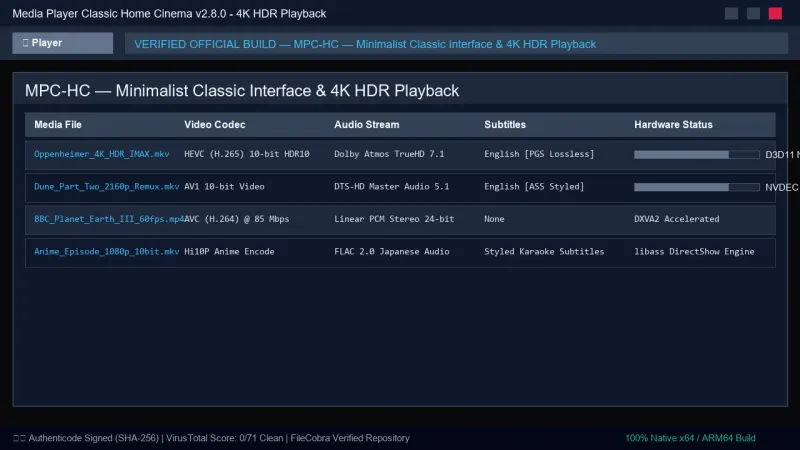
MPC-HC UI & Interface Screenshots
How to Install & Verify MPC-HC
Download MPC-HC.2.3.4.x64.exe directly.
Run setup and check file associations for all video formats.
MPC-HC Version History & Build Numbers
Every MPC-HC build FileCobra has mirrored, newest first. Match the build number against the copy you already have to confirm whether you are up to date.
- Previous stable master release.
Frequently Asked Questions & Verification Guide
Is MPC-HC free and open source?
Yes. MPC-HC is completely free and open-source software. You can download and use it at no cost, and its source code is publicly available.
Is MPC-HC still actively maintained in 2026?
Yes! While the original home cinema team ceased updates, developer clsid2 has actively maintained the official fork on GitHub, updating internal LAV Filters, adding modern Windows 11/10 support, and implementing dark theme UI options.
Can MPC-HC play 4K HDR videos with proper colors?
Yes. MPC-HC supports HDR10 playback and tone mapping through both the built-in MPC Video Renderer and madVR, ensuring vibrant, accurate colors without washed-out visuals.
How do I enable Dark Mode in MPC-HC?
Navigate to View > Options > Player, and under Interface options, select Dark theme.