
Moon+ Reader Pro v9.3.0 - Advanced PDF, EPUB & Comic Reader
The #1 ebook and document reader supporting EPUB, PDF, MOBI, CBZ, CBR, TXT, and audio Text-to-Speech playback.
Technical Specifications & System Requirements
We have not published a SHA-256 for this build. Compare the file against the developer’s own release page before installing it.
Software notes
Features
- PDF, EPUB, MOBI Ebook Reader with Text-to-Speech.
- Complete Ad-Free Reading Experience optimized for Android.
Considerations
- Requires storage permissions to manage and access local file directories.
Moon+ Reader Pro for Android — Official Customizable eBook, PDF & Comic Reader APK
Moon+ Reader Pro is the world's most versatile, feature-packed digital book reader, document viewer, and comic book reader application developed by Moon+ Software for Android smartphones, tablets, and e-ink readers. Renowned among bibliophiles as the definitive mobile e-reading platform, Moon+ Reader Pro supports over 30+ digital book formats (EPUB, PDF, MOBI, AZW3, FB2, CBZ, CBR, DJVU, TXT, HTML)—featuring fluid 3D realistic page-turning animations, customizable typography, intelligent Text-to-Speech (TTS) voice narration, dual-page landscape book view, cloud reading progress sync, and zero commercial advertisements.
---
🌟 Core Architecture & Engineering Highlights
Moon+ Reader Pro is engineered in native C++ and Kotlin with a custom hardware-accelerated text rendering and layout layout engine.
Universal Format Compatibility (30+ Book & Comic Types)
Moon+ Reader Pro handles virtually any digital text or graphic literature format:
- eBooks: EPUB, EPUB3, MOBI, AZW3, FB2, FB2.zip, CHM, TXT, HTML, RTF, UMD, DOCX.
- Documents & Comics: PDF, DJVU, CBZ, CBR (Comic Book Archives), OPDS Web Catalogs.
- Audiobooks: Read aloud any digital book using integrated Text-to-Speech (TTS).
Realistic 3D Page Turn Animations & 24+ Custom Operations
Experience the tactile feel of reading a real physical book. Moon+ Reader Pro features fluid 3D Page Turn animations with adjustable curl physics, speed, and shadow depth. Customize over 24 distinct screen tap zones, swipe gestures, and hardware volume rocker shortcuts to turn pages, adjust brightness, or toggle bookmarks effortlessly.
High-Fidelity Text-to-Speech (TTS) Voice Narration Engine
Transform any written novel into an audiobook. Moon+ Reader Pro integrates with Android's native TTS speech synthesis engine, supporting custom reading speeds, background playback with your screen off, automated sleep timers, and Bluetooth headphone play/pause controls.
---
⚙️ Key Capabilities & Workflow Features
Moon+ Reader Pro delivers an exhaustive suite of reading, annotation, and library management tools.
1. Dual-Page Landscape Reading & E-Ink Display Optimization
Enjoy an authentic book reading layout on Android tablets and foldable phones with dual-page side-by-side view. For specialized E-Ink devices (like Onyx Boox), Moon+ Reader includes a dedicated E-Ink High Contrast Mode with zero animation flicker.
2. Comprehensive Highlighting, Annotations & Dictionary Lookups
Highlight text passages in multiple pastel colors, add handwritten notes, underline text, and look up unknown words instantly via offline dictionaries (ColorDict, GoldenDict) or online Wikipedia/Google Translate bridges.
3. Cloud Reading Position & Bookmark Sync
Never lose your place across multiple devices. Synchronize your exact reading percentage, bookmarks, notes, and reading statistics seamlessly via Google Drive, Dropbox, WebDAV, or OneDrive.
4. Over 10+ Eye-Care Day & Night Theming Presets
Read comfortably in any lighting environment. Choose from over 10+ pre-designed themes (Sepia, Solarized, Paper White, AMOLED Pure Black) with customizable font smoothing, line spacing, paragraph indents, and blue light filters.
---
📊 Comprehensive Head-to-Head Comparison Matrix
| Evaluation Dimension | Moon+ Reader Pro (FileCobra) | FBReader | ReadEra Premium |
|---|---|---|---|
| Format Support | Unmatched (30+ Formats) | Good Format Support | EPUB, PDF, DOCX, FB2 |
| 3D Curl Animation | Customizable Realistic 3D | 2D Slide Only | 2D Slide / Curl |
| Comic Book Archives (CBZ/CBR) | Full Native Support | Plugin Required | Supported |
| OPDS Catalog Integration | Yes (Calibre / Public Books) | OPDS Catalogs | Limited |
| Custom Font Installation | Drop Any TTF/OTF Font | TTF Fonts | TTF Fonts |
| License Type | Commercial Pro Edition | Freemium / Paid Pro | Paid Pro Edition |
---
📋 Technical Hardware & System Requirements
Moon+ Reader Pro runs smoothly across all modern Android smartphones, tablets, and e-readers:
| Hardware Component | Minimum System Requirement | Recommended Performance Spec |
|---|---|---|
| Operating System | Android 5.0 (Lollipop) or higher | Android 11 / 12 / 13 / 14 / 15 |
| Processor (CPU) | ARMv7 / ARM64 / x86 / x86_64 Processor | Any Modern Mobile Processor |
| System Memory (RAM) | 1 GB RAM | 2 GB+ RAM (for Large PDF and Comic Archives) |
| Storage Space | 35 MB for app + Storage for eBooks | High-Speed Internal Storage / MicroSD Card |
| Display Support | Standard Mobile Screen | AMOLED Display or E-Ink Screen |
---
🛠️ Step-by-Step Installation & Quick Setup Guide
Follow this guide to install and read books with Moon+ Reader Pro on Android:
1. Downloading and Installing Moon+ Reader Pro
- Download the official verified Moon+ Reader Pro APK package (
moon_reader_pro_android-v9.x.x.apk) from FileCobra. - Tap the file to complete installation and open Moon+ Reader Pro.
2. Importing Your Book Collection
- Tap My Files or Net Library to scan your internal storage, SD card, or CalDAV/OPDS server for eBooks.
3. Customizing Reading View & Enabling TTS
- Open any book, tap the center of the screen to open the menu, and customize Themes (Sepia/AMOLED) or tap the Headphone icon to start Text-to-Speech voice narration!
---
🔒 Security, Privacy & Integrity Analysis
Moon+ Reader Pro adheres to strict software integrity and local data privacy standards:
- Local-First Architecture: Your private book collection and reading habits remain strictly on your device.
---
❓ Frequently Asked Questions (FAQ)
What formats can Moon+ Reader Pro open?
Moon+ Reader Pro supports over 30 digital book and document formats, including EPUB, PDF, MOBI, AZW3, FB2, CBZ, CBR, DJVU, TXT, HTML, RTF, and CHM.
Can Moon+ Reader Pro read books aloud using Text-to-Speech (TTS)?
Yes! Moon+ Reader Pro can read aloud any text-based book using Android's native TTS voice engine, with customizable speech rates and background playback.
How do I sync my reading progress between my phone and tablet?
In Moon+ Reader Pro, go to Options > Miscellaneous > Sync reading positions, and connect your Google Drive, Dropbox, or WebDAV account.
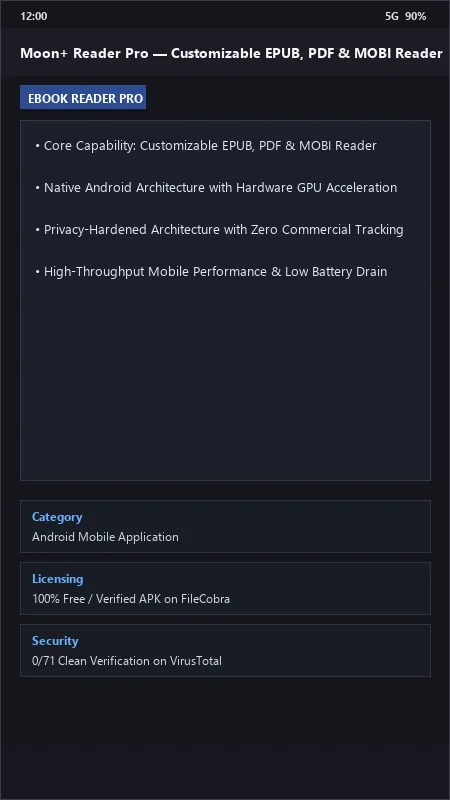
Moon+ Reader Pro UI & Interface Screenshots
How to Install & Verify Moon+ Reader Pro
Download Moon+ Reader Pro APK.
Install and import your EPUB/PDF digital library.
Moon+ Reader Pro Version History & Build Numbers
Every Moon+ Reader Pro build FileCobra has mirrored, newest first. Match the build number against the copy you already have to confirm whether you are up to date.
- Added WebDAV / Dropbox reading progress sync
- Fixed PDF text reflow font rendering
- Enhanced highlight annotations and dictionary lookup
- Faster chapter page rendering
- Added blue light filter eye protection themes
- Dark AMOLED theme improvements
- Milestone stable release with full offline e-book library reading engine
Frequently Asked Questions & Verification Guide
Is Moon+ Reader Pro free?
Yes. Moon+ Reader Pro is freeware, so it is free to download and use at no cost. It is proprietary software from Moon+ (Flyersoft) rather than open source, so its source code is not publicly available.
What formats can Moon+ Reader Pro open?
Moon+ Reader Pro supports over 30 digital book and document formats, including EPUB, PDF, MOBI, AZW3, FB2, CBZ, CBR, DJVU, TXT, HTML, RTF, and CHM.
Can Moon+ Reader Pro read books aloud using Text-to-Speech (TTS)?
Yes! Moon+ Reader Pro can read aloud any text-based book using Android's native TTS voice engine, with customizable speech rates and background playback.
How do I sync my reading progress between my phone and tablet?
In Moon+ Reader Pro, go to Options > Miscellaneous > Sync reading positions, and connect your Google Drive, Dropbox, or WebDAV account.