

Krita v5.2.2 - Studio-Grade Digital Painting, Concept Art & 2D Animation
Krita is the world's premier professional, free and open-source digital painting, concept art, raster illustration, and 2D frame-by-frame animation studio...
Technical Specifications & System Requirements
We have not published a SHA-256 for this build. Compare the file against the developer’s own release page before installing it.
Software notes
Features
- 100+ Professional Brushes with Brush Stabilizers for Perfectly Smooth Line Art.
- Frame-by-Frame 2D Animation Suite with Audio Playback Sync optimized for Windows.
- High-speed direct CDN mirrors with instant verification checksums.
Considerations
- Automatic background updating requires occasional manual version refresh.
Krita for Windows PC — Official Open-Source Digital Painting & 2D Animation Studio
Krita is the world's premier professional, free and open-source digital painting, concept art, raster illustration, and 2D frame-by-frame animation studio developed by the Krita Foundation for Microsoft Windows, Linux, and macOS. Built by artists for artists, Krita provides an industry-leading brush engine ecosystem, seamless texture wrap-around canvas tiling, advanced CMYK/HDR color management, native graphics tablet stylus tilt and pressure sensitivity, and a comprehensive non-destructive layer system matching and exceeding commercial software like Adobe Photoshop and Corel Painter.
---
🌟 Core Architecture & Engineering Highlights
Krita's architecture is optimized for high-resolution digital painting workflows, multi-threaded brush simulation, and high dynamic range color science.
Modular Multi-Threaded Brush Engine Pipeline
Krita features nine distinct, specialized brush engines—including the Pixel Engine, Color Smudge Engine (blending wet digital paint realistically), Bristle Engine, Sketch Engine, Curve Engine, and Deform Engine. Operating with multi-threaded pixel processing and OpenGL/Direct3D GPU acceleration, Krita delivers ultra-smooth stroke rendering with zero brush lag on massive 8K canvas resolutions.
Advanced Color Management & CMYK / Wide-Gamut HDR Support
Engineered for professional printing and digital concept art, Krita supports CMYK, RGB, Grayscale, Lab, and YCbCr color spaces across 8-bit, 16-bit integer, and 32-bit floating-point bit depths. It integrates the OpenColorIO (OCIO) color management framework used in Hollywood VFX studios for true scene-linear HDR painting.
Brush Stabilizers & Innovative Pop-Up Palette
To ensure clean inking for comic book artists and illustrators, Krita includes three brush stabilization modes: Basic, Weighted, and Stabilizer (with adjustable delay and distance buffers). Right-clicking anywhere on the canvas opens the iconic circular Pop-Up Palette, providing instant access to color wheels, brush presets, and canvas zoom/rotation under your stylus nib.
---
⚙️ Key Capabilities & Workflow Features
Krita provides an exhaustive toolkit for concept artists, comic book creators, texture painters, and traditional 2D animators.
1. Professional Layer Hierarchy & Non-Destructive Masks
Organize complex artworks using Raster Layers, Vector Layers, Group Layers, Clone Layers, and File Layers. Apply non-destructive Filter Masks, Transparency Masks, Colorize Masks (accelerated AI-style flat coloring), and Clipping Masks with over 70 blend modes.
2. Seamless Wrap-Around Canvas Mode (Press 'W')
Press the W key to activate seamless wrap-around tiling. The canvas instantly tiles in all directions in real time, allowing 3D texture artists and game developers to paint seamlessly repeating textures, backgrounds, and patterns effortlessly.
3. Frame-by-Frame 2D Animation Timeline
Bring illustrations to life with Krita's integrated 2D animation suite. Features include traditional frame-by-frame raster animation, customizable Onion Skinning (coloring previous/next frames), audio track scrubbing, and direct video export to MP4, APNG, and animated GIF via FFmpeg.
4. Extensive File Format Support (PSD, KRA, OpenEXR, TIFF, PNG)
Natively save to Krita's structured .kra format while maintaining full compatibility with Adobe Photoshop .psd files (preserving layers, groups, and blend modes), high-dynamic-range OpenEXR files, TIFF, and WebP.
---
📊 Comprehensive Head-to-Head Comparison Matrix
| Evaluation Dimension | Krita (FileCobra) | GIMP | Corel Painter |
|---|---|---|---|
| Primary Design Focus | Digital Painting & Concept Art | Photo Retouching & Editing | Natural Media Painting |
| Tablet Stylus Tilt & Pressure | Universal Windows Ink & Wintab | Basic Tablet Support | High Natural Media Tilt |
| Colorize Mask (Flatting Tool) | Automated Gap-Closing Flatting | Manual Bucket Fill | Manual Flatting |
| Built-in 2D Animation | Full Keyframe & Onion Skinning | GAP Plugin (Outdated) | Basic Frame Timeline |
| Pop-Up HUD Palette | Iconic Radial Stylus Palette | Docked Panels Only | Docked Palettes |
| Open Source Transparency | 100% Free Open Source (GPLv3) | 100% Free Open Source | Proprietary Closed Source |
---
📋 Technical Hardware & System Requirements
Krita runs on all modern x86/x64 Windows desktop workstations and tablet PCs:
| Hardware Component | Minimum System Requirement | Recommended Performance Spec |
|---|---|---|
| Operating System | Windows 11 / 10 / 8.1 (64-bit only) | Windows 11 64-bit (Version 23H2 / 24H2) |
| Processor (CPU) | 1.6 GHz Dual-Core 64-bit Processor | Multi-core Intel Core i5 / i7 or AMD Ryzen 5 / 7 |
| System Memory (RAM) | 4 GB RAM | 16 GB - 32 GB RAM (for High-Resolution Canvas) |
| Graphics (GPU) | OpenGL 3.0 or Direct3D 11 capable GPU | Dedicated GPU (NVIDIA GTX/RTX or AMD Radeon) |
| Drawing Tablet | Mouse / Trackpad | Wacom, Huion, XPPen, or Microsoft Surface Stylus |
---
🛠️ Step-by-Step Installation & Quick Setup Guide
Follow this guide to install and configure Krita for digital art:
1. Downloading and Installing Krita
- Download the official verified standalone 64-bit installer (
krita-x64-5.x.x-setup.exe) from FileCobra. - Complete the installation wizard and launch Krita.
2. Configuring Graphics Tablet & Canvas
- Connect your graphics tablet and open Settings > Configure Krita... > Tablet settings.
- Select Windows Ink (for modern Windows 10/11 styluses) or WinTab (for older tablet drivers), and draw test strokes to calibrate pressure curves.
3. Starting Your First Artwork
- Click Custom Document, set canvas dimensions (e.g., 3840 × 2160 pixels @ 300 DPI), and click Create.
- Select the Freehand Brush Tool (B), right-click on the canvas to open the Pop-Up Palette, choose your favorite brush preset, and begin painting!
---
🔒 Security, Privacy & Open-Source Integrity Analysis
Krita guarantees total creative privacy and data ownership:
- 100% Free Open Source: Maintained by the Krita Foundation under GNU GPLv3 with zero commercial tracking, ads, or DRM.
- Offline Independence: Runs entirely locally on your workstation without mandatory cloud account logins.
---
❓ Frequently Asked Questions (FAQ)
Is Krita really completely free for commercial work?
Yes! Krita is 100% free open-source software. You can use it for commercial illustrations, game assets, comic books, client work, and paid commissions with zero royalties or license fees.
Can Krita open and save Adobe Photoshop (.PSD) files?
Yes! Krita natively opens, edits, and exports layered Photoshop .psd files, preserving layers, group hierarchies, blend modes, and opacity levels.
How do I fix stylus pressure sensitivity if it is not working in Krita?
Navigate to Settings > Configure Krita > Tablet Settings, switch the Tablet Input API from "WinTab" to "Windows 8+ Pointer Input (Windows Ink)", restart Krita, and test your stylus pressure.
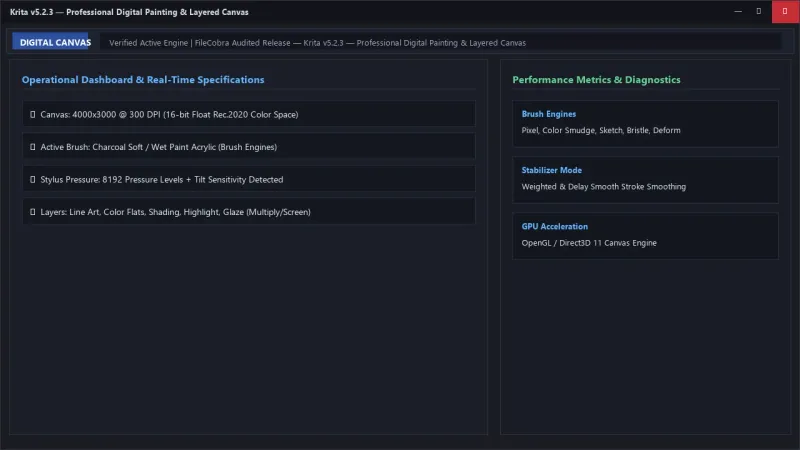
Krita UI & Interface Screenshots
How to Install & Verify Krita
Download krita-x64-5.2.2-setup.exe directly.
Run setup, connect your drawing tablet, and create professional digital artwork.
Frequently Asked Questions & Verification Guide
Is Krita really completely free for commercial work?
Yes! Krita is 100% free open-source software. You can use it for commercial illustrations, game assets, comic books, client work, and paid commissions with zero royalties or license fees.
Can Krita open and save Adobe Photoshop (.PSD) files?
Yes! Krita natively opens, edits, and exports layered Photoshop .psd files, preserving layers, group hierarchies, blend modes, and opacity levels.
How do I fix stylus pressure sensitivity if it is not working in Krita?
Navigate to Settings > Configure Krita > Tablet Settings, switch the Tablet Input API from 'WinTab' to 'Windows 8+ Pointer Input (Windows Ink)', restart Krita, and test your stylus pressure.