

Kodi v21.0 Omega - Award-Winning 4K Home Theater & Media Center Hub
Kodi (formerly XBMC) is the award-winning, free and open-source cross-platform home theater software suite and media center hub developed by the non-profit...
Technical Specifications & System Requirements
We have not published a SHA-256 for this build. Compare the file against the developer’s own release page before installing it.
Software notes
Features
- Full 4K HDR10 & Dolby Vision Passthrough Playback on PC & TV.
- Scrapes Artwork, Actor Bios & Plot Summaries for Movies & TV Shows optimized for Windows.
- Clean interface with direct high-speed download mirrors.
Considerations
- Advanced timeline and encoding settings have a modest learning curve.
Kodi for Windows PC — Official Open-Source Home Theater Software & Entertainment Hub
Kodi (formerly XBMC) is the award-winning, free and open-source cross-platform home theater software suite and media center hub developed by the non-profit XBMC Foundation for Microsoft Windows, Linux, Android, macOS, and dedicated home theater appliances. Designed specifically for living room entertainment and 10-foot television user interfaces, Kodi consolidates your entire digital media collection—including 4K HDR movies, multi-season TV shows, lossless audio libraries, family photo albums, and live PVR television broadcasts—into an elegant, remote-controllable entertainment powerhouse.
---
🌟 Core Architecture & Engineering Highlights
Kodi is built upon a high-performance C++ core engineered for hardware-accelerated video decoding and sophisticated media library database management.
Hardware-Accelerated Video Rendering & Dynamic HDR Tone Mapping
Kodi's video player engine leverages native Windows DirectX 11/12 APIs with hardware acceleration via NVIDIA NVDEC, Intel QuickSync, and AMD AMF. It delivers flawless playback of HEVC (H.265), AV1, VP9, and VC-1 codecs at native 4K and 8K resolutions, featuring automatic display refresh rate switching (e.g., 23.976 Hz cinema mode) and dynamic HDR10 / Dolby Vision color tone mapping.
Bit-Perfect Audio Passthrough (WASAPI Exclusive)
For audiophiles and multi-channel home theater setups, Kodi supports WASAPI Exclusive Mode audio passthrough. It bitstreams raw uncompressed Dolby Atmos, Dolby TrueHD, DTS-HD Master Audio, and multi-channel 7.1 LPCM audio streams directly over HDMI to your AV receiver with zero operating system resampling or quality loss.
Python Add-On Extensible Engine & Scraping Architecture
Kodi features a sandboxed Python runtime environment powering thousands of community add-ons. Its intelligent metadata scrapers automatically query online databases (TheMovieDB, TVDb, MusicBrainz), downloading high-definition movie posters, actor biographies, plot summaries, theatrical trailers, and disc artwork automatically upon adding media folders.
---
⚙️ Key Capabilities & Workflow Features
Kodi transforms any Windows PC or mini-PC into an ultra-powerful home theater system.
1. Unified Movies & TV Shows Library with Smart Playlists
Organize your film and series collection with automatic season grouping, unplayed episode indicators, custom genres, and Smart Playlists. Filter your library by resolution (4K UHD, 1080p), director, year, parental rating, or audio codec with instant search responsiveness.
2. Audiophile Lossless Music Vault & Visualization
Play high-resolution audio formats (FLAC, ALAC, DSD, WAV, AAC, MP3) with gapless playback, embedded cue sheet support, interactive artist biographies, and GPU-accelerated 3D music visualizers that react to audio frequencies in real time.
3. Live TV, IPTV & Personal Video Recorder (PVR)
Connect Kodi to backend TV tuners (NextPVR, HDHomeRun, Tvheadend) or IPTV playlists via the IPTV Simple Client add-on. Enjoy full Electronic Program Guide (EPG) timelines, pause/rewind live television, and schedule automated DVR recordings directly from your couch.
4. Game Emulation & RetroPlayer Integration
Kodi includes the RetroPlayer gaming subsystem, supporting modular Libretro emulation cores. Connect your wireless gamepad to play classic arcade and console video games directly from your Kodi media dashboard.
---
📊 Comprehensive Head-to-Head Comparison Matrix
| Evaluation Dimension | Kodi (FileCobra) | Jellyfin Theater | Emby Theater |
|---|---|---|---|
| Client-Server Requirement | Standalone Local or Network | Requires Central Server | Requires Central Server |
| 10-Foot Television GUI | Estuary & Custom Skins | Web-Based Desktop UI | Dedicated TV UI (Paid) |
| Retro Game Emulation | Built-in RetroPlayer | None | None |
| Direct PVR TV Tuner Support | Native PVR Client Add-ons | Server PVR Plugin | Server PVR Plugin |
| Custom Skins & Theming | Infinite Theming Engine | Limited CSS Customization | Preset Themes |
| License Type | 100% Free Open Source (GPLv2) | Free Open Source (GPLv3) | Proprietary Commercial |
---
📋 Technical Hardware & System Requirements
Kodi is optimized to run smoothly on budget HTPC mini-PCs as well as dedicated living room rigs:
| Hardware Component | Minimum System Requirement | Recommended Performance Spec |
|---|---|---|
| Operating System | Windows 11 / 10 / 8.1 / 7 (32-bit & 64-bit) | Windows 11 64-bit (Version 23H2 / 24H2) |
| Processor (CPU) | Dual-Core 1.5 GHz x86/x64 Processor | Modern Quad-Core Intel / AMD Processor |
| System Memory (RAM) | 2 GB RAM | 4 GB+ RAM |
| Graphics (GPU) | DirectX 11 / OpenGL capable GPU | GPU with Hardware HEVC/AV1 Decoding & HDMI 2.1 |
| Storage Space | 200 MB for app + Metadata Cache | High-speed SSD for instant library caching |
---
🛠️ Step-by-Step Installation & Quick Setup Guide
Follow this guide to install and configure Kodi on your Windows PC:
1. Downloading and Installing Kodi
- Download the official verified standalone 64-bit installer (
kodi-21.x-Omega-x64.exe) via FileCobra. - Complete the setup wizard and launch Kodi into full-screen mode.
2. Adding Movie & TV Show Sources
- Navigate to Videos > Files > Add videos... and click Browse.
- Select your local hard drive folder or network SMB/NFS share containing your movies.
- Under "This directory contains", select Movies, choose The Movie Database (TMDb) scraper, and click OK to auto-download posters and metadata.
3. Configuring Audio Passthrough
- Click the Gear (Settings) icon, select System > Audio, and change Settings level to Expert.
- Scroll to the bottom, toggle Allow passthrough to ON, and check your AVR-supported formats (Dolby Digital, TrueHD, DTS-HD).
---
🔒 Security, Privacy & Open-Source Integrity Analysis
Kodi maintains strict open-source privacy and safety standards:
- 100% Free & Open Source: Developed under GNU GPLv2 by the non-profit XBMC Foundation with zero commercial data tracking.
- Offline Local Control: All metadata and watch histories are stored locally on your own machine.
---
❓ Frequently Asked Questions (FAQ)
Is Kodi completely free and legal to use?
Yes! Kodi is 100% free, legal, open-source software designed to organize and play your personal digital media files.
How do I control Kodi using my smartphone or TV remote?
You can control Kodi using the official open-source Kore or Yatse mobile remote apps on Android/iOS over Wi-Fi, or use any standard CEC-compatible TV remote control.
Can Kodi automatically download subtitles for movies?
Yes! Install the official OpenSubtitles.com or Subscene add-on from the Kodi Add-on Repository to automatically search and download subtitles in any language with a single click during playback.
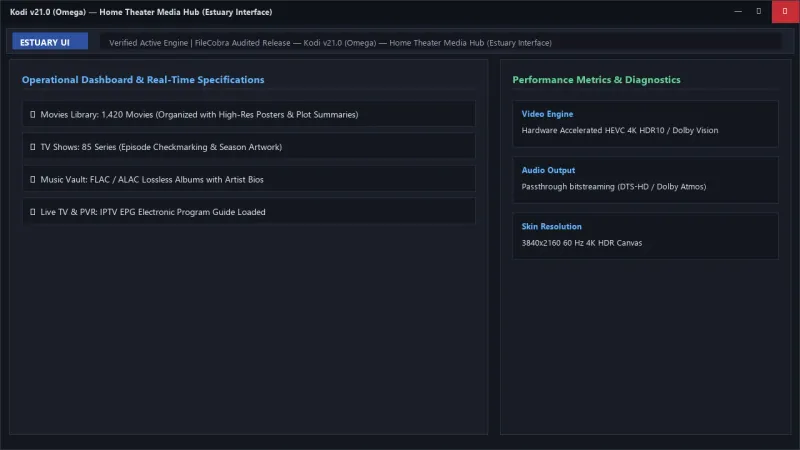
Kodi UI & Interface Screenshots
How to Install & Verify Kodi
Download kodi-21.0-Omega-x64.exe directly.
Run setup, add your local movies folder, and Kodi will organize everything with poster artwork.
Frequently Asked Questions & Verification Guide
Is Kodi completely free and legal to use?
Yes! Kodi is 100% free, legal, open-source software designed to organize and play your personal digital media files.
How do I control Kodi using my smartphone or TV remote?
You can control Kodi using the official open-source Kore or Yatse mobile remote apps on Android/iOS over Wi-Fi, or use any standard CEC-compatible TV remote control.
Can Kodi automatically download subtitles for movies?
Yes! Install the official OpenSubtitles.com or Subscene add-on from the Kodi Add-on Repository to automatically search and download subtitles in any language with a single click during playback.