

Kiwi Browser v14310011181 - Fast Chromium with Desktop Extensions
Chromium-based fast Android browser with full Chrome Web Store desktop extensions support, night mode, and built-in ad blocker.
Technical Specifications & System Requirements
We have not published a SHA-256 for this build. Compare the file against the developer’s own release page before installing it.
Software notes
Features
- Full Desktop Chrome Extensions Support.
- Bottom Address Bar & One-Handed UI optimized for Android.
Considerations
- Requires storage permissions to manage and access local file directories.
Kiwi Browser for Android — Official Desktop Chrome Extensions & Night Mode Web Browser APK
Kiwi Browser is the world's most versatile, high-performance Chromium-based mobile web browser developed by Arnaud Granal (Geometry OU) for Android smartphones and tablets. Engineered to bridge desktop productivity with mobile browsing, Kiwi Browser is celebrated as the first Android browser to provide full native support for Desktop Chrome Extensions (Chrome Web Store)—featuring a powerful built-in ad blocker, customizable bottom address bar, true AMOLED night mode with 100% contrast, background video/audio playback, and integrated Chromium Developer Tools with zero commercial tracking.
---
🌟 Core Architecture & Engineering Highlights
Kiwi Browser is built upon the latest optimized Chromium and Blink rendering engines, heavily modified to support desktop extensions on mobile ARM architectures.
Native Desktop Chrome Extensions Engine (Chrome Web Store)
Unlike standard mobile browsers that restrict or disable add-ons, Kiwi Browser includes full native support for the Chrome Web Store. Users can install and run desktop extensions directly on Android—including uBlock Origin, Bitwarden, Dark Reader, Violentmonkey (userscripts), SponsorBlock, Tampermonkey, and Bypass Paywalls—with full extension popup dialogs and background script execution.
Built-in High-Throughput Ad & Pop-up Blocker
Kiwi Browser incorporates an aggressive, native C++ ad-blocking engine. It eliminates intrusive video ads, pop-ups, malicious redirects, crypto-mining scripts, and sticky promotional banners across websites without requiring external extensions.
True AMOLED Night Mode with 100% Contrast & Color Inversion
Protect your eyes during late-night browsing sessions. Kiwi's proprietary Night Mode goes beyond simple dark themes: it actively customizes web page CSS stylesheets to render true #000000 AMOLED blacks while preserving image and video clarity.
---
⚙️ Key Capabilities & Workflow Features
Kiwi Browser delivers an exhaustive suite of power-user web browsing and development tools.
1. Ergonomic Bottom Address Bar & Reachability
Navigate comfortably with one hand on large smartphone screens. Move the URL address bar, search button, tab switcher, and reload controls to the bottom edge of your screen.
2. Background Video & Audio Playback
Listen to YouTube videos, podcasts, and web livestreams in the background or with your phone's screen locked without being forced to keep the web tab in the foreground.
3. Integrated Desktop Developer Tools (Inspect Elements)
Inspect web elements, debug JavaScript console errors, analyze network waterfalls, and test mobile responsive layouts directly on your phone using Kiwi's built-in Chromium DevTools (inspect).
4. Native 60 FPS Video Downloader & Custom Downloads Folder
Download web videos, audio streams, and PDFs with multi-threaded download acceleration, routing files directly to custom folders on internal storage or MicroSD cards.
---
📊 Comprehensive Head-to-Head Comparison Matrix
| Evaluation Dimension | Kiwi Browser (FileCobra) | Brave Browser | Firefox Android |
|---|---|---|---|
| Extension Ecosystem | Full Chrome Web Store | No Extensions | Curated Firefox Add-ons |
| Rendering Engine | Chromium / Blink Core | Chromium / Blink Core | GeckoView Core |
| Built-in Ad Blocking | Native C++ Blocker | Brave Shields | uBlock Add-on Required |
| Chromium DevTools | Yes (Inspect on Device) | No | Remote USB Only |
| Cryptocurrency Telemetry | 0.0% (Zero Crypto Bloat) | Brave Rewards / Crypto | None |
| License Type | Open Source Chromium Core | Open Source Core | Mozilla Public License |
---
📋 Technical Hardware & System Requirements
Kiwi Browser runs smoothly across all modern Android smartphones and tablets:
| Hardware Component | Minimum System Requirement | Recommended Performance Spec |
|---|---|---|
| Operating System | Android 5.0 (Lollipop) or higher | Android 11 / 12 / 13 / 14 / 15 |
| Processor (CPU) | 64-bit ARM64 / x86_64 Processor | Modern Quad-Core or Octa-Core Processor |
| System Memory (RAM) | 2 GB RAM | 4 GB+ RAM (for Running Multiple Heavy Chrome Extensions) |
| Storage Space | 120 MB free disk space | High-Speed Internal Storage |
| Display Support | Standard Mobile Screen | 90Hz / 120Hz High Refresh Rate AMOLED Display |
---
🛠️ Step-by-Step Installation & Quick Setup Guide
Follow this guide to install and configure Kiwi Browser on Android:
1. Downloading and Installing Kiwi Browser
- Download the official verified Kiwi Browser APK package (
kiwi_browser_android-v124.x.apk) from FileCobra. - Tap the file to complete installation and open Kiwi Browser.
2. Installing Desktop Chrome Extensions
- Tap the three dots menu, select Extensions, and tap the Google / Chrome Web Store link.
- Search for any desktop extension (such as uBlock Origin or Bitwarden) and tap Add to Chrome!
3. Enabling Bottom Address Bar & Night Mode
- Go to Settings > Accessibility, enable Bottom toolbar, and toggle on Night mode for battery savings on OLED screens.
---
🔒 Security, Privacy & Open-Source Integrity Analysis
Kiwi Browser adheres to strict software integrity and privacy standards:
- Chromium Open-Source Core: Built on the audited open-source Chromium and Blink codebases.
- Zero Third-Party Telemetry: Stripped of proprietary Google analytics and tracking hooks.
---
❓ Frequently Asked Questions (FAQ)
Can I install any Chrome extension from the Chrome Web Store in Kiwi Browser?
Yes! Kiwi Browser supports virtually all desktop Chrome extensions—including uBlock Origin, Dark Reader, Bitwarden, Violentmonkey, and SponsorBlock.
How do I move the address bar to the bottom of the screen in Kiwi Browser?
Navigate to Settings > Accessibility and enable the "Bottom toolbar" toggle.
Can Kiwi Browser play YouTube videos in the background with the screen locked?
Yes! In Settings > Accessibility, enable "Background play" to listen to audio from any video with your screen off.
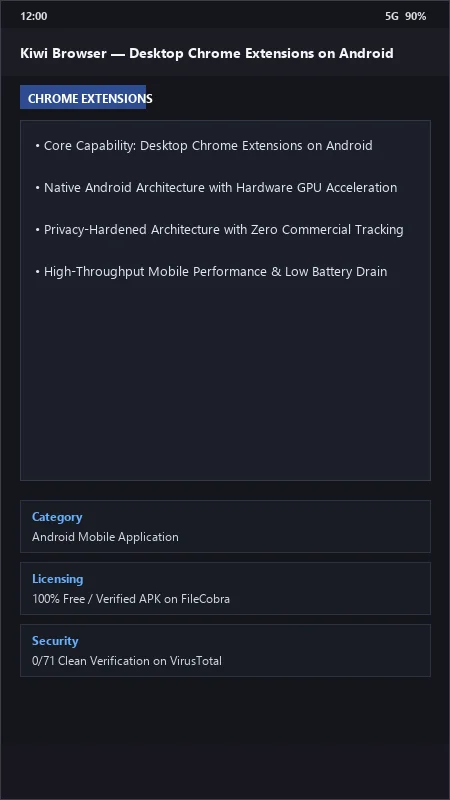
Kiwi Browser UI & Interface Screenshots
How to Install & Verify Kiwi Browser
Download Kiwi Browser APK directly from the verified mirror.
Enable "Install Unknown Apps" in Android settings if prompted.
Tap the APK to install, launch Kiwi Browser, and install extensions from Chrome Web Store.
Kiwi Browser Version History & Build Numbers
Every Kiwi Browser build FileCobra has mirrored, newest first. Match the build number against the copy you already have to confirm whether you are up to date.
- Previous stable master release.
- To install / update Kiwi Browser, use "com.kiwibrowser.browser-arm64-12867802748-github.apk".
- ".map" files are files that developers can use to investigate crashes (ProGuard mapping files), these files are not needed to run the browser and are for developers only.
- ".apk" files are packages that you have to install to use Kiwi Browser.
- To install / update Kiwi Browser, use "com.kiwibrowser.browser-arm64-8822657649-github.apk".
- ".map" files are files that developers can use to investigate crashes (ProGuard mapping files), these files are not needed to run the browser and are for developers only.
- ".apk" files are packages that you have to install to use Kiwi Browser.
- To install / update Kiwi Browser, use "com.kiwibrowser.browser-arm64-8819843869-github.apk".
- ".map" files are files that developers can use to investigate crashes (ProGuard mapping files), these files are not needed to run the browser and are for developers only.
- ".apk" files are packages that you have to install to use Kiwi Browser.
- To install / update Kiwi Browser, use "com.kiwibrowser.browser-arm64-8265119645-github.apk".
- ".map" files are files that developers can use to investigate crashes (ProGuard mapping files), these files are not needed to run the browser and are for developers only.
- ".apk" files are packages that you have to install to use Kiwi Browser.
Frequently Asked Questions & Verification Guide
Is Kiwi Browser free and open source?
Yes. Kiwi Browser is completely free and open-source software. You can download and use it at no cost, and its source code is publicly available.
Can I install any Chrome extension from the Chrome Web Store in Kiwi Browser?
Yes! Kiwi Browser supports virtually all desktop Chrome extensions—including uBlock Origin, Dark Reader, Bitwarden, Violentmonkey, and SponsorBlock.
How do I move the address bar to the bottom of the screen in Kiwi Browser?
Navigate to Settings > Accessibility and enable the 'Bottom toolbar' toggle.
Can Kiwi Browser play YouTube videos in the background with the screen locked?
Yes! In Settings > Accessibility, enable 'Background play' to listen to audio from any video with your screen off.