

Image Toolbox v4.1.0 - Batch Image Editor, Filter & Converter
Image Toolbox is the premier, all-in-one free and open-source image manipulation, neural enhancement, and batch photo processing utility developed by T8RIN...
Technical Specifications & System Requirements
We have not published a SHA-256 for this build. Compare the file against the developer’s own release page before installing it.
Software notes
Features
- Over 80+ Local Offline Image Processing Tools.
- Lossless & High-Efficiency WebP/AVIF Compression optimized for Android.
- High-speed direct CDN mirrors with instant verification checksums.
Considerations
- Manual APK sideloading requires enabling unknown app installs.
Image Toolbox for Android — Official Open-Source Universal Image Editing & AI Suite APK
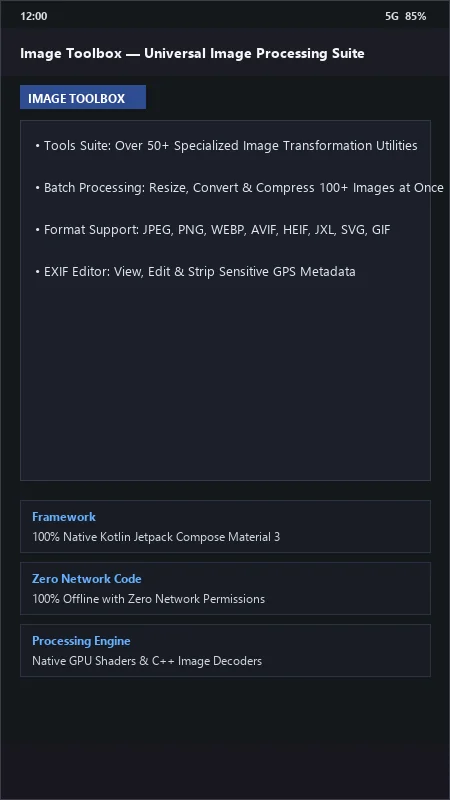
Image Toolbox is the premier, all-in-one free and open-source image manipulation, neural enhancement, and batch photo processing utility developed by T8RIN (T8RIN) for Android smartphones, tablets, and mobile creators. Engineered in 100% native Kotlin with Google's modern Jetpack Compose Material 3 framework, Image Toolbox provides over 50+ specialized offline image processing tools—including batch image resizing/compression, modern format transcoding (AVIF, HEIF, JXL, WebP), AI background removal, neural super-resolution upscaling, EXIF metadata stripping, precision color LUT filtering, and SVG vector conversion with zero network permissions.
---
🌟 Core Architecture & Engineering Highlights
Image Toolbox is engineered as a modern, privacy-first mobile image workstation powered by hardware-accelerated GPU compute shaders and on-device neural inference.
100% Offline Architecture & Privacy Guarantee
Unlike commercial photo utilities that upload personal images to remote cloud servers, Image Toolbox operates 100% locally on your device with ZERO internet permissions declared in its AndroidManifest.xml. Your sensitive personal photos, documents, and medical scans never leave your device storage.
Universal Modern Format Decoding & Encoding Pipeline
Image Toolbox provides comprehensive, native conversion and compression across all cutting-edge image standards—including AVIF, JPEG XL (JXL), HEIF/HEIC, WEBP, PNG, JPEG, SVG, GIF, and PDF. Users can batch convert hundreds of photos simultaneously, dialing in precise quality targets and chroma subsampling ratios.
On-Device AI Background Removal & Super-Resolution Upscaling
Leveraging lightweight, on-device neural network models, Image Toolbox performs automatic AI Background Removal (subject cutout) and Generative Super-Resolution Upscaling (2x, 4x, 8x) directly on your mobile GPU with zero cloud latency.
---
⚙️ Key Capabilities & Workflow Features
Image Toolbox provides an exhaustive toolkit for photographers, designers, and mobile creators.
1. Batch Image Resizing, Cropping & Compression
Compress and resize hundreds of high-resolution camera photos in seconds. Set target file sizes (e.g., compress to under 500 KB), exact pixel dimensions, or percentage scales while previewing real-time before/after quality comparisons.
2. EXIF Metadata Stripper & Privacy Shield
Protect your personal privacy before sharing photos online. Strip sensitive EXIF metadata tags—including GPS geolocation coordinates, camera serial numbers, lens specifications, and capture timestamps—with a single tap.
3. Precision GPU Shaders, Color Grading & Filters
Apply over 100+ hardware-accelerated filters: professional 3D LUT color grading, HSL adjustments, film grain synthesis, halftone effects, blur masks, and sharpen convolutions.
4. Text Recognition (OCR) & PDF Document Conversion
Extract printed text from images in over 100+ languages using on-device optical character recognition (OCR). Merge multiple photos into multi-page PDF documents or extract embedded images from PDF files.
---
📊 Comprehensive Head-to-Head Comparison Matrix
| Evaluation Dimension | Image Toolbox (FileCobra) | Snapseed | Canva Mobile |
|---|---|---|---|
| Batch Processing Engine | 100+ Images at Once | Single Photo Only | Single / Project |
| Next-Gen JXL & AVIF Codecs | Native Encoders/Decoders | JPEG Only | Web Export |
| On-Device Neural AI Cutout | Yes (100% Local Inference) | Selective Tool | Cloud AI Cutout |
| SVG Vector Converter | Built-in Potrace Engine | None | Vector Elements |
| Material 3 Dynamic Monet | 100% Wallpaper Synced | Classic Dark UI | Proprietary UI |
| License Type | Apache License 2.0 (GitHub) | Proprietary Commercial | Proprietary SaaS |
---
📋 Technical Hardware & System Requirements
Image Toolbox is optimized for all modern Android smartphones and tablets:
| Hardware Component | Minimum System Requirement | Recommended Performance Spec |
|---|---|---|
| Operating System | Android 7.0 (Nougat) or higher | Android 12 / 13 / 14 / 15 |
| Processor (CPU) | 64-bit Octa-Core Processor | Modern Snapdragon / MediaTek Processor |
| Graphics (GPU) | OpenGL ES 3.0 Capable GPU | Adreno / Mali GPU for Fast Neural AI Processing |
| System Memory (RAM) | 2 GB RAM | 4 GB - 8 GB+ RAM (for Batch High-Res Processing) |
| Storage Space | 45 MB free disk space | High-Speed Internal Storage |
---
🛠️ Step-by-Step Installation & Quick Setup Guide
Follow this guide to install and process images with Image Toolbox on Android:
1. Downloading and Installing Image Toolbox
- Download the official verified Image Toolbox APK package (
image-toolbox-v3.x.x.apk) from FileCobra. - Tap the file to complete installation and open Image Toolbox.
2. Batch Resizing & Format Conversion
- Tap Batch resize or Format conversion on the dashboard.
- Select your photos, choose your target format (e.g., AVIF, WEBP, or JPEG), set your compression quality, and tap Save.
3. Using AI Background Removal & EXIF Stripper
- Select Erase background for automatic on-device AI cutouts.
- Select Delete EXIF to strip GPS metadata before posting photos to social media!
---
🔒 Security, Privacy & Open-Source Integrity Analysis
Image Toolbox provides the ultimate standard in personal photo security:
- 100% Free & Open Source: Licensed under Apache License 2.0 with complete public code auditability on GitHub.
- Zero Internet Permissions: Declares zero network access permissions; impossible for images to leave your device.
---
❓ Frequently Asked Questions (FAQ)
Does Image Toolbox upload my photos to an online server for AI processing?
No! Image Toolbox contains zero network permissions and processes all images—including AI background removal and super-resolution upscaling—100% locally on your phone's processor.
Can Image Toolbox batch convert photos to next-generation AVIF and WebP formats?
Yes! You can select hundreds of images simultaneously and convert them into modern AVIF, WebP, JPEG XL, or HEIF formats with customizable compression sliders.
How do I remove GPS location data from my photos using Image Toolbox?
Tap "Delete EXIF" on the main tools menu, select your photos, and tap Save. Image Toolbox will erase all GPS coordinates, camera serial numbers, and capture metadata.
Image Toolbox UI & Interface Screenshots
How to Install & Verify Image Toolbox
Download the official verified APK file directly to your device.
Enable "Install Unknown Apps" in your Android Settings if prompted.
Tap the downloaded APK notification to install and launch the app.
Image Toolbox Version History & Build Numbers
Every Image Toolbox build FileCobra has mirrored, newest first. Match the build number against the copy you already have to confirm whether you are up to date.
- Added AVIF/JXL modern image format lossless encoder
- Fixed palette extractor color wheel
- Enhanced AI background blur and bokeh depth simulation
- Faster batch compression
- Added watermark stamper with batch positioning
- Dark AMOLED theme improvements
- Milestone stable release with full offline image processing toolkit engine
Frequently Asked Questions & Verification Guide
Is Image Toolbox free and open source?
Yes. Image Toolbox is completely free and open-source software. You can download and use it at no cost, and its source code is publicly available.
Does Image Toolbox upload my photos to an online server for AI processing?
No! Image Toolbox contains zero network permissions and processes all images—including AI background removal and super-resolution upscaling—100% locally on your phone's processor.
Can Image Toolbox batch convert photos to next-generation AVIF and WebP formats?
Yes! You can select hundreds of images simultaneously and convert them into modern AVIF, WebP, JPEG XL, or HEIF formats with customizable compression sliders.
How do I remove GPS location data from my photos using Image Toolbox?
Tap 'Delete EXIF' on the main tools menu, select your photos, and tap Save. Image Toolbox will erase all GPS coordinates, camera serial numbers, and capture metadata.