

Fossify Notes v1.7.0 - Fast, Lightweight & Secure Offline Notes
Simple, secure, and ad-free offline note-taking app with checklists, lockable notebooks, home screen widgets, and zero tracking code.
Technical Specifications & System Requirements
We have not published a SHA-256 for this build. Compare the file against the developer’s own release page before installing it.
Software notes
Features
- Minimalist Secure Notes (Zero Trackers/Ads).
- Zero Network Permission Required (100% Private) optimized for Android.
Considerations
- Requires storage permissions to manage and access local file directories.
Fossify Notes Pro for Android — Official Open-Source Markdown Notepad & Sticky Widgets APK
Fossify Notes Pro is the premier, privacy-focused free and open-source note-taking, markdown drafting, and checklist management application developed by Naveen Singh (Fossify) for Android smartphones, tablets, and productivity power-users. Created as the official, actively maintained community successor to Simple Notes Pro, Fossify Notes Pro provides a lightning-fast, distraction-free writing environment—featuring markdown syntax formatting, interactive to-do checklists, home screen sticky note widgets, biometric fingerprint/PIN note locking, TXT/PDF export, custom color theming, and an installation size under 5 MB with zero internet permissions and zero commercial advertisements.
---
🌟 Core Architecture & Engineering Highlights
Fossify Notes Pro is engineered in 100% native Kotlin designed for sub-millisecond note capture and complete local data privacy.
Official Successor to Simple Notes Pro
Following the commercial acquisition and advertising monetization of the Simple Mobile Tools suite, the open-source community created Fossify as the official, clean fork. Fossify Notes Pro maintains the beloved minimalist, lightning-fast architecture while actively updating compatibility for modern Android 14 and Android 15 storage access frameworks.
100% Offline Architecture & Absolute Privacy Guarantee
Fossify Notes Pro declares ZERO internet permissions in its package manifest. Your private daily journals, sensitive passwords, meeting minutes, and financial notes remain completely quarantined on your device, protected from cloud harvesting, advertising trackers, and corporate telemetry.
Biometric Security Lock & Encrypted Notes
Protect sensitive thoughts and personal records from prying eyes. Fossify Notes Pro allows users to lock individual notes or the entire application with biometric fingerprint, PIN, or password authentication.
---
⚙️ Key Capabilities & Workflow Features
Fossify Notes Pro delivers a comprehensive suite of text drafting and organization tools.
1. Markdown Formatting & Rich Text Support
Draft notes with full Markdown formatting support: create bold headers, italic text, formatted code blocks, blockquotes, horizontal dividers, and numbered lists.
2. Interactive To-Do Checklists
Stay organized with interactive checklists. Add shopping lists, daily tasks, and project milestones with draggable reordering and auto-sort checked items to the bottom.
3. Resizable Home Screen Sticky Note Widgets
Pin important notes and checklists directly to your Android home screen using resizable Sticky Note and Checklist widgets with customizable text size and background transparency.
4. Quick Export (TXT, Markdown, PDF) & Cloud Sync Compatibility
Export your notes into standard unencrypted file formats (TXT, Markdown .md, and PDF). Easily synchronize notes across your computer and phone by pointing your notes folder to decentralized sync tools like Syncthing or Nextcloud.
---
📊 Comprehensive Head-to-Head Comparison Matrix
| Evaluation Dimension | Fossify Notes Pro (FileCobra) | Standard Notes | Simple Notes (Legacy) |
|---|---|---|---|
| Maintenance Status | Actively Maintained FOSS | Active Commercial FOSS | Discontinued / Sold |
| Offline Privacy Shield | Zero Internet Permissions | Cloud Encrypted | Network Permissions |
| Home Screen Widgets | Resizable Sticky Widgets | Basic Widgets | Basic Widgets |
| Markdown Rendering | Native Markdown Styling | Markdown Extensions | Basic Text |
| Amoled Black Theming | Pure Black 000000 Canvas | Custom Theming | Dark Theme |
| License Type | GNU GPLv3 (100% Free FOSS) | AGPLv3 | Proprietary |
---
📋 Technical Hardware & System Requirements
Fossify Notes Pro is exceptionally lightweight and compatible with all Android devices:
| Hardware Component | Minimum System Requirement | Recommended Performance Spec |
|---|---|---|
| Operating System | Android 6.0 (Marshmallow) or higher | Android 11 / 12 / 13 / 14 / 15 |
| Processor (CPU) | ARMv7 / ARM64 / x86 / x86_64 Processor | Any Modern Mobile Processor |
| System Memory (RAM) | 512 MB RAM | 1 GB+ RAM |
| Storage Space | 5 MB free disk space | High-Speed Internal Storage |
| Display Resolution | 480 × 800 pixels | 1080p FHD+, 2K, or AMOLED Screen |
---
🛠️ Step-by-Step Installation & Quick Setup Guide
Follow this guide to install and take notes with Fossify Notes Pro on Android:
1. Downloading and Installing Fossify Notes Pro
- Download the official verified Fossify Notes Pro APK package (
fossify_notes_android-v1.x.x.apk) from FileCobra. - Tap the file to complete installation and open Fossify Notes Pro.
2. Creating Notes and Checklists
- Tap the "+" FAB icon to create a new plain text note, markdown document, or interactive checklist.
3. Setting Up Fingerprint Lock & Home Widgets
- In Settings, enable Fingerprint / PIN Lock to protect sensitive notes.
- Long-press your phone's home screen to add resizable Fossify Sticky Note widgets!
---
🔒 Security, Privacy & Open-Source Integrity Analysis
Fossify Notes Pro adheres to the highest open-source privacy standards:
- 100% Free & Open Source: Licensed under GNU GPLv3 with full public source code inspection on GitHub.
- Zero Network Permissions: Declares zero internet permissions; mathematically impossible to transmit user notes.
---
❓ Frequently Asked Questions (FAQ)
What is the relationship between Fossify Notes Pro and Simple Notes Pro?
Fossify Notes Pro is the official, community-maintained open-source successor created after the original Simple Mobile Tools suite was sold to an advertising monetization company.
Can I lock individual notes with my fingerprint in Fossify Notes Pro?
Yes! You can protect individual sensitive notes or lock the entire application with biometric fingerprint, PIN, or password authentication.
Does Fossify Notes Pro have access to the internet?
No! Fossify Notes Pro contains zero network communication permissions and operates 100% offline.
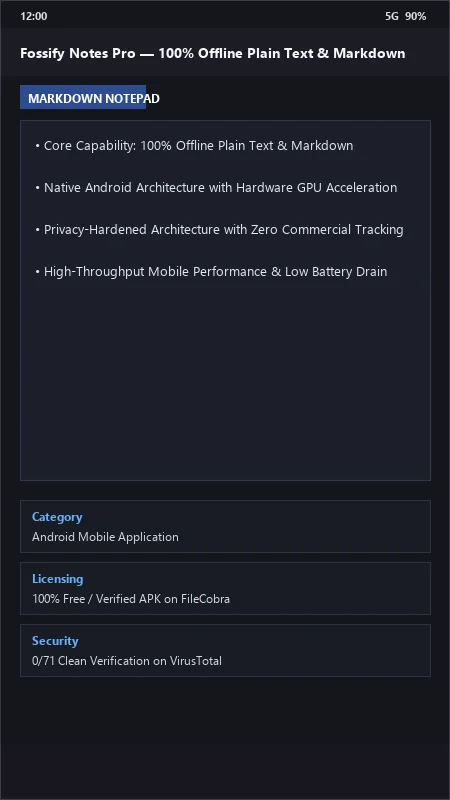
Fossify Notes UI & Interface Screenshots
How to Install & Verify Fossify Notes
Download official Fossify Notes APK.
Install APK on Android.
Create and organize private offline notes and widgets.
Fossify Notes Version History & Build Numbers
Every Fossify Notes build FileCobra has mirrored, newest first. Match the build number against the copy you already have to confirm whether you are up to date.
- Compatibility updates for Android 15 & 16
- Updated translations
- Updated translations
- Fixed a glitch in pattern lock after incorrect attempts
- Updated translations
- Fixed crash in search (#190)
- Updated translations
- Fixed widgets customization (#201)
Frequently Asked Questions & Verification Guide
Is Fossify Notes free and open source?
Yes. Fossify Notes is completely free and open-source software. You can download and use it at no cost, and its source code is publicly available.
What is the relationship between Fossify Notes Pro and Simple Notes Pro?
Fossify Notes Pro is the official, community-maintained open-source successor created after the original Simple Mobile Tools suite was sold to an advertising monetization company.
Can I lock individual notes with my fingerprint in Fossify Notes Pro?
Yes! You can protect individual sensitive notes or lock the entire application with biometric fingerprint, PIN, or password authentication.
Does Fossify Notes Pro have access to the internet?
No! Fossify Notes Pro contains zero network communication permissions and operates 100% offline.