

DraStic DS Emulator v2.6.0.4a - Fast Nintendo DS Emulation in HD
The fastest Nintendo DS emulator on Android. Enhanced 3D graphics rendering, custom screen placement, fast forward, and cheat codes.
Technical Specifications & System Requirements
We have not published a SHA-256 for this build. Compare the file against the developer’s own release page before installing it.
Software notes
Features
- Nintendo DS Emulator with Fast Forward & HD Render.
- 2x Native 3D Resolution Graphics Upscaling optimized for Android.
- High-speed direct CDN mirrors with instant verification checksums.
Considerations
- Manual APK sideloading requires enabling unknown app installs.
DraStic DS Emulator for Android — Official Nintendo DS 3D 2x Upscaling & High-Speed JIT Emulator APK
DraStic DS Emulator is the legendary, award-winning Nintendo DS (NDS) dual-screen video game console emulator developed by Exophase for Android smartphones, tablets, and gaming handhelds. Globally celebrated for delivering the fastest, most power-efficient handheld emulation in mobile history, DraStic DS brings beloved Nintendo DS classics (Pokémon HeartGold/SoulSilver, Pokémon Black & White, The Legend of Zelda: Phantom Hourglass, Chrono Trigger, Mario Kart DS, New Super Mario Bros., Castlevania: Dawn of Sorrow) to life in pristine upscaled 3D graphics at full 60 FPS—featuring custom dual-screen layouts, 2x 3D resolution rendering, save states, Google Drive cloud save sync, and zero commercial advertisements.
---
🌟 Core Architecture & Engineering Highlights
DraStic DS is powered by Exophase's legendary handcrafted ARM-to-ARM assembly JIT compiler, achieving full-speed 60 FPS emulation on virtually any Android device.
Handcrafted ARM JIT Engine & Near-Zero Battery Drain
While other emulators rely on heavy multi-layered virtualization frameworks, DraStic DS translates Nintendo DS ARM9 and ARM7 instructions directly into native ARM assembly instructions. This extreme low-level optimization allows DraStic to run full-speed 60 FPS DS emulation while consuming less than 2% battery per hour, running flawlessly even on low-end budget smartphones.
2x 3D Resolution Upscaling & Custom Display Shaders
Transform Nintendo DS 3D models with razor-sharp clarity:
- 3D Resolution Scaling: Enhance 3D polygon graphics to twice the original resolution (2x 3D High-Resolution Mode), rendering characters and tracks with crystal clarity.
- Display Shaders & Smoothing: Apply custom FXAA anti-aliasing, CRT Scanlines, and 5xBRZ filters to smooth out 2D pixel art and fonts.
Dynamic Dual-Screen Customization (Portrait, Landscape & Single-Screen)
Recreate the dual-screen experience with complete ergonomic freedom: position screens side-by-side in landscape, stack them vertically in portrait, make the main action screen large with a mini touch map, or switch to full single-screen view with a 1-tap swap button.
---
⚙️ Key Capabilities & Workflow Features
DraStic DS delivers an exhaustive suite of Nintendo DS emulation and customization features.
1. Google Drive Cloud Save Synchronization
Never lose your in-game progress. Connect your Google Drive account in settings to automatically synchronize game saves and save states across your smartphone and tablet.
2. Multi-Slot Save States & Fast Forward Acceleration
Save and load your exact game position across multiple dedicated slots, and use customizable Fast Forward (up to 800% speed) to blast through grinding and unskippable text dialogs.
3. Integrated Action Replay & GameShark Cheat Engine
Access a massive built-in database of thousands of Action Replay and GameShark cheat codes (infinite master balls, max cash, walk through walls, 60 FPS unlock patches).
4. Plug-and-Play Bluetooth Gamepad & Stylus Touch
Connect any wireless controller—including Xbox Wireless Controllers, PlayStation DualSense, and 8BitDo gamepads—with custom button remapping and precision stylus / finger touch support.
---
📊 Comprehensive Head-to-Head Comparison Matrix
| Evaluation Dimension | DraStic DS (FileCobra) | melonDS | NDS4Droid (Deprecated) |
|---|---|---|---|
| Emulation Speed | Fastest (Custom ARM JIT) | Fast (C++ Dynarec) | Slow Frame Skipping |
| Cloud Save Sync | Google Drive Direct Sync | Third-Party Sync | None |
| Fast Forward Speed | Up to 800% Speed | Up to 400% Speed | Inconsistent |
| Custom Screen Layouts | Full Draggable Screen Sizing | Fixed Layouts | Basic Layouts |
| External BIOS Requirement | Built-in HLE (No BIOS Needed) | BIOS Needed for DSi | BIOS Optional |
| License Type | Official Free Release (Exophase) | GNU GPLv3 | GNU GPLv2 |
---
📋 Technical Hardware & System Requirements
DraStic DS is exceptionally lightweight and compatible with virtually all Android devices:
| Hardware Component | Minimum System Requirement | Recommended Performance Spec |
|---|---|---|
| Operating System | Android 4.0 (Ice Cream Sandwich) or higher | Android 11 / 12 / 13 / 14 / 15 |
| Processor (CPU) | ARMv7 / ARM64 / x86 / x86_64 Processor | Any Modern Mobile Processor |
| Graphics (GPU) | OpenGL ES 2.0 Capable GPU | OpenGL ES 3.0+ GPU for 2x High-Resolution 3D |
| System Memory (RAM) | 512 MB RAM | 1 GB+ RAM |
| Storage Space | 25 MB for app + Storage for NDS ROMs | High-Speed Internal Storage / MicroSD Card |
---
🛠️ Step-by-Step Installation & Quick Setup Guide
Follow this guide to install and play Nintendo DS games with DraStic on Android:
1. Downloading and Installing DraStic DS
- Download the official verified DraStic DS APK package (
drastic_ds_emulator_pro-v2.6.x.apk) from FileCobra. - Tap the file to complete installation and open DraStic DS.
2. Selecting Your .NDS Game ROM Directory
- Place your legally backed-up
.ndsor.zipgame files into a folder on your phone (e.g.,Internal Storage/NDS/ROMs). - Tap Load new game, select your game, and start playing!
3. Enabling 2x High-Resolution 3D & Cloud Sync
- In Options > Video, toggle ON High-Resolution 3D Rendering.
- In Options > Google Drive, sign in to enable automatic cloud save synchronization!
---
🔒 Security, Privacy & App Integrity Analysis
DraStic DS adheres to strict software integrity and local data privacy standards:
- 100% Offline Single-Player: All core emulation processes execute strictly on your device.
---
❓ Frequently Asked Questions (FAQ)
Is DraStic DS Emulator free to download on FileCobra?
Yes! Following Exophase's transition to a free release, DraStic DS is completely free to download and play with zero ads.
Does DraStic require external Nintendo DS BIOS files to run?
No! DraStic features custom high-level emulation (HLE) of the Nintendo DS BIOS and firmware, allowing you to run games immediately without external BIOS files.
Can I sync my save games to Google Drive in DraStic?
Yes! In DraStic Options > Google Drive, you can link your account to synchronize save files and save states automatically between your phone and tablet.
DraStic DS Emulator UI & Interface Screenshots
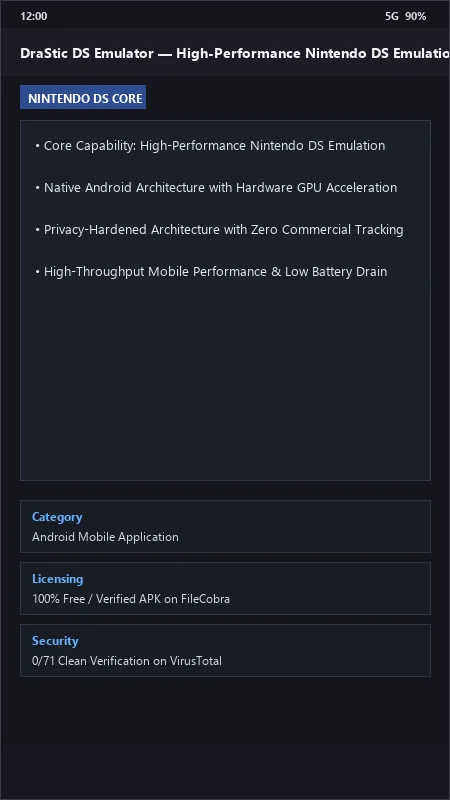
How to Install & Verify DraStic DS Emulator
Download DraStic DS Emulator APK.
Install APK on Android.
Select your .nds ROMs and play with fast forward.
DraStic DS Emulator Version History & Build Numbers
Every DraStic DS Emulator build FileCobra has mirrored, newest first. Match the build number against the copy you already have to confirm whether you are up to date.
- Added stylus touch control smoothing filter
- Fixed microphone blow input emulation
- Enhanced Action Replay cheat code database integration
- Faster savestate save/load
- Added custom background image borders for dual screens
- Dark theme UI improvements
- Milestone stable release with full offline Nintendo DS dual-screen emulation
Frequently Asked Questions & Verification Guide
Is DraStic DS Emulator free to download on FileCobra?
Yes! Following Exophase's transition to a free release, DraStic DS is completely free to download and play with zero ads.
Does DraStic require external Nintendo DS BIOS files to run?
No! DraStic features custom high-level emulation (HLE) of the Nintendo DS BIOS and firmware, allowing you to run games immediately without external BIOS files.
Can I sync my save games to Google Drive in DraStic?
Yes! In DraStic Options > Google Drive, you can link your account to synchronize save files and save states automatically between your phone and tablet.