

Dolphin Emulator v2412-230 - Nintendo GameCube & Wii in 4K
The premier Nintendo GameCube and Wii emulator for Android. Full 60FPS emulation with Vulkan backend, custom textures, and Wiimote emulation.
Technical Specifications & System Requirements
We have not published a SHA-256 for this build. Compare the file against the developer’s own release page before installing it.
Software notes
Features
- Nintendo GameCube & Wii Emulator with Vulkan.
- Full 1080p / 4K Resolution Upscaling optimized for Android.
- High-speed direct CDN mirrors with instant verification checksums.
Considerations
- Manual APK sideloading requires enabling unknown app installs.
Dolphin Emulator for Android — Official GameCube & Wii Console 60FPS Emulator APK
Dolphin Emulator is the world's most legendary, cutting-edge free and open-source Nintendo GameCube and Nintendo Wii video game console emulator developed by the Dolphin Emulator Project team for Android smartphones, tablets, and handheld gaming consoles. Celebrated across computing history for achieving near-flawless console emulation, Dolphin allows Android gamers to experience timeless classics (Super Smash Bros. Melee, The Legend of Zelda: The Wind Waker, Super Mario Sunshine, Mario Kart Wii, Metroid Prime) in stunning 1080p and 4K Ultra HD at full 60 FPS—featuring Vulkan graphics backend, multi-threaded dual-core execution, real Wii Remote motion emulation, and zero commercial advertisements.
---
🌟 Core Architecture & Engineering Highlights
Dolphin Emulator is engineered in modern C++ utilizing a state-of-the-art 64-bit ARM64 JIT (Just-In-Time) compiler and low-overhead Vulkan hardware acceleration pipelines.
High-Throughput Vulkan & Dual-Core Multi-Threading Engine
Dolphin separates emulation tasks across multiple CPU cores: one core emulates the GameCube/Wii PowerPC CPU (Broadway/Gekko), while other threads handle the Flipper/Hollywood GPU and audio DSP. By communicating directly with mobile GPUs via the Vulkan API, Dolphin achieves full-speed 60 FPS rendering on modern Snapdragon, MediaTek, and Tensor processors.
4K Resolution Upscaling & Custom Widescreen Hacks
Transform 480p standard-definition console games into modern masterpieces:
- Internal Resolution Scaling: Render games at 1x (480p), 2x (720p), 3x (1080p), up to 4K Ultra HD.
- Anisotropic Filtering & Anti-Aliasing: Apply up to 16x Anisotropic Filtering and SSAA/MSAA for razor-sharp edge smoothing.
- Widescreen 16:9 & 21:9 Hacks: Expand original 4:3 aspect ratios into true widescreen formats with zero image stretching.
Complete Nintendo Wii Remote & Motion Sensor Emulation
Experience full Wii motion controls on mobile: emulate the Wii Remote Pointer, Shake, Tilt, and Nunchuk analog stick using your phone's built-in touchscreen gyro sensors or map motion inputs to physical Bluetooth gamepads.
---
⚙️ Key Capabilities & Workflow Features
Dolphin Emulator delivers an exhaustive suite of console emulation and configuration tools.
1. Plug-and-Play Bluetooth Gamepad & GameCube Adapter Support
Connect any wireless controller—including Xbox Wireless Controllers, PlayStation DualSense, Nintendo Switch Pro Controllers, and official GameCube USB Adapters—with full per-game button mapping.
2. High-Fidelity DSP LLE Sound Emulation
Enjoy pristine, crackle-free chiptunes and orchestral soundtracks. Dolphin's DSP audio engine accurately emulates GameCube and Wii sound chips with ultra-low audio latency.
3. Instant Save States & Action Replay Cheat Codes
Save and load your exact game progress at any frame, and enable thousands of pre-configured Action Replay and Gecko Cheat Codes (infinite health, unlock all characters, 60 FPS patches).
4. Custom HD Texture Pack Replacement Engine
Load community-created HD Texture Packs to replace original textures with photorealistic modern assets dynamically while gaming.
---
📊 Comprehensive Head-to-Head Comparison Matrix
| Evaluation Dimension | Dolphin (FileCobra) | Dolphin MMJR (Fork) | Lemuroid |
|---|---|---|---|
| Official Maintenance | Official Dolphin Project | Unmaintained Fork | FOSS Multi-Emulator |
| Vulkan API Implementation | Up-to-Date Modern Vulkan | Outdated Vulkan Core | OpenGL ES Only |
| Wii Remote Motion Sensors | Full Gyro / Touch Pointer | Basic Pointer | Not Supported |
| Gecko / Action Replay Cheats | Full Native Code Engine | Basic Cheats | Basic Cheats |
| Custom HD Texture Packs | Yes (Direct Folder Inject) | Supported | Not Supported |
| License Type | GNU GPLv2+ (100% Free FOSS) | GNU GPLv2 | GNU GPLv3 |
---
📋 Technical Hardware & System Requirements
Dolphin Emulator requires modern 64-bit Android hardware with robust GPU driver support:
| Hardware Component | Minimum System Requirement | Recommended Performance Spec |
|---|---|---|
| Operating System | Android 5.0 (64-bit ARM64 only) | Android 11 / 12 / 13 / 14 / 15 |
| Processor (CPU) | 64-bit ARM64 Octa-Core Processor | Snapdragon 778G / 870 / 8 Gen 1/2/3 or Dimensity 8000+ |
| Graphics (GPU) | OpenGL ES 3.0 / Vulkan Capable GPU | Adreno 600+ GPU with Vulkan Support for 1080p/4K |
| System Memory (RAM) | 3 GB RAM | 4 GB - 6 GB+ RAM |
| Storage Space | 50 MB for app + Storage for ISO/RVZ ROMs | High-Speed UFS Internal Storage / Fast MicroSD Card |
---
🛠️ Step-by-Step Installation & Quick Setup Guide
Follow this guide to install and play GameCube and Wii games with Dolphin on Android:
1. Downloading and Installing Dolphin Emulator
- Download the official verified Dolphin Emulator APK package (
dolphin_emulator_gamecube_wii-v2407.x.apk) from FileCobra. - Tap the file to complete installation and open Dolphin Emulator.
2. Selecting Your ISO / RVZ ROM Directory
- Place your legally backed-up
.iso,.gcm, or.rvzGameCube and Wii game files into a folder on your phone. - Tap the "+" button in Dolphin, select your ROM folder, and allow Dolphin to index game cover art.
3. Tuning Graphics to Vulkan & 3x Resolution
- Tap the Settings Gear > Graphics Settings, set Video Backend to Vulkan, set Internal Resolution to 2x (720p) or 3x (1080p), and start playing!
---
🔒 Security, Privacy & Open-Source Integrity Analysis
Dolphin Emulator adheres to the highest open-source software transparency standards:
- 100% Free & Open Source: Source code fully inspectable on GitHub under GNU GPLv2+.
- Zero Commercial Tracking: Contains zero advertising SDKs, tracking beacons, or telemetry.
---
❓ Frequently Asked Questions (FAQ)
What formats do GameCube and Wii games use in Dolphin?
Dolphin natively opens standard .iso, .gcm, .wbfs, and highly compressed .rvz game files.
Does Dolphin Emulator require BIOS files to run games?
No! Dolphin uses high-level emulation (HLE) for the GameCube and Wii operating systems and does not require proprietary BIOS files to run games.
Can Dolphin on Android run games at 60 FPS in Full HD?
Yes! On modern smartphones with Snapdragon or Dimensity processors, Dolphin running the Vulkan backend easily runs GameCube and Wii games at 1080p 60 FPS.
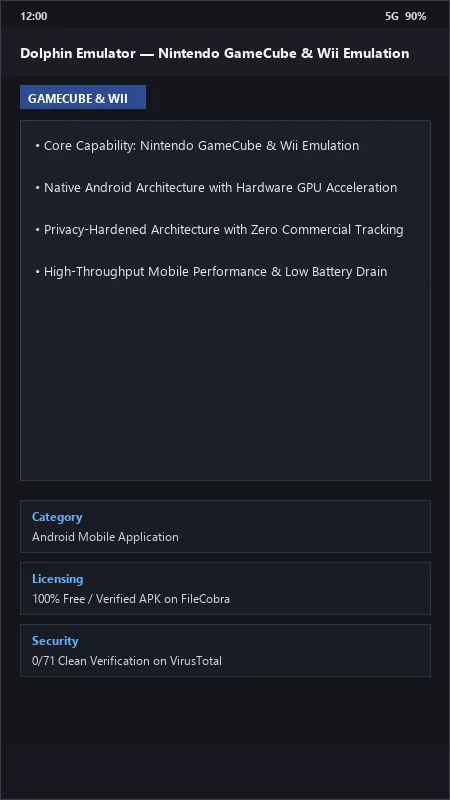
Dolphin Emulator UI & Interface Screenshots
How to Install & Verify Dolphin Emulator
Download official Dolphin APK for 64-bit Android.
Install APK on Android.
Set Video Backend to Vulkan and load your GameCube/Wii ISOs.
Dolphin Emulator Version History & Build Numbers
Every Dolphin Emulator build FileCobra has mirrored, newest first. Match the build number against the copy you already have to confirm whether you are up to date.
- Added motion sensor gyroscope Wii Remote pointer emulation
- Fixed dual-core audio crackling
- Enhanced Ubershader compilation stutter elimination
- Faster RVZ / ISO disc image loading
- Added Bluetooth real Wii Remote Mayflash adapter support
- Dark AMOLED theme improvements
- Milestone stable release with full offline Nintendo GameCube / Wii hardware emulation
Frequently Asked Questions & Verification Guide
Is Dolphin Emulator free and open source?
Yes. Dolphin Emulator is completely free and open-source software. You can download and use it at no cost, and its source code is publicly available.
What formats do GameCube and Wii games use in Dolphin?
Dolphin natively opens standard .iso, .gcm, .wbfs, and highly compressed .rvz game files.
Does Dolphin Emulator require BIOS files to run games?
No! Dolphin uses high-level emulation (HLE) for the GameCube and Wii operating systems and does not require proprietary BIOS files to run games.
Can Dolphin on Android run games at 60 FPS in Full HD?
Yes! On modern smartphones with Snapdragon or Dimensity processors, Dolphin running the Vulkan backend easily runs GameCube and Wii games at 1080p 60 FPS.