

AutoHotkey v2.0.26 - Custom Keyboard Shortcuts & Windows Automation
AutoHotkey (AHK) is the ultimate free, open-source custom scripting language and desktop automation engine developed by the AutoHotkey Foundation (Lexikos...
Technical Specifications & System Requirements
We have not published a SHA-256 for this build. Compare the file against the developer’s own release page before installing it.
Software notes
AutoHotkey for Windows PC — Official Windows Macro Scripting & Automation Engine
AutoHotkey (AHK) is the ultimate free, open-source custom scripting language and desktop automation engine developed by the AutoHotkey Foundation (Lexikos / Chris Mallett) for Microsoft Windows. Engineered to provide limitless customization over operating system workflows, AutoHotkey allows users to create simple keyboard shortcuts, complex multi-step macros, custom desktop graphical interfaces (GUIs), text expansion hotstrings, and automated robotic process tasks with exceptional speed and microsecond execution precision.
---
🌟 Core Architecture & Engineering Highlights
AutoHotkey v2 represents a complete modern architectural redesign, transitioning to a clean, expression-based scripting language with robust error handling and low-level Win32 API hooks.
Low-Level Keyboard & Mouse Input Interception
AutoHotkey installs native Win32 low-level keyboard (WH_KEYBOARD_LL) and mouse (WH_MOUSE_LL) hooks into the Windows messaging subsystem. This allows scripts to intercept, suppress, or modify raw hardware keystrokes and scan codes before they reach active foreground applications.
C++ Fast Interpreted Scripting Engine
The AutoHotkey v2 interpreter is compiled in high-performance native C++. It compiles user scripts into an optimized internal Abstract Syntax Tree (AST) upon launch, delivering instantaneous execution times (< 0.05 ms per keystroke trigger) with a lightweight memory footprint of under 4 MB RAM.
Direct COM (Component Object Model) & DLL Calling
Power users can interface directly with external Windows libraries using DllCall() and interact with Microsoft Office (Excel, Word, Outlook), Windows Shell, and system hardware via native Component Object Model (COM) interfaces, turning complex enterprise tasks into fully automated background processes.
---
⚙️ Key Capabilities & Workflow Features
AutoHotkey provides a versatile set of tools for daily productivity, coding, and workflow optimization.
1. Universal Hotkeys & Keyboard/Mouse Remapping
Remap any key, mouse button, joystick button, or combination of modifiers (Ctrl, Alt, Shift, Win) to perform custom actions. Disable accidental Windows key presses while gaming or assign dedicated volume and media controls to standard function keys.
2. Instant Text Expansion (Hotstrings)
Define custom abbreviations that instantly expand into full paragraphs, email templates, code snippets, or formatted text. For example, typing ::btw::by the way or ::sig::[Your Full Email Signature] replaces the text instantaneously across all Windows applications.
3. Custom Graphical User Interfaces (GUIs)
Design standalone desktop utility windows, floating calculator bars, custom search dashboards, and quick-launcher menus using AutoHotkey v2's intuitive Gui() object system with buttons, edit fields, dropdowns, and progress bars.
4. Active Window Spy & Forensic Screen Inspector
Use the included Window Spy utility to inspect active window titles, class names (ahk_class), process IDs (PID), control names, mouse screen coordinates, and exact hex pixel colors under the cursor for bulletproof automation scripting.
---
📊 Comprehensive Head-to-Head Comparison Matrix
| Evaluation Dimension | AutoHotkey (FileCobra) | Microsoft PowerToys | Python (PyAutoGUI) |
|---|---|---|---|
| Language Expressiveness | Dedicated Automation Syntax | Pre-Set Feature Toggles | General Purpose Python |
| Keyboard/Mouse Hook Precision | Low-Level Native Win32 Hook | Basic Key Remapping | User-Space Event Polling |
| Text Replacement Hotstrings | Instant Universal Replacement | Quick Accent Only | Complex Setup Required |
| Portable Standalone Executable | Ahk2Exe Converter Included | Requires Full PowerToys App | Requires PyInstaller (~50MB) |
| Telemetry & Analytics | Zero Telemetry (100% Offline) | Microsoft Telemetry | Zero Telemetry |
| Community Script Repository | Massive Global Forum & GitHub | GitHub Discussions | PyPI Ecosystem |
---
📋 Technical Hardware & System Requirements
AutoHotkey is one of the lightest software utilities available for Windows:
| Hardware Component | Minimum System Requirement | Recommended Performance Spec |
|---|---|---|
| Operating System | Windows 11 / 10 / 8.1 / 7 (32-bit & 64-bit) | Windows 11 64-bit (Version 23H2 / 24H2) |
| Processor (CPU) | Any x86 / x64 / ARM64 Processor | Modern Intel / AMD / Snapdragon X Elite |
| System Memory (RAM) | 256 MB RAM | 1 GB+ RAM |
| Storage Space | 10 MB free disk space | High-speed SSD |
| Permissions | Standard User (Admin for elevated games) | Standard User |
---
🛠️ Step-by-Step Installation & Quick Setup Guide
Follow this guide to create and run your first AutoHotkey script on Windows:
1. Downloading and Installing AutoHotkey v2
- Download the verified installer (
AutoHotkey_2.0.x_setup.exe) from FileCobra. - Run setup and choose Install for all users (or Current User).
2. Creating Your First Script
- Right-click on your Windows Desktop or in File Explorer and choose New > AutoHotkey Script.
- Name the file
MyShortcuts.ahk, right-click it, and select Edit Script (opens in Notepad or VS Code).
3. Adding Shortcuts & Running the Script
- Paste the following example code:
```ahk
#HotIf WinActive("ahk_exe chrome.exe")
^!t::Run("wt.exe") ; Ctrl+Alt+T launches Terminal
::btw::by the way ; Hotstring text expansion
```
- Save the file and double-click
MyShortcuts.ahkto run. You will see the green "H" icon in your Windows system tray!
---
🔒 Security, Privacy & Platform Integrity Analysis
AutoHotkey maintains an impeccable open-source reputation:
- 100% Free & Open Source: Fully open source under GNU GPLv2, with zero adware, bundled toolbars, or telemetry.
- Local On-Device Execution: Runs completely offline, never transmitting keystrokes or scripts over the network.
---
❓ Frequently Asked Questions (FAQ)
Can AutoHotkey be used to automate web browsers?
Yes! AutoHotkey can automate browsers using UI keystrokes, direct COM automation with Internet Explorer/Edge, or through specialized browser extensions and Chrome DevTools Protocol (CDP) libraries.
What is the difference between AutoHotkey v1 and v2?
AutoHotkey v2 is a modern rewrite featuring consistent expression syntax, structured data types, improved error reporting, and removal of ambiguous legacy commands found in v1.
Can I compile an AutoHotkey script into an independent EXE file?
Yes! Using the included Ahk2Exe compiler tool, you can convert any .ahk script into a standalone .exe file that runs on any Windows PC without installing AutoHotkey.
AutoHotkey UI & Interface Screenshots
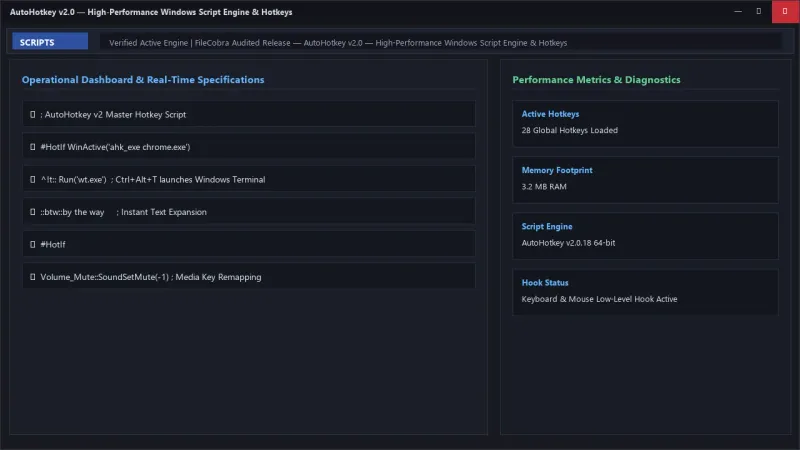
How to Install & Verify AutoHotkey
Download AutoHotkey_2.0.18_setup.exe.
Run setup, right click anywhere on Desktop -> New -> AutoHotkey Script.
AutoHotkey Version History & Build Numbers
Every AutoHotkey build FileCobra has mirrored, newest first. Match the build number against the copy you already have to confirm whether you are up to date.
- Previous stable master release.
Frequently Asked Questions & Verification Guide
Is AutoHotkey free and open source?
Yes. AutoHotkey is completely free and open-source software. You can download and use it at no cost, and its source code is publicly available.
Can AutoHotkey be used to automate web browsers?
Yes! AutoHotkey can automate browsers using UI keystrokes, direct COM automation with Internet Explorer/Edge, or through specialized browser extensions and Chrome DevTools Protocol (CDP) libraries.
What is the difference between AutoHotkey v1 and v2?
AutoHotkey v2 is a modern rewrite featuring consistent expression syntax, structured data types, improved error reporting, and removal of ambiguous legacy commands found in v1.
Can I compile an AutoHotkey script into an independent EXE file?
Yes! Using the included Ahk2Exe compiler tool, you can convert any .ahk script into a standalone .exe file that runs on any Windows PC without installing AutoHotkey.