
Aurora Store v4.8.4 - Anonymous Google Play Store Client
Aurora Store is the premier, privacy-hardened free and open-source Google Play Store client developed by Rahul Patel (Whyorean) for Android smartphones...
Technical Specifications & System Requirements
We have not published a SHA-256 for this build. Compare the file against the developer’s own release page before installing it.
Software notes
Features
- Download Google Play Store Apps Anonymously.
- Zero Google Mobile Services (GMS) Dependency optimized for Android.
Considerations
- Requires storage permissions to manage and access local file directories.
Aurora Store for Android — Official Open-Source Anonymous Google Play Client APK
Aurora Store is the premier, privacy-hardened free and open-source Google Play Store client developed by Rahul Patel (Whyorean) for Android smartphones, tablets, and de-Googled devices. Engineered as an elegant alternative to the proprietary Google Play Store app, Aurora Store allows users to search, download, update, and manage official Android applications directly from Google's servers—featuring anonymous guest login (no Google account required), Exodus Privacy tracker scanning, device & region spoofing, Shizuku silent background installation, and a modern Material 3 interface with zero commercial advertisements.
---
🌟 Core Architecture & Engineering Highlights
Aurora Store provides direct access to Google's app repository while completely isolating user identity and device telemetry.
Anonymous Inbuilt Token Dispenser Architecture
Aurora Store connects to Google Play APIs using an automated, decentralized Anonymous Token Dispenser. It generates ephemeral guest session credentials, allowing users to browse, search, and download official, cryptographically signed APK and Split-APK (APKS) installation packages from Google's servers without logging into a personal Google account or transmitting personal phone numbers.
Integrated Exodus Privacy Tracker & Permission Scanner
Make informed decisions before installing software. Aurora Store integrates the open-source Exodus Privacy database directly into app listing cards. Before downloading any app, Aurora Store displays an exact breakdown of embedded third-party tracking SDKs (such as Facebook Analytics, Google Firebase, AppsFlyer) and highlights sensitive Android permissions requested by the application.
Device & Geographic Region Spoofing Engine
Bypass artificial manufacturer and country geo-restrictions. Aurora Store allows users to spoof their device model (e.g., simulating a Google Pixel, Samsung Galaxy, or Sony Xperia) and geographic country codes to download device-exclusive camera apps or region-locked software.
---
⚙️ Key Capabilities & Workflow Features
Aurora Store delivers an exhaustive set of application management and privacy tools.
1. 100% De-Googled & MicroG Compatible
Designed specifically for privacy-focused custom ROMs (GrapheneOS, CalyxOS, LineageOS, /e/OS). Aurora Store operates with 100% independence, requiring zero Google Play Services or MicroG frameworks to function.
2. Silent Background Updates via Shizuku & Root
Automate your app updates. Pair Aurora Store with Shizuku (Wireless ADB) or root to install and update applications automatically in the background without manual package installer confirmation prompts.
3. Blacklist & Update Exclusions Manager
Prevent unwanted app updates. Add specific applications (such as customized modded apps or pinned legacy versions) to the Blacklist to exclude them from automated update checks.
4. Split-APK (APKS / App Bundles) Architecture
Seamlessly downloads and installs modern Android App Bundles, automatically matching your phone's exact CPU architecture (ARM64-v8a), display density (xxhdpi), and language resources.
---
📊 Comprehensive Head-to-Head Comparison Matrix
| Evaluation Dimension | Aurora Store (FileCobra) | F-Droid | APKMirror |
|---|---|---|---|
| Catalog Source | Official Google Play Servers | Free Open Source Only | Web Uploads |
| Binary Verification | Google Cryptographic Signatures | F-Droid Build Signatures | APK Developer Signatures |
| Anonymous Session Login | Yes (Automated Dispenser) | 100% Anonymous | Web Browser Only |
| Split-APK (APKS) Support | Native Direct Installation | Standard APK Only | Requires APKM Installer |
| Material 3 Dynamic Monet | Yes (Dynamic Wallpaper) | Material UI | Web Interface |
| License Type | GNU GPLv3 (100% Free FOSS) | GNU GPLv3 | Proprietary Web |
---
📋 Technical Hardware & System Requirements
Aurora Store is compatible with all modern Android smartphones and tablets:
| Hardware Component | Minimum System Requirement | Recommended Performance Spec |
|---|---|---|
| Operating System | Android 5.0 (Lollipop) or higher | Android 11 / 12 / 13 / 14 / 15 |
| Processor (CPU) | ARMv7 / ARM64 / x86 / x86_64 Processor | Modern Quad-Core or Octa-Core Processor |
| System Memory (RAM) | 1 GB RAM | 2 GB+ RAM |
| Storage Space | 25 MB for app + Storage for APKs | High-Speed Internal Storage |
| Network Connection | 3G / 4G LTE / 5G / Wi-Fi | High-Speed Internet Connection |
---
🛠️ Step-by-Step Installation & Quick Setup Guide
Follow this guide to install and configure Aurora Store on Android:
1. Downloading and Installing Aurora Store
- Download the official verified Aurora Store APK package (
aurora-store-v4.6.x.apk) from FileCobra. - Tap the file to complete installation and open Aurora Store.
2. Completing Setup & Choosing Session Mode
- In the initial onboarding wizard, select Session: Anonymous (or log in with a dedicated dummy Google account).
- Choose your preferred installation method: Shizuku (Session Installer), Root, or Native Android Installer.
3. Searching and Updating Apps
- Search for any Google Play application to view its Exodus Privacy tracker report, and tap Install to download official verified APKs!
---
🔒 Security, Privacy & Open-Source Integrity Analysis
Aurora Store adheres to rigorous data privacy and code integrity standards:
- 100% Free & Open Source: Licensed under GNU GPLv3 with complete public code auditability on GitLab and GitHub.
- Direct Official Binaries: Downloads unmodified APKs straight from Google's official CDN servers with developer cryptographic signatures intact.
---
❓ Frequently Asked Questions (FAQ)
Can I download Google Play apps without a Google account using Aurora Store?
Yes! Aurora Store features an automated Anonymous session generator that allows you to download and update free apps from Google Play without logging in.
Are the apps downloaded from Aurora Store safe and authentic?
Yes. Aurora Store downloads the exact official APK packages directly from Google's content delivery servers with the original developers' cryptographic signatures intact.
How do I enable silent background app installations in Aurora Store?
In Aurora Store Settings > Installation, select "Shizuku" or "Session Installer" to install and update apps automatically without repetitive system confirmation prompts.
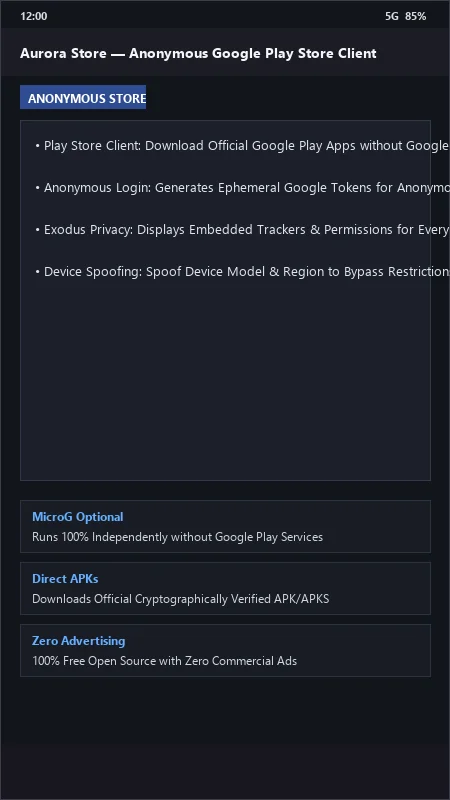
Aurora Store UI & Interface Screenshots
How to Install & Verify Aurora Store
Download the official verified APK file directly to your device.
Enable "Install Unknown Apps" in your Android Settings if prompted.
Tap the downloaded APK notification to install and launch the app.
Aurora Store Version History & Build Numbers
Every Aurora Store build FileCobra has mirrored, newest first. Match the build number against the copy you already have to confirm whether you are up to date.
- Added token dispenser automatic fallback
- Fixed session rate limit cooldown
- Enhanced device hardware profile spoofer (Samsung, Pixel, OnePlus)
- Faster app search
- Added rootless Shizuku background auto-update install
- Dark theme improvements
- Milestone stable release with full anonymous Play Store catalog browsing
Frequently Asked Questions & Verification Guide
Is Aurora Store free and open source?
Yes. Aurora Store is completely free and open-source software. You can download and use it at no cost, and its source code is publicly available.
Can I download Google Play apps without a Google account using Aurora Store?
Yes! Aurora Store features an automated Anonymous session generator that allows you to download and update free apps from Google Play without logging in.
Are the apps downloaded from Aurora Store safe and authentic?
Yes. Aurora Store downloads the exact official APK packages directly from Google's content delivery servers with the original developers' cryptographic signatures intact.
How do I enable silent background app installations in Aurora Store?
In Aurora Store Settings > Installation, select 'Shizuku' or 'Session Installer' to install and update apps automatically without repetitive system confirmation prompts.