
SumatraPDF v3.5.2 - Free PDF Reader for Windows
Download SumatraPDF for Windows to read PDFs, ebooks and comics. Learn how to save highlights and choose between an installer and a portable build.
Technical Specifications & System Requirements
Software notes
Features
- Free Windows document reader
- Reads PDFs, ebooks and comics
- Portable distribution available from the publisher
Considerations
- Windows desktop package does not run on Android or macOS
- Annotation features are different from full document text editing
About & Overview: SumatraPDF: Free PDF Reader for Windows
SumatraPDF is a free, open-source reader for PDFs, ebooks, and comics. Choose it when you mainly want to open and read documents without a large editing suite. This listing is for Windows. The publisher's overview describes its format support and distribution options.
Key Highlights & Features
- PDF and supported ebook reading
- Comic-book archive support
- PDF highlights and annotations
- Installer and portable distribution choices
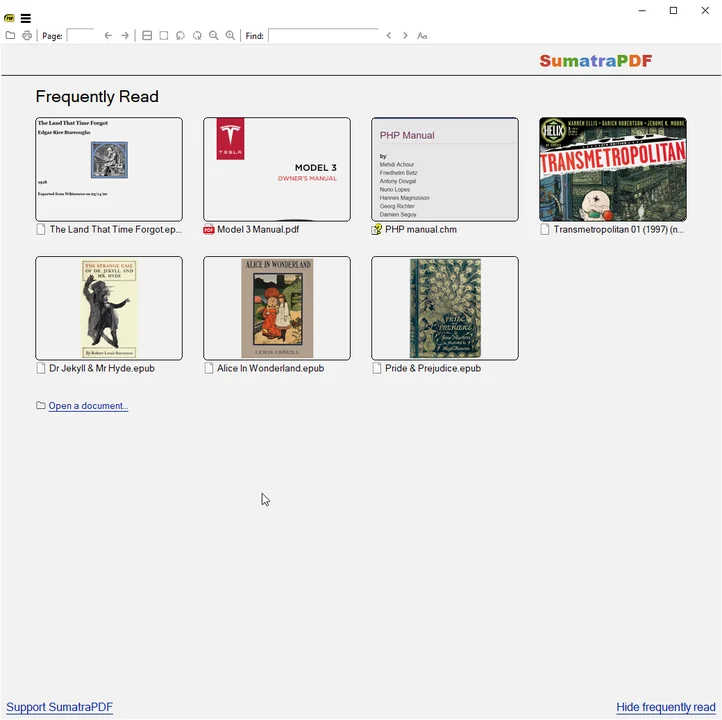
SumatraPDF UI & Interface Screenshots
How to Install & Verify SumatraPDF
Check whether the file is an installer or a portable build.
Install or launch the package and open a PDF.
Try a highlight on a copy and confirm that the saved document retains it.
Frequently Asked Questions & Verification Guide
Is SumatraPDF free?
Yes. The publisher distributes SumatraPDF as free, open-source software.
How do I highlight text in SumatraPDF?
Select text in a PDF and press A. Save annotations with Ctrl + Shift + S, then check the saved file.
Can SumatraPDF edit the original text of a PDF?
Highlighting and annotation do not rewrite existing paragraphs. Check the capabilities of your specific version before choosing it for document editing.
How should I check a SumatraPDF download?
Check the source, version and architecture. Compare a checksum where one is provided; a matching checksum alone is not a malware scan or authenticity guarantee.