

Blender 3D v5.2.2 - Complete Modeling, Animation & VFX Suite
Blender 3D is the world's most versatile, feature-complete, and free open-source 3D creation suite for Microsoft Windows.
Technical Specifications & System Requirements
Software notes
Features
- 100% Free for Commercial & Private Use.
- EEVEE Next Real-Time GPU Raytracing Engine optimized for Windows.
- High-speed direct CDN mirrors with instant verification checksums.
Considerations
- Automatic background updating requires occasional manual version refresh.
Blender 3D for Windows PC — Official 3D Modeling, Sculpting, Animation, Cycles & VFX Suite
Blender 3D is the world's most versatile, feature-complete, and free open-source 3D creation suite for Microsoft Windows. Maintained by the Blender Foundation, Blender provides an end-to-end pipeline covering 3D polygon modeling, digital sculpting, UV unwrapping, texturing and shading, rigging and skeletal animation, particle and fluid physics simulations, camera tracking, video compositing, non-linear video editing, and photorealistic ray-traced rendering powered by the industry-standard Cycles and real-time EEVEE Next engines.
Empowering solo indie game developers, concept artists, architectural visualizers, Hollywood VFX studios, and 3D printing enthusiasts, Blender delivers an agile, keyboard-centric workspace free from expensive recurring software subscriptions and licensing restrictions.
---
🌟 Core Architecture & Engineering Highlights
Blender is engineered around a custom C/C++ OpenGL and Vulkan graphics core with deeply integrated Python scripting and node-based procedural workflows.
Key Architectural Strengths:
- Dual Production Rendering Engines: Includes Cycles (physically based, multi-GPU path tracer with NVIDIA OptiX, AMD HIP, and Intel oneAPI hardware acceleration) and EEVEE (real-time rasterized engine with screen-space reflections, volumetric lighting, and subsurface scattering).
- Procedural Geometry Nodes: Powerful node-based procedural geometry framework for generating procedural environments, architectural buildings, dynamic hair curves, and parametric modeling.
- Multi-Resolution Digital Sculpting: High-performance dynamic topology (Dyntopo), voxel remeshing, and brush management for sculpting hyper-detailed characters and organic creatures with millions of polygons.
- Comprehensive Skeletal Rigging & Character Animation: Forward and Inverse Kinematics (FK/IK), shape keys, drivers, automated weight painting, NLA (Non-Linear Animation) editor, and dope sheet.
- Integrated Compositor & Motion Tracking: 2D/3D camera motion tracking, object tracking, chroma keying, and node-based image compositing directly within the 3D viewport.
---
⚙️ Key Capabilities & Workflow Features
Blender covers every stage of the digital 3D production pipeline under a unified, non-overlapping interface.
1. 3D Modeling, Retopology & UV Mapping
- Polygon & Subdivision Surface Modeling: Comprehensive mesh modeling tools (Extrude, Inset, Bevel, Knife, Loop Cut) with non-destructive modifiers (Boolean, Mirror, Array, Solidify).
- UV Unwrapping & Texture Painting: Advanced conformal UV unwrapping, seam marking, and real-time 3D texture painting directly onto 3D models using PBR material maps.
2. Shading, Lighting & Procedural Materials
- Node-Based Shader Editor: Build complex photorealistic PBR materials using the Principled BSDF shader, procedural noise textures, ambient occlusion, and glass/metallic refractions.
- Physical Sky & HDRI Environment Lighting: Realistic atmospheric sunlight simulations and image-based lighting (IBL) with true photometric light intensity units.
3. Physics, Fluid & Smoke Simulation
- MantaFlow Simulation Engine: Photorealistic fluid simulations (water, splashes, foam), fire, smoke, explosion dynamics, and rigid/soft body collision physics.
---
📊 Comprehensive Head-to-Head Comparison
| Feature Dimension | Blender 3D (FileCobra Verified) | Autodesk Maya | Cinema 4D |
|---|---|---|---|
| License & Price | 100% Free & Open Source (GPL-3.0) | $1,875 / Year Subscription | $1,188 / Year Subscription |
| Commercial Project Use | 100% Free for Unlimited Commercial Use | Strict Commercial License | Commercial License Required |
| Geometry Nodes (Procedural) | Built-in Procedural System | Bifrost System | MoGraph Engine |
| Integrated Video Compositor | Included Node Compositor | Requires External Software | Basic Compositing |
| Installation & Binary Size | ~350 MB (Instant Setup) | ~5 GB + Heavy Licensing Service | ~3.5 GB |
| Community Add-ons | Thousands of Free & Paid Add-ons | Expensive Plugin Ecosystem | Commercial Plugins |
---
📋 Technical Hardware & System Requirements
| Hardware Component | Minimum System Requirement | Recommended High-Performance Spec |
|---|---|---|
| Operating System | Windows 10 64-bit / Windows 11 | Windows 11 64-bit (23H2 / 24H2) |
| Processor (CPU) | 64-bit dual-core 2.0 GHz with SSE4.2 | 8-core 3.5 GHz+ Intel Core i7/i9 or AMD Ryzen 7/9 |
| System Memory (RAM) | 8 GB RAM | 32 GB or 64 GB DDR4/DDR5 |
| Graphics Card (GPU) | 2 GB VRAM, OpenGL 4.3 (NVIDIA/AMD/Intel) | NVIDIA RTX 3070/4070/4080 (8GB+ VRAM, OptiX) |
| Display Resolution | 1920 × 1080 (FHD) | 2560 × 1440 (QHD) / 3840 × 2160 (4K UHD) |
| Input Devices | Three-button mouse with scroll wheel | Drawing tablet / Stylus (Wacom, Huion, XP-Pen) |
---
🛠️ Step-by-Step Installation & Setup Guide
1. Installation Instructions
- Download
blender-4.2.0-windows-x64.msifrom FileCobra's verified mirror. - Run the installer and click Install to place Blender on your computer.
- Launch Blender from the Windows Start Menu. On the initial splash screen, configure your preferred navigation shortcuts and theme (Blender Dark recommended).
2. Enabling GPU Acceleration for Fast Rendering
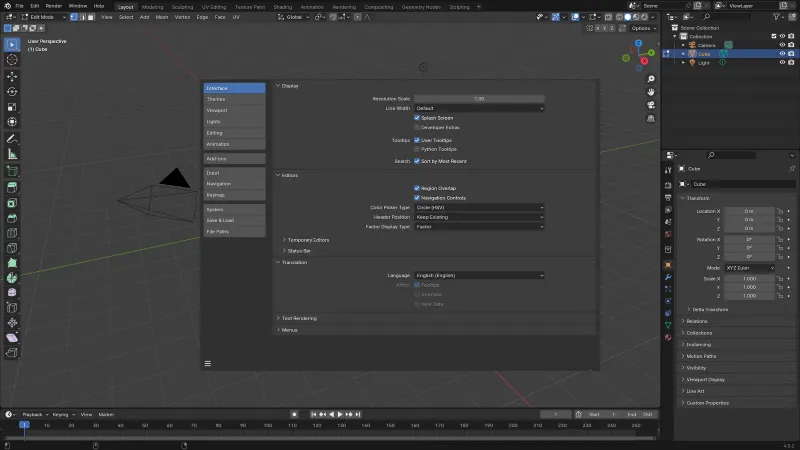
- Open
Edit > Preferences > System. - Under Cycles Render Devices, select OptiX (for NVIDIA RTX GPUs), HIP (for AMD Radeon), or oneAPI (for Intel Arc).
- Check your primary GPU device to enable high-speed ray-tracing hardware acceleration.
---
🔒 Security, Privacy & Open-Source Integrity Analysis
Blender 3D is a community-owned open-source project with maximum software security:
- GNU General Public License v3.0: All artwork, models, animations, and render outputs created with Blender belong 100% to the artist with zero licensing royalties.
- Zero Telemetry: No tracking cookies, no mandatory user accounts, and zero cloud background daemons.
---
❓ Frequently Asked Questions (FAQ)
Is Blender truly 100% free for commercial freelance and studio work?
Yes! Blender is licensed under the GNU General Public License (GPL-3.0). You are completely free to use Blender for commercial games, Hollywood films, architectural visualizations, and freelance client projects without paying any royalties or license fees.
Can Blender export 3D models for Unity and Unreal Engine?
Yes. Blender natively exports models in industry-standard formats including FBX, OBJ, glTF 2.0 (.gltf/.glb), USD (Universal Scene Description), and STL (for 3D printing).
Can Blender run on budget laptops without a dedicated GPU?
Yes. Blender can run on modern integrated graphics (Intel Iris Xe, AMD Radeon Vega) for low-polygon modeling and learning, though a dedicated GPU is strongly recommended for heavy Cycles ray-traced rendering.
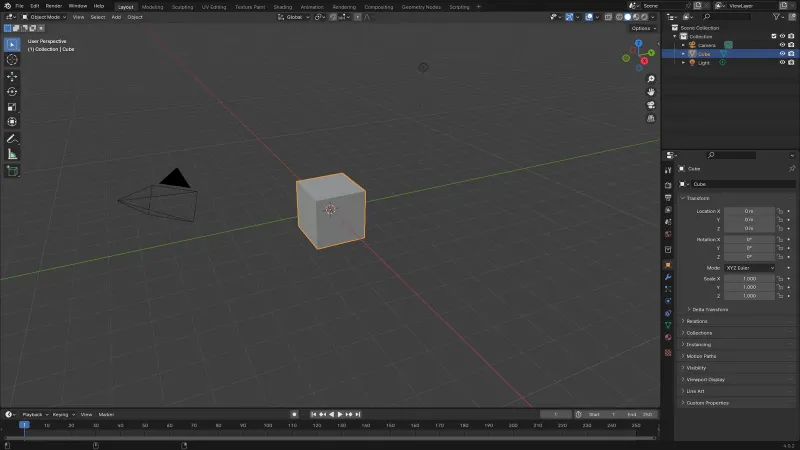
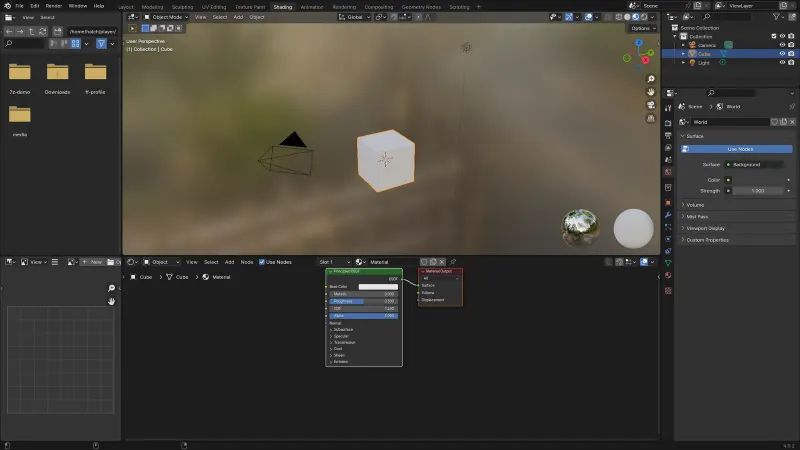
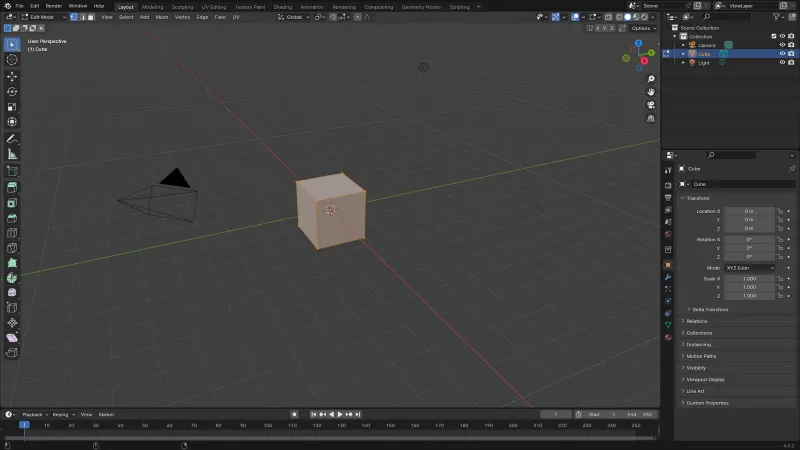
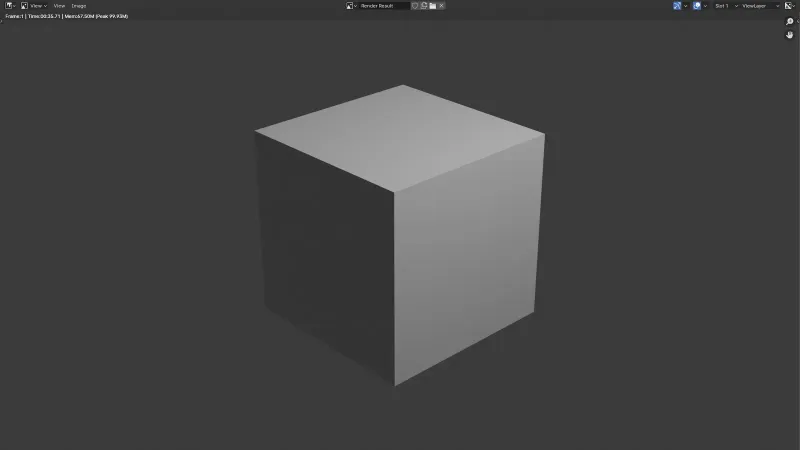
Blender 3D UI & Interface Screenshots
How to Install & Verify Blender 3D
Download the official installer binary directly from the Blender Foundation CDN.
Run the installer package and click Finish to start 3D modeling.
Blender 3D Version History & Build Numbers
Every Blender 3D build FileCobra has mirrored, newest first. Match the build number against the copy you already have to confirm whether you are up to date.
- Long Term Support (LTS) release
- Introduced EEVEE Next raytracing engine
Frequently Asked Questions & Verification Guide
Is Blender 3D completely free?
Yes, completely. Blender is free and open source under the GNU GPL: no subscription, no licence fee, no watermark, no feature paywall — for hobbies and for commercial work alike. Even the output is uncomplicated: models, animations, and films you create are your own property to sell. The Blender Foundation funds development through donations and a development fund, not by charging users.
Is Blender 3D good for beginners?
Yes, with honest expectations. Blender is a genuinely good first 3D program because it is free, covers the whole pipeline in one app, and has an unmatched library of free beginner tutorials (the famous 'donut' series exists for a reason). The interface will feel dense for the first days, but beginners who follow one structured tutorial series — rather than random videos — are usually modelling simple objects within a week.
Can I learn Blender in 2 days?
You can learn the basics in 2 days — moving around the viewport, adding and editing simple meshes, applying basic materials, and rendering a still image — especially by following a structured beginner tutorial start to finish. You will not be job-ready or producing polished animation in 2 days; that takes months of practice. Treat 2 days as a solid orientation, not mastery, and the learning curve becomes much less discouraging.
Is Blender difficult to learn?
Blender is considered difficult mainly because 3D itself is difficult — you are learning modelling, materials, lighting, and animation concepts on top of an unfamiliar interface and shortcut-heavy workflow. The difficulty is front-loaded: the first two weeks are the steep part, after which the same handful of tools (move, extrude, bevel, loop cut) covers most everyday work. It is hard like learning an instrument is hard, not because the software is badly designed.
What kind of computer do I need for Blender?
For this Windows build: Windows 10 64-bit or Windows 11, a 64-bit quad-core CPU with SSE4.2, 8 GB of RAM minimum (32 GB recommended for sculpting and heavy scenes), a graphics card with OpenGL 4.3 support and about 4 GB of VRAM, and 2 GB of free disk space. A dedicated NVIDIA or AMD GPU makes the biggest real-world difference, because Cycles rendering and the EEVEE viewport run on it.
How much does Blender 3D cost?
Nothing. Blender costs $0 — it is free and open source, and that includes commercial use: selling models, freelance work, and studio production are all allowed without paying the Blender Foundation anything. The only costs around Blender are optional: paid add-ons, asset libraries, courses, or a render farm, if you choose them.
Can I use Blender on my iPad?
There is no official Blender app for iPad — Blender is a desktop program for Windows, macOS, and Linux, built around a keyboard, mouse, and large screen. What exists for iPad are remote-desktop workarounds and unrelated modelling apps; the Blender Foundation does not publish or support an iPad version. If tablet modelling is the goal, look at dedicated tablet apps and keep Blender for the computer.
Will Blender work on my laptop?
Usually yes, if the laptop meets the minimums: 64-bit Windows 10 or 11, a quad-core CPU, 8 GB of RAM, and a GPU with OpenGL 4.3 and around 4 GB of VRAM. Modest laptops handle modelling and EEVEE rendering fine; expect slow Cycles renders and heavy sculpting to struggle on integrated graphics. Plug in, use the dedicated GPU in Blender's preferences, and start with small scenes — most learning is perfectly possible on an ordinary laptop.
Do professionals use Blender 3D?
Yes. Blender is used professionally in game development, product visualisation, advertising, and film — it has powered open movies from the Blender Studio, work at indie and mid-size studios, and freelance pipelines worldwide, and major productions have used it for previz and full shots. Some large film pipelines still centre on Maya or Houdini for specific stages, but 'professionals use Blender' is no longer a debate — it is a hiring skill.
Can you make money with Blender 3D?
Yes — people earn with Blender by selling 3D models and assets on marketplaces, freelancing for product renders and advertising, making game assets, doing architectural visualisation, and monetising tutorials and animations online. Blender itself imposes no royalty or licence cost on that income. The honest caveat: the money comes from skill and clients, not the tool — expect months of portfolio-building before it pays.